
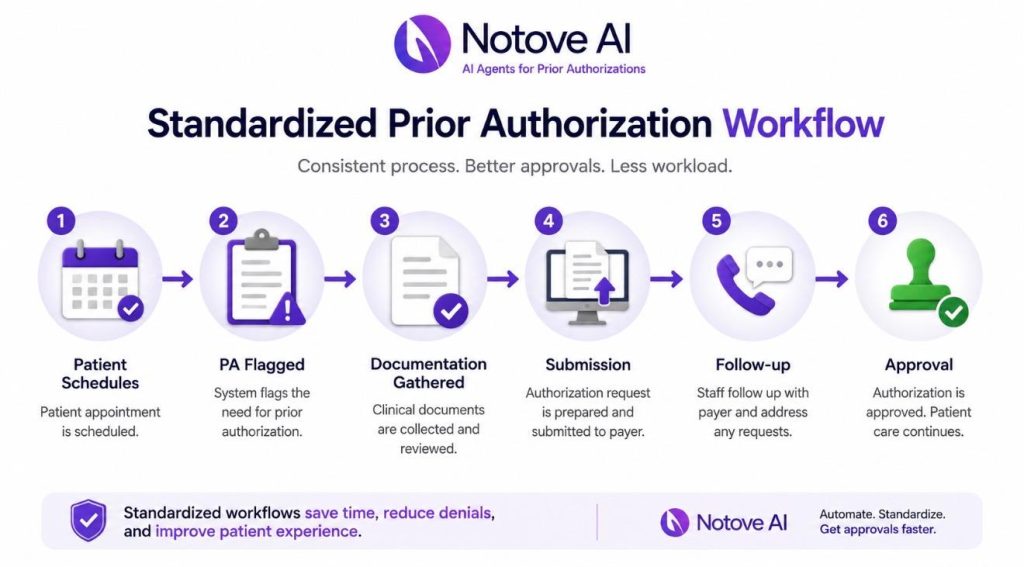
Specialty Clinics rarely struggle with prior authorization because the medicine is complicated. They struggle because the operations around it are. Every payer has its own portal, its own forms, its own deadlines, and its own idea of what “medical necessity” actually looks like on paper. One staff member learns a workaround for Aetna, another figures out a trick for UnitedHealthcare, and within a few months the clinic has five different unwritten processes instead of one reliable system.
This is especially true in Specialty Clinics that deal in high-cost therapies: biologics, infusion services, advanced imaging, surgical procedures, and specialty pharmacy coordination. These are exactly the services payers scrutinize hardest, and exactly the services where a missing data point or a vague clinical note triggers an automatic denial.
If you’ve noticed staff doing prior auth “their own way,” repeated callbacks for the same missing information, denial spikes that seem to come out of nowhere, or a front desk team that’s quietly burning out, you’re looking at the symptoms of a non-standardized workflow. The fix isn’t more staff. It’s a documented, repeatable process that doesn’t depend on any one person’s memory. Clinics that get this right see shorter turnaround times, fewer denials, less rework, and a team that isn’t constantly firefighting.
What standardizing the prior authorization workflow actually means for Specialty Clinics
Standardization, in plain terms, means building one clinic-wide workflow that every staff member follows, with clear roles, consistent data capture, shared templates, and a single place to track status. It is not one superstar coordinator who happens to know every payer’s quirks. It is not “everyone technically uses the same portal” while still doing ten different things inside it.
For Specialty Clinics, the scope of standardization needs to cover the full lifecycle of a request: the initial submission, status follow-up, peer-to-peer scheduling, appeals when something gets denied, coordination with specialty pharmacy, and renewals when a therapy needs reauthorization months later. Miss any one of these stages and the whole system reverts back to tribal knowledge.
The guiding principle is simple: reduce variation, increase visibility, and build quality checks directly into the process rather than relying on someone catching a mistake after the fact. If you’re still mapping out what platform or process changes make sense for your clinic, it’s worth reviewing 10 things to consider when choosing a healthcare AI automation platform for your clinic before locking in tools that won’t scale with you.
Map your current-state workflow in 60 minutes
Before building anything new, Specialty Clinics need an honest picture of what’s actually happening today. This doesn’t require a consultant or a six-week audit. Pull three recent cases from each major service line, an MRI request, a biologic start, a procedure authorization, and walk through them step by step.
Track who initiated the request, who submitted it, who followed up, where the information was stored, and how (or whether) the provider and patient were updated along the way. Almost every clinic finds the same failure points: missing clinical documentation, unclear diagnosis coding, notes that weren’t signed in time, no centralized tracking, and payer-specific requirements that only one person happened to know.
The deliverable from this exercise should be a single-page swimlane map: steps across the top, owners down the side, tools noted at each handoff, and a rough time target for each stage. This map becomes the foundation for everything else.
Define roles and handoffs so nothing falls between the cracks
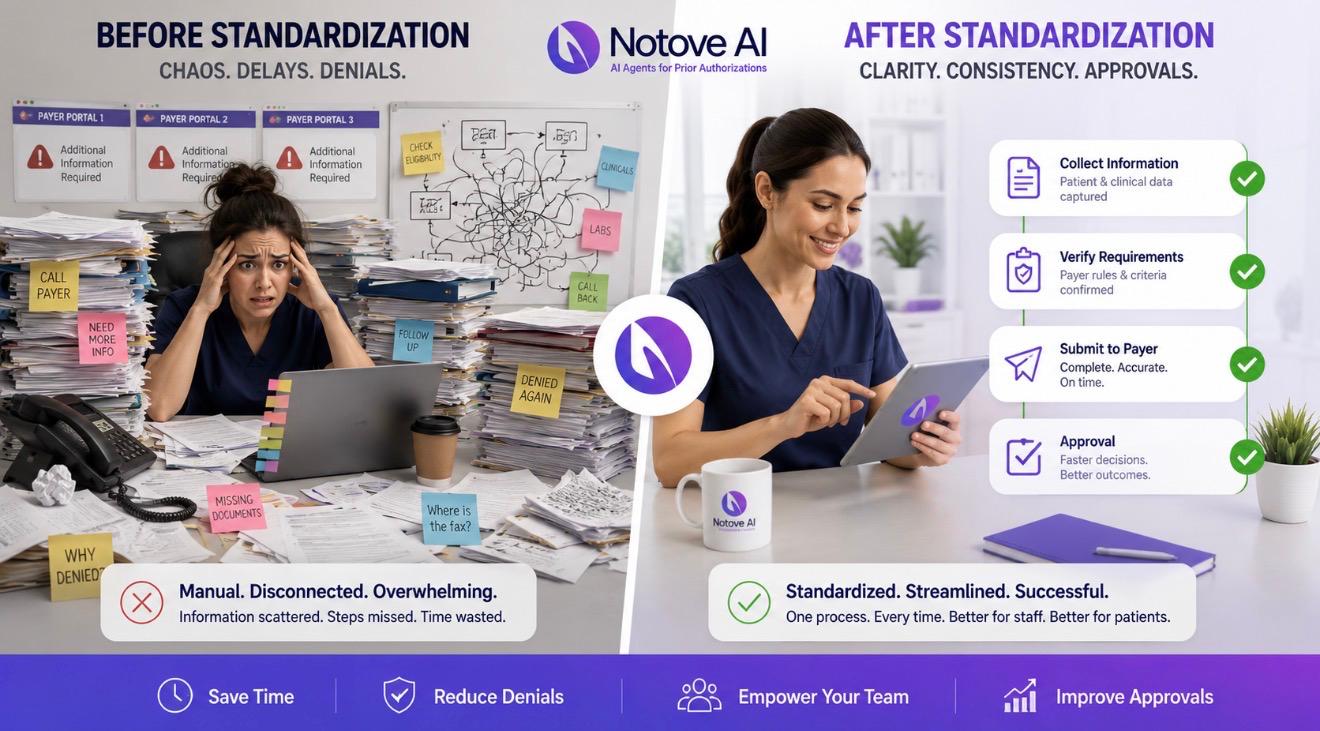
A huge share of prior auth delays in Specialty Clinics happen at handoffs, not during the actual work. The request sits in a queue because nobody was clearly responsible for the next step. Fixing this starts with clear ownership: who initiates the request, who submits it, who handles follow-up, and who owns escalation when a peer-to-peer or appeal becomes necessary.
A RACI-style structure (Responsible, Accountable, Consulted, Informed) works well here because it forces clarity without requiring a new hire. Providers are responsible for timely signatures, documenting medical necessity in a consistent structure, and making themselves available during peer-to-peer windows. Front desk and scheduling staff are responsible for capturing payer information, verifying benefits, and flagging PA-required services before the appointment is even booked. Nursing and medical assistants make sure clinical attachments like labs, imaging, and documentation of failed therapies are current and ready to go.
| Role | Primary Responsibility | Common Failure Point When Undefined |
|---|---|---|
| Provider | Sign notes promptly, document medical necessity, attend peer-to-peer calls | Notes left unsigned for days, delaying submission |
| Front desk / scheduling | Verify benefits, flag PA-required services pre-booking | Service booked before authorization status is known |
| Nursing / MA | Gather labs, imaging, failed-therapy history | Submission sent without required clinical attachments |
| PA coordinator | Submit request, track status, follow up with payer | No one checks aging requests until a denial arrives |
| Escalation owner | Schedule peer-to-peer, manage appeals | Appeal deadlines missed because ownership was unclear |
Standardize intake: a PA-ready request starts with the right data every time
Most denials trace back to incomplete intake, not bad medicine. Specialty Clinics that standardize intake build one universal checklist that works across every service line, rather than a different version per provider or per payer.
At minimum, that checklist needs member ID, payer and plan details, ordering provider NPI, facility or place of service, CPT and HCPCS codes, ICD-10 codes, urgency level, and requested dates of service. On the clinical side, intake should capture diagnosis detail, symptom duration, prior treatments tried and failed, relevant imaging or labs, and guideline references where applicable.
The goal is a single source of truth, ideally one intake form built directly into the EHR or a secure form that feeds straight into your tracker, so information isn’t re-entered three times by three different people. A simple “stop the line” rule helps enforce this: no submission goes out until every required field is complete. It feels restrictive at first, but it prevents the much costlier cycle of denial, resubmission, and appeal. For more detail on getting this documentation right the first time, see best medical documentation practices for faster approvals.
Create repeatable documentation templates that payers actually approve
Payers deny vague notes. It’s not personal, it’s pattern recognition on their end, and Specialty Clinics that keep rewriting medical necessity statements from scratch are setting themselves up for repeat denials. Templates fix this by giving providers and staff a structure that already answers the questions a payer reviewer is going to ask.
Useful templates include a medical necessity letter, a progress note addendum, a failed-therapy summary, and a conservative treatment log. Each should use structured fields rather than open paragraphs: diagnosis criteria, severity scores where relevant, red flags, contraindications, and prior medications with specific dates and doses. The most effective templates answer the payer’s underlying logic directly: why now, why this treatment, what else was tried, and what outcome is expected.
Keep templates short and checkbox-driven wherever possible, and auto-pull medications and labs from the EHR when the system allows it. The less manual rewriting required, the more consistent the output will be across providers.
Build payer-specific playbooks without turning them into tribal knowledge
Every payer behaves a little differently, and pretending otherwise just pushes that knowledge underground into one person’s head. Specialty Clinics should build a lightweight payer matrix that documents the portal link, submission method, typical turnaround time, required attachments, and common denial reasons for each major payer.
Start with the top five payers driving most of your volume rather than trying to document every plan at once. Add practical how-to notes, screenshots where allowed, and peer-to-peer phone trees so anyone on the team can step in without hunting someone down. Assign an owner to each playbook, review it monthly or quarterly, and log changes whenever a payer updates its requirements. Store it somewhere accessible, an internal wiki, a shared drive, or tied directly into your PA tracking tool, so it actually gets used.
Pick one tracking system and make it non-optional
Visibility solves more prior auth problems than heroics ever will. Every request in Specialty Clinics needs a status, an owner, a due date, and a clear next action that anyone on the team can see at a glance, not just the person who submitted it.
The right system depends on where your clinic is in its maturity. A spreadsheet works for small volume. An EHR workqueue works for mid-size operations. A dedicated PA or revenue cycle platform makes sense once volume and complexity outgrow manual tracking. Whatever you choose, the minimum fields should include patient, service line, payer, codes, date submitted, reference number, status, last touch date, next step, deadline, and outcome. A consistent status taxonomy, Not Started, Waiting on Info, Submitted, Pending, Approved, Denied, P2P Scheduled, Appealing, Closed, keeps everyone speaking the same language.
A short daily huddle using this tracker, reviewing aged items, approaching deadlines, and anything needing escalation, catches problems while they’re still cheap to fix.

Standard operating procedures: the backbone of consistent staff performance
Once the workflow is mapped, roles are assigned, intake is standardized, and tracking is in place, it needs to be written down. SOPs turn a good workflow into something a new hire can execute on day one without shadowing someone for three weeks.
Each SOP should cover intake, submission, follow-up cadence, escalation triggers, and documentation standards, with time targets built in: intake completed within 24 hours, submission within 48 hours once complete, follow-up every set number of days. Escalation rules should spell out exactly when to trigger a peer-to-peer, when to file an appeal, and when to consider switching to an alternative therapy while waiting. Add quality checkpoints before submission (codes, attachments, signatures) and after a decision comes back (why it was approved or denied). Keep each SOP to one page, linking out to templates and payer playbooks rather than duplicating content.
Training and cross-training: onboarding new staff without slowing the clinic
Staff turnover shouldn’t mean the whole prior auth process grinds to a halt. A structured onboarding path for Specialty Clinics typically moves through five stages: the basics of prior auth, payer playbooks, the tracking tool, shadowing an experienced team member, and then supervised live submissions.
Cross-train by function rather than by person, intake, follow-up, and appeals are distinct skill sets, and a clinic where only one person can handle appeals is one vacation away from a backlog. Scenario-based training helps too: walk new staff through a common denial, a missing-information case, and a peer-to-peer scheduling conflict before they encounter the real version. A simple competency checklist, where staff demonstrate they can submit a top-payer PA end-to-end, gives you a clear bar for readiness, and monthly refreshers covering recent denials and payer changes keep the whole team current.
Quality control that actually reduces denials
Quality control in Specialty Clinics works best as a quick check built into the process, not a separate audit layer that slows things down. A two-minute pre-flight check before submission, confirming codes, clinical attachments, signatures, benefit verification, and site of service, catches the majority of preventable denials before they happen.
Track denial reasons in categories: medical necessity, missing information, coding errors, non-covered benefit, incorrect site of service. This data tells you exactly where to focus. Feed specific, actionable feedback back to providers (“add prior medication dates” is far more useful than “documentation was insufficient”). A weekly audit of five to ten cases is enough to spot preventable rework patterns, and those insights should flow directly back into your intake checklist, templates, and payer playbooks. For Specialty Clinics in cardiology and orthopedics specifically, this guide on how to reduce prior authorization denials for cardiology and orthopedic practices breaks down denial patterns unique to those service lines.
Communication scripts and patient updates: standardize the human side too
Patients waiting on a prior authorization mostly want one thing: clarity on what’s happening and when. Specialty Clinics benefit from having consistent scripts for each stage, PA received, PA submitted, pending with payer, approved and ready to schedule, and denied with next steps clearly explained.
Set realistic expectations up front about typical turnaround ranges for major payers, what tends to cause delays, and what the patient themselves can do to help (confirming benefits, responding quickly to requests for information). Internally, make sure schedulers know exactly when they’re cleared to book, and that providers get timely notice when a peer-to-peer call is needed. Log every patient communication consistently in the EHR or CRM so there’s a record if questions come up later.
Peer-to-peer and appeals: make escalations predictable and fast
Denials are part of prior authorization in Specialty Clinics, but how quickly and consistently your team responds to them determines whether they become a minor delay or a major problem. Define clear triggers up front: which denial types warrant a peer-to-peer call versus an immediate appeal.
Build a standard peer-to-peer packet ahead of time: a denial summary, the key clinical facts, relevant guideline citations, and concise talking points the provider can reference during the call. Scheduling should run through a dedicated process, calendar blocks, a named escalation owner, automated reminders, and backup coverage if the original provider isn’t available.
For formal appeals, map out the ladder clearly: first-level, second-level, and external review, along with what documentation each level requires. After each case resolves, record the outcome and feed what worked back into your payer playbooks so the next denial from that payer is faster to handle.
Technology and automation ideas, even without a new platform
You don’t need to overhaul your tech stack to see real improvement. Inside your current EHR, smart phrases, order sets with required fields built in, e-fax templates, and auto-tasking can eliminate a surprising amount of manual work. Automation that flags missing information, tracks due dates, sends follow-up reminders, and auto-populates letters reduces the chance of something slipping through.
Simple standards like consistent file naming and clear attachment rules prevent lost documents, which is one of the most common (and avoidable) causes of delay. If your clinic does reach the point of evaluating dedicated prior authorization software, look closely at payer integrations, workqueue functionality, analytics, audit logs, and role-based permissions, along with strong data security controls since HIPAA compliance and minimum-necessary access aren’t optional.
KPIs to prove the workflow is working
Standardization only sticks if you can show it’s working, and Specialty Clinics should track a handful of numbers on a regular cadence rather than drowning in metrics. Operational KPIs include average turnaround time, percentage of requests submitted within SLA, number of touches per authorization, and how requests age in your pending queue.
Financial KPIs cover denial rate, overturn rate on appeals, avoidable write-offs, and the downstream impact on time-to-treatment. Patient impact shows up in time to scheduling and how often delays lead to cancellations or abandonment. Staff-level KPIs, workload per FTE, training completion, and error rate by process step, help you see where the workflow still needs reinforcement. A monthly dashboard review focused on one or two improvement experiments at a time tends to produce far better results than trying to fix everything at once. Clinics looking at the bigger financial picture alongside PA performance may also want to review revenue cycle management best practices for independent specialty practices.
A simple 30-day rollout plan to standardize prior authorization across your clinic
Putting all of this into motion doesn’t need to take a quarter. In week one, map your current state, choose a tracking system, define your status taxonomy, and identify your top payers and top service lines. Week two is for building your intake checklist and documentation templates, drafting SOPs, and starting your payer matrix for the top three to five payers.
Week three is a pilot: run the new process with one service line, hold daily huddles, and capture what’s not working so you can refine it before scaling. Week four expands the pilot to the full team, locks in roles and handoffs, launches the training checklist for new hires, and starts regular KPI reporting. Throughout the rollout, name a single workflow owner, communicate clearly why the change is happening, keep documentation easy to find, and make a point of celebrating early wins so the new process actually sticks instead of quietly reverting to old habits.
Bringing it all together
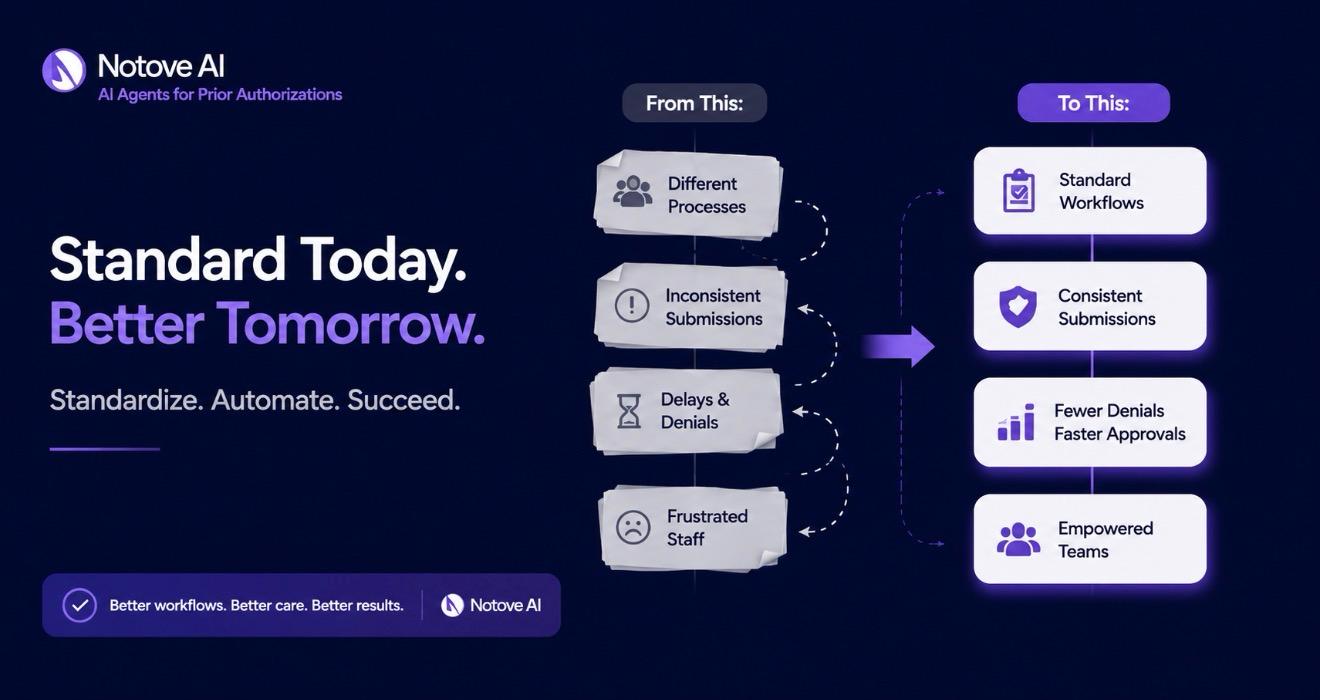
None of this requires hiring an army of prior authorization specialists. It requires Specialty Clinics to stop relying on individual memory and start relying on a documented, visible, repeatable process that any trained staff member can follow. The clinics that make this shift consistently see shorter turnaround times, fewer denials, and a team that isn’t constantly putting out fires.
If your clinic is ready to take some of this manual burden off your staff entirely, Notove AI was built specifically to help Specialty Clinics automate the repetitive parts of prior authorization, from documentation assembly to submission tracking, so your team can focus on the cases that actually need human judgment. Visit notove.com to see how it works, or reach out directly through our contact page to talk about your clinic’s specific workflow.
Frequently Asked Questions
How long does it typically take to standardize a prior authorization workflow in Specialty Clinics?
Most Specialty Clinics can build and pilot a standardized workflow within 30 days using a phased rollout: mapping the current process in week one, building templates and checklists in week two, piloting with one service line in week three, and rolling out clinic-wide in week four. Full adoption and measurable improvement in denial rates and turnaround time usually shows up within 60 to 90 days as staff get comfortable with the new process.
What is the biggest cause of prior authorization denials in Specialty Clinics?
Incomplete documentation and missing clinical information are consistently the leading causes of denial, more often than the underlying medical necessity being questioned. Missing prior treatment history, vague diagnosis documentation, and incorrect coding account for a large share of preventable denials, which is why standardized intake checklists and documentation templates have such a direct impact on denial rates.
Do Specialty Clinics need new software to standardize prior authorization, or can it be done with existing tools?
Standardization is primarily a process change, not a technology purchase. Many Specialty Clinics successfully standardize using a spreadsheet or their existing EHR’s workqueue functionality before ever investing in dedicated PA software. That said, as volume grows, automation and dedicated tracking tools can meaningfully reduce manual workload and human error.
Who should own the prior authorization workflow in a specialty clinic?
Every Specialty Clinic should designate a single workflow owner, often a PA coordinator or revenue cycle lead, who is accountable for maintaining SOPs, updating payer playbooks, and monitoring KPIs. Day-to-day execution should still be cross-trained across multiple staff members so the process doesn’t depend entirely on one individual being available.
How do Specialty Clinics know if their prior authorization process is actually improving?
Track a small set of KPIs consistently: average turnaround time, percentage of submissions completed within SLA, denial rate, appeal overturn rate, and time-to-treatment. Reviewing these on a monthly dashboard and focusing on one or two improvement experiments at a time gives a clearer signal of progress than trying to track everything at once.
Can prior authorization automation reduce the workload on clinic staff without replacing them?
Yes. Automation tools are designed to handle the repetitive, non-clinical portions of the workflow, like identifying when a procedure requires authorization, gathering documentation from the EHR, and preparing payer-specific forms, while staff retain final review and submission control. This shifts staff time away from manual data entry and toward higher-value tasks like patient communication and appeals strategy.