
AI Prior Authorization Software: A Complete Guide for Small and Specialty Clinics
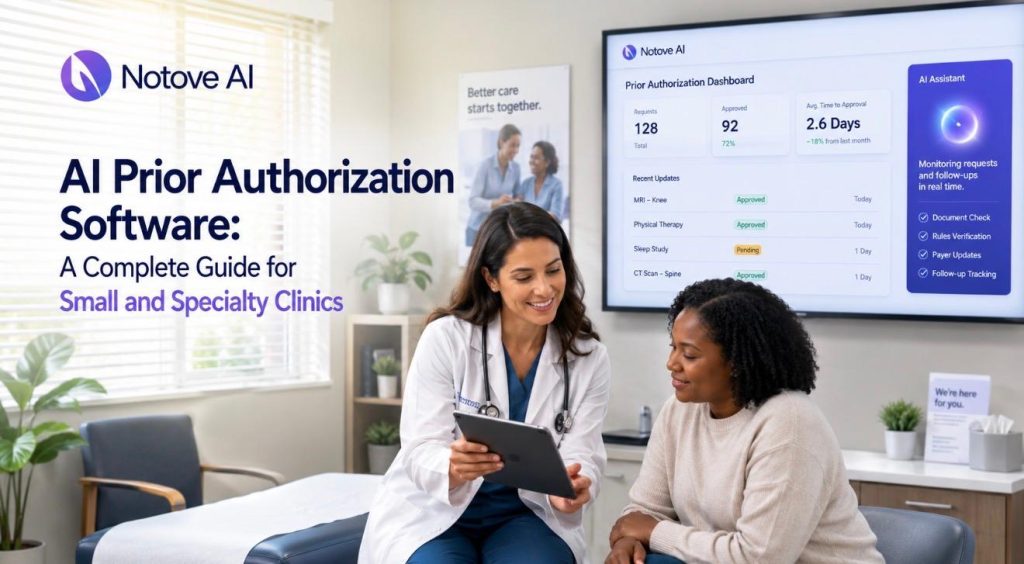
AI Prior Authorization Software: A Complete Guide for Small and Specialty Clinics AI Prior Authorization Software: A Complete Guide for Small and Specialty Clinics AI Prior Authorization Software is quickly becoming the difference between clinics that lose hours to paperwork and clinics that don’t. Every week, staff at small and specialty practices spend hours chasing documentation, filling payer forms, and following up on requests that vanish into a portal somewhere. Care gets delayed. Revenue gets delayed. Staff get burned out. This guide walks through what AI Prior Authorization Software actually does, how it fits into a real clinic workflow, and how to evaluate and roll one out without disrupting your practice. Why Prior Authorization Is Especially Painful for Small and Specialty Clinics A single prior authorization request can eat up an hour or more of staff time. Multiply that across dozens of weekly requests and the cost becomes obvious. Specialty clinics feel this harder than most. Radiology, orthopedics, cardiology, and oncology practices deal with higher PA volume and more complex documentation requirements than general primary care. Every payer has its own rules, portals, forms, and language for medical necessity. What satisfies one insurer will get flagged by another. This variability is where most of the real pain lives. It shows up as denials, resubmissions, rescheduled procedures, and patient no-shows tied directly to authorization delays. This guide covers what AI Prior Authorization Software is, what it automates, how to evaluate tools, and how to roll one out safely. Prior Authorization 101: A Quick, Practical Overview Prior authorization is the approval a payer requires before covering certain procedures. In specialty care, this shows up constantly around advanced imaging, injections, surgeries, specialty medications, and oncology regimens. The typical lifecycle looks like this: an order is placed, staff check the benefit and PA requirement, documentation is gathered, the request is submitted, someone follows up, and the payer approves or denies it. Denials often lead to appeals, which restart parts of this cycle. Most PA failures trace back to a handful of causes. Missing clinical notes, wrong codes, no proof of conservative therapy, mismatched diagnosis and procedure codes, and missed deadlines are the usual suspects. Doing prior authorization well is mostly about process discipline and matching documentation to what each payer actually wants. What AI Prior Authorization Software Actually Means Not every tool marketed this way does the same thing. Basic macros, form fillers, and clearinghouse-only tools automate small pieces of the process. True AI Prior Authorization Software goes further. It should detect which orders likely need authorization, assemble supporting documentation automatically, prepare payer-specific packets, guide staff through submission, and track status until resolution. The best systems use a human-in-the-loop model. The AI drafts and assembles the request. Staff reviews it and submits it. Be wary of vendors promising fully autonomous submissions everywhere or zero denials. Realistic AI Prior Authorization Software reduces workload and errors. It does not eliminate the need for human judgment. The 5 Tasks AI Can Reliably Automate in Prior Authorization Good AI Prior Authorization Software tends to focus on five specific tasks rather than trying to replace the entire process. Authorization detection flags orders likely to require PA based on payer and procedure patterns, which cuts down on last-minute surprises. Documentation collection pulls imaging reports, prior therapy notes, and labs into one organized packet. Request preparation generates payer-specific forms and medical necessity narratives with the correct codes attached. Submission assistance walks staff through portal or fax workflows so nothing gets left out. Tracking and follow-up keeps a live queue of pending requests and deadlines so nothing falls through the cracks. A radiology clinic might use this for MRI approvals. An orthopedic practice might use it for joint injections. Cardiology groups often lean on it for echo and CT authorizations, while oncology practices use it to manage regimen-heavy submissions. How AI Reduces Prior Authorization Denials Most denials come down to a small set of causes. Missing information, mismatched criteria, weak evidence of conservative therapy, and coding errors account for the majority of them. AI Prior Authorization Software helps by applying payer-specific checklists before submission. It scores completeness, flags gaps, and builds narratives mapped directly to medical necessity criteria. This creates a consistent packet structure regardless of which staff member handles the request. Consistency matters more than people expect. A lot of denial variance comes from different staff handling requests differently. Results still depend on accurate inputs, active review, and staying current with payer rule changes, which shift often. What to Look for in AI Prior Authorization Software Choosing the right platform matters as much as choosing to adopt one at all. A few things are worth checking closely before signing anything. Workflow fit comes first. Does the software match your existing order-to-submission process, or will your team need to rebuild how they work? Specialty support matters too, since imaging, procedures, and specialty medications each need different documentation logic. Payer coverage should include your top insurers and their preferred submission methods. Documentation intelligence should mean the tool understands which note sections actually matter, not just that it can attach a PDF. Security and compliance are non-negotiable. Look for HIPAA alignment, encryption, and audit logging. For a full breakdown of criteria clinics should weigh, this guide on choosing a healthcare AI automation platform for your clinic covers the details worth asking vendors about directly. Integration approach is another common sticking point. Some tools require deep EHR integration while others work alongside any system through upload or extraction. This resource on how EHR integration speeds up the prior authorization process explains what to expect either way. Build vs Buy vs Outsource Small and specialty clinics generally have three paths available, and each comes with real tradeoffs. Approach Best Fit Main Tradeoff Buy AI Prior Authorization Software Clinics with steady, recurring PA volume Requires vendor evaluation and setup time Outsource to a PA service Clinics needing overflow support occasionally Adds communication delays and depends on vendor quality Build custom automation Rarely worth it for small
How Specialty Clinics Can Standardize Prior Authorization Workflows Across Staff
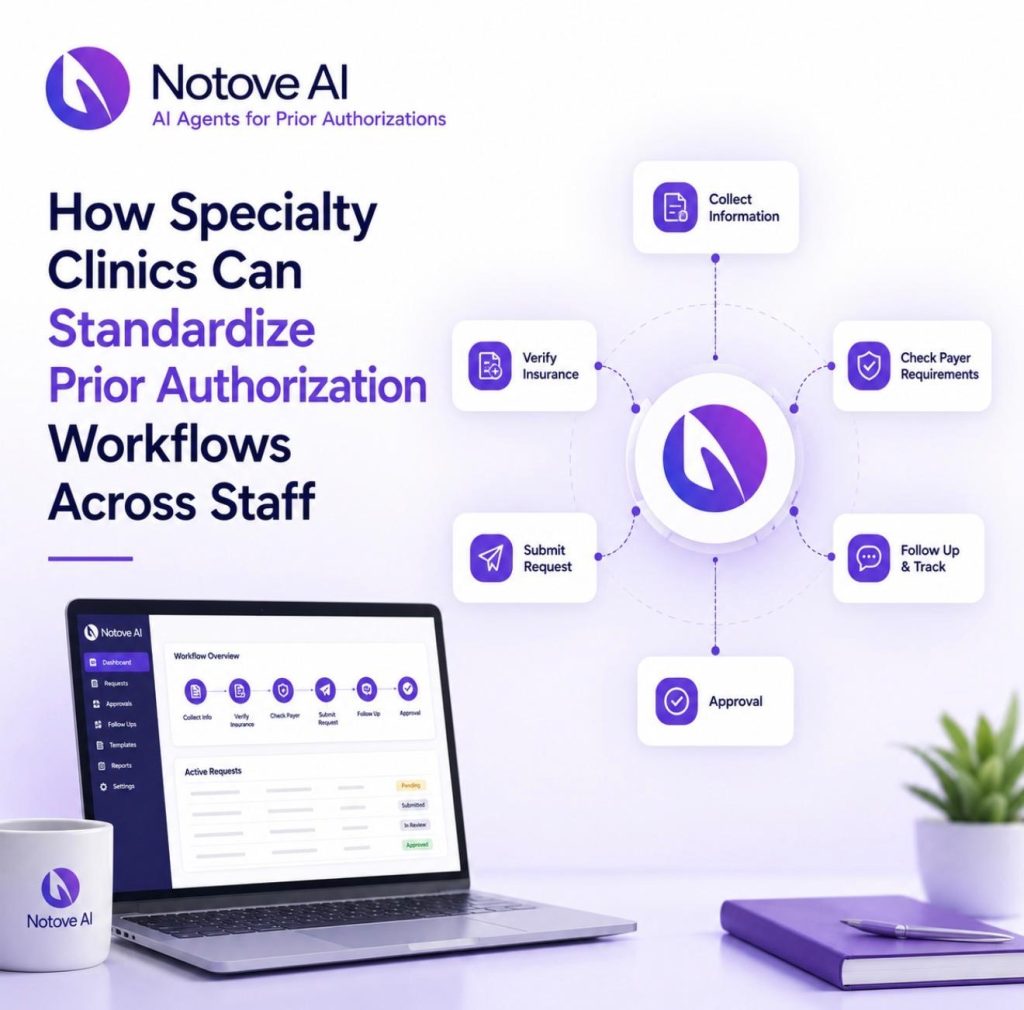
How Specialty Clinics Can Standardize Prior Authorization Workflows Across Staff Specialty Clinics rarely struggle with prior authorization because the medicine is complicated. They struggle because the operations around it are. Every payer has its own portal, its own forms, its own deadlines, and its own idea of what “medical necessity” actually looks like on paper. One staff member learns a workaround for Aetna, another figures out a trick for UnitedHealthcare, and within a few months the clinic has five different unwritten processes instead of one reliable system. This is especially true in Specialty Clinics that deal in high-cost therapies: biologics, infusion services, advanced imaging, surgical procedures, and specialty pharmacy coordination. These are exactly the services payers scrutinize hardest, and exactly the services where a missing data point or a vague clinical note triggers an automatic denial. If you’ve noticed staff doing prior auth “their own way,” repeated callbacks for the same missing information, denial spikes that seem to come out of nowhere, or a front desk team that’s quietly burning out, you’re looking at the symptoms of a non-standardized workflow. The fix isn’t more staff. It’s a documented, repeatable process that doesn’t depend on any one person’s memory. Clinics that get this right see shorter turnaround times, fewer denials, less rework, and a team that isn’t constantly firefighting. What standardizing the prior authorization workflow actually means for Specialty Clinics Standardization, in plain terms, means building one clinic-wide workflow that every staff member follows, with clear roles, consistent data capture, shared templates, and a single place to track status. It is not one superstar coordinator who happens to know every payer’s quirks. It is not “everyone technically uses the same portal” while still doing ten different things inside it. For Specialty Clinics, the scope of standardization needs to cover the full lifecycle of a request: the initial submission, status follow-up, peer-to-peer scheduling, appeals when something gets denied, coordination with specialty pharmacy, and renewals when a therapy needs reauthorization months later. Miss any one of these stages and the whole system reverts back to tribal knowledge. The guiding principle is simple: reduce variation, increase visibility, and build quality checks directly into the process rather than relying on someone catching a mistake after the fact. If you’re still mapping out what platform or process changes make sense for your clinic, it’s worth reviewing 10 things to consider when choosing a healthcare AI automation platform for your clinic before locking in tools that won’t scale with you. Map your current-state workflow in 60 minutes Before building anything new, Specialty Clinics need an honest picture of what’s actually happening today. This doesn’t require a consultant or a six-week audit. Pull three recent cases from each major service line, an MRI request, a biologic start, a procedure authorization, and walk through them step by step. Track who initiated the request, who submitted it, who followed up, where the information was stored, and how (or whether) the provider and patient were updated along the way. Almost every clinic finds the same failure points: missing clinical documentation, unclear diagnosis coding, notes that weren’t signed in time, no centralized tracking, and payer-specific requirements that only one person happened to know. The deliverable from this exercise should be a single-page swimlane map: steps across the top, owners down the side, tools noted at each handoff, and a rough time target for each stage. This map becomes the foundation for everything else. Define roles and handoffs so nothing falls between the cracks A huge share of prior auth delays in Specialty Clinics happen at handoffs, not during the actual work. The request sits in a queue because nobody was clearly responsible for the next step. Fixing this starts with clear ownership: who initiates the request, who submits it, who handles follow-up, and who owns escalation when a peer-to-peer or appeal becomes necessary. A RACI-style structure (Responsible, Accountable, Consulted, Informed) works well here because it forces clarity without requiring a new hire. Providers are responsible for timely signatures, documenting medical necessity in a consistent structure, and making themselves available during peer-to-peer windows. Front desk and scheduling staff are responsible for capturing payer information, verifying benefits, and flagging PA-required services before the appointment is even booked. Nursing and medical assistants make sure clinical attachments like labs, imaging, and documentation of failed therapies are current and ready to go. Role Primary Responsibility Common Failure Point When Undefined Provider Sign notes promptly, document medical necessity, attend peer-to-peer calls Notes left unsigned for days, delaying submission Front desk / scheduling Verify benefits, flag PA-required services pre-booking Service booked before authorization status is known Nursing / MA Gather labs, imaging, failed-therapy history Submission sent without required clinical attachments PA coordinator Submit request, track status, follow up with payer No one checks aging requests until a denial arrives Escalation owner Schedule peer-to-peer, manage appeals Appeal deadlines missed because ownership was unclear Standardize intake: a PA-ready request starts with the right data every time Most denials trace back to incomplete intake, not bad medicine. Specialty Clinics that standardize intake build one universal checklist that works across every service line, rather than a different version per provider or per payer. At minimum, that checklist needs member ID, payer and plan details, ordering provider NPI, facility or place of service, CPT and HCPCS codes, ICD-10 codes, urgency level, and requested dates of service. On the clinical side, intake should capture diagnosis detail, symptom duration, prior treatments tried and failed, relevant imaging or labs, and guideline references where applicable. The goal is a single source of truth, ideally one intake form built directly into the EHR or a secure form that feeds straight into your tracker, so information isn’t re-entered three times by three different people. A simple “stop the line” rule helps enforce this: no submission goes out until every required field is complete. It feels restrictive at first, but it prevents the much costlier cycle of denial, resubmission, and appeal. For more detail on getting this documentation right the
Revenue Cycle Management Best Practices for Independent Specialty Practices
Revenue Cycle Management Best Practices for Independent Specialty Practices Why Revenue Cycle Management Is Harder (and More Important) for Independent Specialty Practices Revenue Cycle Management is where most independent specialty practices quietly lose money, and the loss rarely shows up as a single catastrophic event. It builds up across small gaps: a missed authorization, a late charge, a claim scrubbed for the wrong modifier, a patient balance that never got collected because nobody had the conversation. Specialty care compounds the difficulty. Higher-dollar claims mean each error costs more. Prior authorizations are required for more services. Documentation requirements are stricter, and payers know it. Hospital-owned groups have dedicated billing teams, contract negotiators, and technology stacks built to absorb these headaches. Independent practices have lean staffs, tighter margins, and less leverage at the negotiating table. The upside is that a disciplined Revenue Cycle Management process closes much of that gap, because tighter operations beat raw size more often than people expect. This guide covers the best practices that actually move the needle for independent specialty practices, from front-end workflows through patient collections, denial management, and technology, with a 30-60-90 day roadmap at the end. RCM Success Metrics Every Specialty Practice Should Be Tracking You cannot fix what you are not measuring. Most practices track gross collections and call it done. That is not enough. The following metrics give you a working scoreboard that shows where revenue is bleeding before it becomes a write-off. Here is a reference table showing what “good” typically looks like across the core RCM KPIs for specialty practices: KPI Target Range Why It Matters Days in A/R Under 35 days Measures how long it takes to collect after claim submission Clean Claim Rate 95% or higher Fewer rework cycles and faster payment per claim Denial Rate Under 5% Specialty averages run 10-15%, so this is a real target to chase First-Pass Acceptance Rate 95% or higher Claims accepted without correction on first submission Net Collection Rate 95-98% Gross collections minus contractual adjustments; the real story Denial Overturn Rate 65% or higher How well you recover denied revenue through appeals A/R Over 90 Days Under 15% of total A/R Old A/R is expensive to work and harder to collect Cost to Collect Under 4% of net collections Internal and vendor fees combined Assign one owner to this scoreboard, set a weekly review cadence, and benchmark by specialty rather than general healthcare averages. Payer mix and service complexity vary too much for one-size-fits-all targets to mean anything. Best Practice 1: Get the Front-End Right Before the Patient Arrives Most revenue leakage in specialty practices starts before the first visit. Eligibility lapses, missing authorizations, and patients who never understood what they owe are all front-end failures that turn into back-end collection problems. Verify eligibility 48 to 72 hours before every scheduled visit and run a same-day recheck for high-risk payers. Capture the plan type, deductible status, coinsurance, copay, out-of-pocket maximum, referral requirements, and any coverage exclusions. Document this in a consistent template inside your EHR so any staff member can read it on the day of service without having to call the payer again. On the prior authorization side, the single biggest improvement most specialty practices can make is moving from improvised workflows to a standardized auth matrix. Map your most common CPT codes against payer requirements, required clinical documents, and turnaround times. Track each authorization through a defined pipeline: requested, pending, approved, scheduled, and billed. When an auth expires or gets tied to the wrong rendering provider or location, you have an avoidable denial. Practices serving cardiology and orthopedic patients deal with this constantly, and the strategies for reducing prior authorization denials in cardiology and orthopedic practices apply broadly across specialty lines. Collect copays at check-in. Offer card-on-file, payment plans, and text-to-pay options. Give patients a clear estimate before high-cost services, and train front desk staff with short scripts so these conversations feel routine rather than uncomfortable. Best Practice 2: Documentation That Supports Coding Without Slowing Clinicians Down Specialty practices face more medical necessity scrutiny than primary care because the services cost more and payers push back harder. The goal is not more documentation. It is documentation that gives coders what they need without adding friction for clinicians. For high-denial services like imaging, injections, infusions, and procedures, every note should include failed conservative therapy, duration, severity, clinical findings, and relevant prior treatments. ICD-10 codes need to directly support the CPT being billed, and they need to align with payer-specific LCD and NCD policies where applicable. Standardized procedure note templates and modifier guardrails for codes like modifier 25 and modifier 59 reduce coding errors without requiring clinicians to remember payer-specific rules from memory. A 10-minute micro-training that explains “what the coder needs to see in this note” goes further than a quarterly audit. Specific frameworks for this are covered in the guide on best medical documentation practices for faster approvals. Best Practice 3: Charge Capture and Claim Quality Charge leakage in specialty practices typically hides in ancillary services, supplies, add-on codes, and procedure interpretations that get documented but never billed. A daily reconciliation process between the schedule, clinical events, and posted charges is not optional if you want to stop this. Weekly, someone should review unbilled encounters, unsigned notes blocking billing, and no-charge exceptions. On the claim creation side, clean claim rate is the fastest lever available to independent practices. Common specialty claim errors fall into a predictable pattern: eligibility mismatches, invalid NPI or taxonomy codes, incorrect place of service, missing diagnosis pointers, bundling conflicts with NCCI edits, and timely filing lapses caused by charge lag. Payer-specific scrubber rules for your top five payers, combined with pre-bill review for high-dollar claims, will move your clean claim rate faster than most other interventions. Best Practice 4: Denial Prevention First, Denial Management Second The framing most practices use is backwards. Denial management treats denials as billing tasks. Denial prevention treats them as process failures with upstream causes. Build a denial taxonomy by
AI in Healthcare: What It Means for Specialty Clinics In 2026

AI in healthcare is reshaping how specialty clinics operate, and a small orthopedic practice in Austin is a good example of what that looks like in practice. They reduced after-hours charting by 40% last year. Not by hiring more staff. Not by switching EHRs. By adding an ambient scribing tool that listened during patient visits and drafted notes for physician review. No hype, no major overhaul. Just one workflow, done better. That is what this shift actually looks like for specialty clinics right now. Not robot surgeons. Not hospital-wide transformations. Targeted tools solving specific, repeatable problems in focused clinical settings. And in 2026, the window for early advantage is still open. But it is closing faster than most clinic owners realize. What “AI in Healthcare” Actually Means in 2026 Before getting into what AI can do for specialty clinics, it helps to cut through the terminology. There are a few distinct categories of AI tools that clinics will encounter. Generative AI handles text creation like drafting notes, patient messages, and care summaries. Predictive machine learning scores risk, flags outliers, and forecasts scheduling patterns. Computer vision assists with imaging review, lesion triage, and pathology screening. Speech AI powers ambient scribing during live patient visits. And agentic AI handles end-to-end task sequences like prior auth workflows without requiring constant manual input. The practical framing is this: AI in healthcare functions as decision support and operational acceleration. It is not autonomous medicine. A clinician still owns every decision. The tools just help them get there faster and with less administrative drag. Why Specialty Clinics Are Better Positioned Than Large Hospitals Big hospital systems move slowly. They carry legacy infrastructure, large committees, and procurement cycles that stretch for months. Specialty clinics operate differently. A dermatology practice sees a narrow, repeatable patient population. An ENT clinic handles a defined set of procedures. An orthopedic group runs consistent pre- and post-op workflows. That specificity is actually an advantage when adopting AI. Narrower scope means faster training, cleaner data, and more measurable outcomes. Specialty clinics also feel the pain of administrative burden more acutely. A four-provider practice cannot absorb documentation overload the same way a 500-bed hospital can. That makes the ROI on AI tools more immediate and more visible. The 7 Use Cases Worth Paying Attention To 1. AI Documentation and Ambient Scribing This is the most mature and most adopted use case in specialty care right now. Ambient scribing tools capture conversation during a visit, generate a structured draft note, and send it to the clinician for review and sign-off. High-volume specialties like pain management, cardiology, and orthopedics see the biggest time savings. The key metric to track is after-hours charting time. The key risk is incorrect documentation, which means clinician verification is non-negotiable. 2. Prior Authorization and Claims Prior auth is one of the most time-consuming and revenue-leaking processes in specialty billing. AI tools can summarize chart evidence, auto-populate authorization packets, and flag CPT or ICD documentation gaps before submission. The result is faster approvals and fewer denials. The guardrail here is oversight. Auto-submission without a compliance review step is a risk no clinic should take. 3. Imaging and Computer Vision Support This one is specialty-dependent. Dermatology clinics can use AI to assist with lesion triage. Ophthalmology practices use it for diabetic retinopathy screening support. Orthopedic groups use imaging flags to assist with read prioritization. Most clinic-level access comes through imaging vendors or device software rather than standalone platforms. It aids the second read. It does not replace the first one. 4. Patient Triage and Intake AI-assisted intake questionnaires can adapt based on patient responses, cluster symptoms, and surface red flags before the visit even starts. A GI clinic can screen for alarm symptoms. A cardiology practice can apply a chest pain risk framework before the patient is roomed. This reduces wrong-bookings, no-shows, and wasted appointment time. Clear escalation paths and clinician review of flagged cases are required. 5. Patient Communication Drafting portal message responses, post-op instructions, and medication education takes real time across a small staff. AI tools can generate drafts based on approved protocols, adjusting reading level and language where needed. The hard rule is that no autonomous medical advice goes out without clinician sign-off. Use it for drafts, not decisions. 6. Scheduling Optimization Predictive scheduling tools can flag likely no-shows, suggest optimal overbooking buffers by provider and procedure type, and model capacity across procedure slots versus consult slots. This matters a lot for infusion clinics, surgical subspecialties, and imaging-heavy practices. One thing to monitor closely: bias. Some scheduling models have shown unequal behavior across patient demographics, so tracking access patterns by population is part of responsible deployment. 7. Clinical Decision Support Risk scoring, guideline reminders, medication interaction alerts, and post-procedure complication flags all fall into this category. For specialty clinics, the value is in reducing care variation and catching missed steps in established pathways. Clinicians own the decision. The tool surfaces the information. What AI Actually Costs and Where ROI Comes From Most AI tools in this space are priced per provider, per month. Depending on the category, that ranges from a few hundred dollars for a documentation tool to several thousand for a multi-module platform with EHR integration. Real ROI in specialty clinics comes from four places: clinician time recaptured from documentation, additional visits made possible by faster throughput, prior auth approvals that come through without a fight, and no-shows that get prevented before they happen. Where implementation fails is almost always the same story: poor EHR integration, low staff adoption, or no defined owner for ongoing quality review. Before signing a contract, get clear on who in your clinic owns the AI tool after go-live. If the answer is nobody, implementation will stall. The Risks That Actually Matter in 2026 Clinical safety risk is real. AI can hallucinate, miss contraindications, and generate plausible-sounding content that is factually wrong. The mitigation is a documented review workflow, not just a general policy that says “clinicians should check.” PHI security is