

AI Prior Authorization Software: A Complete Guide for Small and Specialty Clinics
AI Prior Authorization Software is quickly becoming the difference between clinics that lose hours to paperwork and clinics that don’t. Every week, staff at small and specialty practices spend hours chasing documentation, filling payer forms, and following up on requests that vanish into a portal somewhere. Care gets delayed. Revenue gets delayed. Staff get burned out. This guide walks through what AI Prior Authorization Software actually does, how it fits into a real clinic workflow, and how to evaluate and roll one out without disrupting your practice.
Why Prior Authorization Is Especially Painful for Small and Specialty Clinics
A single prior authorization request can eat up an hour or more of staff time. Multiply that across dozens of weekly requests and the cost becomes obvious. Specialty clinics feel this harder than most. Radiology, orthopedics, cardiology, and oncology practices deal with higher PA volume and more complex documentation requirements than general primary care.
Every payer has its own rules, portals, forms, and language for medical necessity. What satisfies one insurer will get flagged by another. This variability is where most of the real pain lives. It shows up as denials, resubmissions, rescheduled procedures, and patient no-shows tied directly to authorization delays.
This guide covers what AI Prior Authorization Software is, what it automates, how to evaluate tools, and how to roll one out safely.
Prior Authorization 101: A Quick, Practical Overview
Prior authorization is the approval a payer requires before covering certain procedures. In specialty care, this shows up constantly around advanced imaging, injections, surgeries, specialty medications, and oncology regimens.
The typical lifecycle looks like this: an order is placed, staff check the benefit and PA requirement, documentation is gathered, the request is submitted, someone follows up, and the payer approves or denies it. Denials often lead to appeals, which restart parts of this cycle.
Most PA failures trace back to a handful of causes. Missing clinical notes, wrong codes, no proof of conservative therapy, mismatched diagnosis and procedure codes, and missed deadlines are the usual suspects. Doing prior authorization well is mostly about process discipline and matching documentation to what each payer actually wants.
What AI Prior Authorization Software Actually Means
Not every tool marketed this way does the same thing. Basic macros, form fillers, and clearinghouse-only tools automate small pieces of the process. True AI Prior Authorization Software goes further.
It should detect which orders likely need authorization, assemble supporting documentation automatically, prepare payer-specific packets, guide staff through submission, and track status until resolution. The best systems use a human-in-the-loop model. The AI drafts and assembles the request. Staff reviews it and submits it.
Be wary of vendors promising fully autonomous submissions everywhere or zero denials. Realistic AI Prior Authorization Software reduces workload and errors. It does not eliminate the need for human judgment.
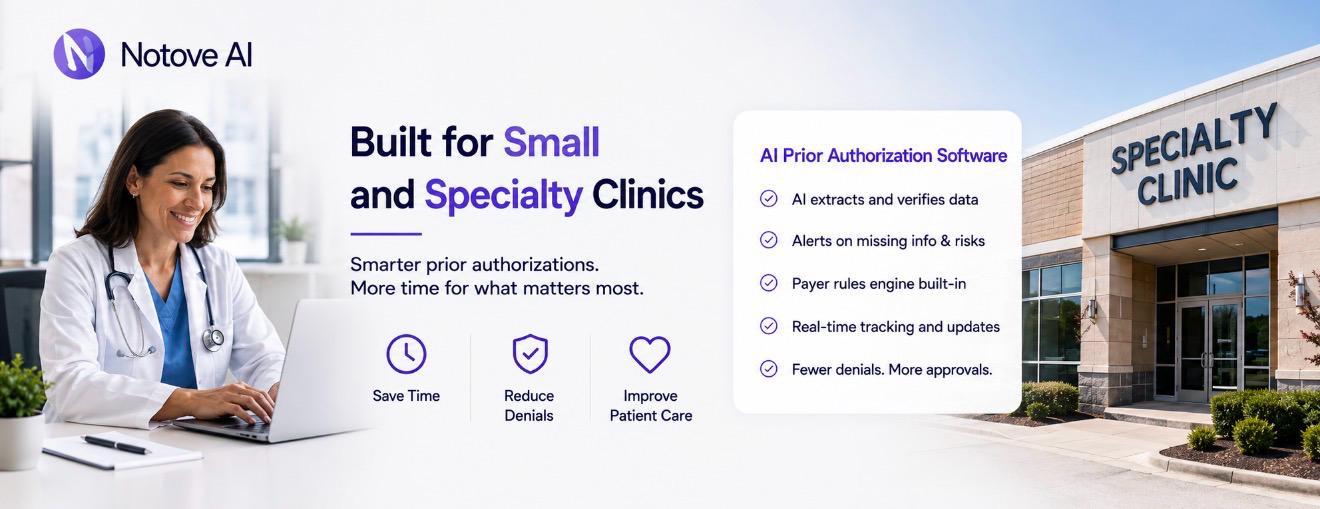
The 5 Tasks AI Can Reliably Automate in Prior Authorization
Good AI Prior Authorization Software tends to focus on five specific tasks rather than trying to replace the entire process.
Authorization detection flags orders likely to require PA based on payer and procedure patterns, which cuts down on last-minute surprises. Documentation collection pulls imaging reports, prior therapy notes, and labs into one organized packet. Request preparation generates payer-specific forms and medical necessity narratives with the correct codes attached. Submission assistance walks staff through portal or fax workflows so nothing gets left out. Tracking and follow-up keeps a live queue of pending requests and deadlines so nothing falls through the cracks.
A radiology clinic might use this for MRI approvals. An orthopedic practice might use it for joint injections. Cardiology groups often lean on it for echo and CT authorizations, while oncology practices use it to manage regimen-heavy submissions.
How AI Reduces Prior Authorization Denials
Most denials come down to a small set of causes. Missing information, mismatched criteria, weak evidence of conservative therapy, and coding errors account for the majority of them.
AI Prior Authorization Software helps by applying payer-specific checklists before submission. It scores completeness, flags gaps, and builds narratives mapped directly to medical necessity criteria. This creates a consistent packet structure regardless of which staff member handles the request.
Consistency matters more than people expect. A lot of denial variance comes from different staff handling requests differently. Results still depend on accurate inputs, active review, and staying current with payer rule changes, which shift often.
What to Look for in AI Prior Authorization Software
Choosing the right platform matters as much as choosing to adopt one at all. A few things are worth checking closely before signing anything.
Workflow fit comes first. Does the software match your existing order-to-submission process, or will your team need to rebuild how they work? Specialty support matters too, since imaging, procedures, and specialty medications each need different documentation logic.
Payer coverage should include your top insurers and their preferred submission methods. Documentation intelligence should mean the tool understands which note sections actually matter, not just that it can attach a PDF.
Security and compliance are non-negotiable. Look for HIPAA alignment, encryption, and audit logging. For a full breakdown of criteria clinics should weigh, this guide on choosing a healthcare AI automation platform for your clinic covers the details worth asking vendors about directly.
Integration approach is another common sticking point. Some tools require deep EHR integration while others work alongside any system through upload or extraction. This resource on how EHR integration speeds up the prior authorization process explains what to expect either way.
Build vs Buy vs Outsource
Small and specialty clinics generally have three paths available, and each comes with real tradeoffs.
| Approach | Best Fit | Main Tradeoff |
|---|---|---|
| Buy AI Prior Authorization Software | Clinics with steady, recurring PA volume | Requires vendor evaluation and setup time |
| Outsource to a PA service | Clinics needing overflow support occasionally | Adds communication delays and depends on vendor quality |
| Build custom automation | Rarely worth it for small practices | High maintenance cost as payer rules change constantly |
For most small and specialty clinics, buying purpose-built AI Prior Authorization Software offers the best balance of control and speed. Outsourcing works for overflow, but it often adds a communication layer that slows things down. Building in-house rarely pays off once you factor in ongoing payer rule maintenance.
Where Notove AI Fits: An AI Agent Approach to Prior Authorization
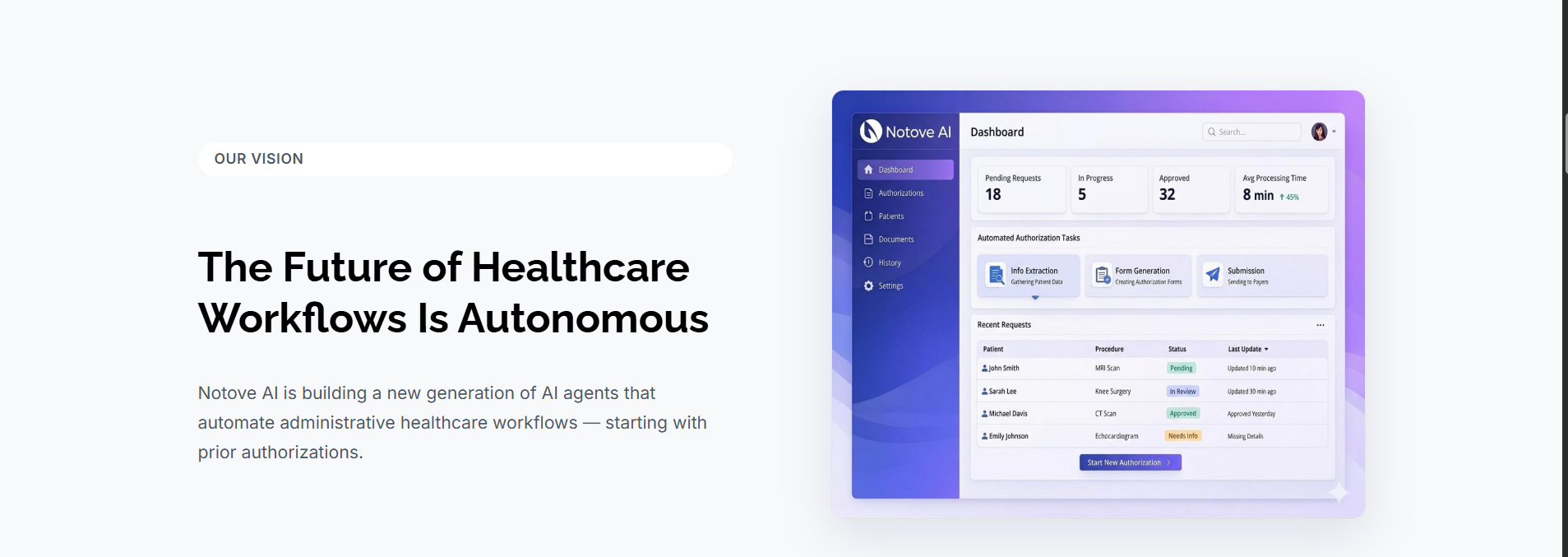
Notove AI approaches this as an agent-based workflow rather than a single tool bolted onto your EHR. The flow follows the PA lifecycle directly: authorization detected, documentation collected, request prepared, staff reviews and submits, and submission gets tracked automatically.
Staff stay in control the entire time. The AI handles repetitive, non-clinical work while authorization specialists and front desk staff review and approve before anything goes out. Setup is web-based with no installation and takes about five minutes, which matters for clinics that can’t afford operational disruption.
Clinics using this approach report meaningful workload reduction, fewer denials caused by missing information, and faster turnaround overall.
How to Roll Out AI Prior Authorization Software in a Small Clinic
A 30-day rollout keeps this manageable without overwhelming staff.
Week one means picking a pilot service line, usually your top one or two procedures, and defining what success looks like in terms of time saved and denial rate. Week two is about standardizing documentation inputs so everyone submits the same required fields. Week three runs the AI-prepared workflow alongside your current baseline to check quality before fully switching over.
Week four expands to more payers and procedures, with a daily PA huddle and weekly aging report review built into the routine. Practices that succeed here tend to standardize prior authorization workflows across staff early, rather than letting each person handle requests their own way.
Train staff to review AI-prepared packets rather than rewrite them from scratch. Build a feedback loop where denial reasons improve future templates over time.
Common Concerns and How to De-Risk Them
Accuracy concerns are fair. Human review should remain part of every submission, with clear checkpoints for catching mistakes before they go out. Compliance concerns matter just as much, so ask about HIPAA alignment, minimum necessary access, and audit logging before committing to any platform.
EHR compatibility varies by vendor. If you use Epic, athenahealth, or eClinicalWorks, ask specifically how the software handles your system. Staff adoption tends to go smoother when the tool is framed as relief from repetitive work rather than a replacement for judgment. This kind of shift is part of a broader pattern in how AI can reduce physician burnout caused by administrative paperwork across specialty practices.
Urgent PAs, retro-authorizations, and appeals still need human judgment, though AI can still help by organizing evidence and drafting supporting documents in advance.
Metrics to Track to Prove ROI
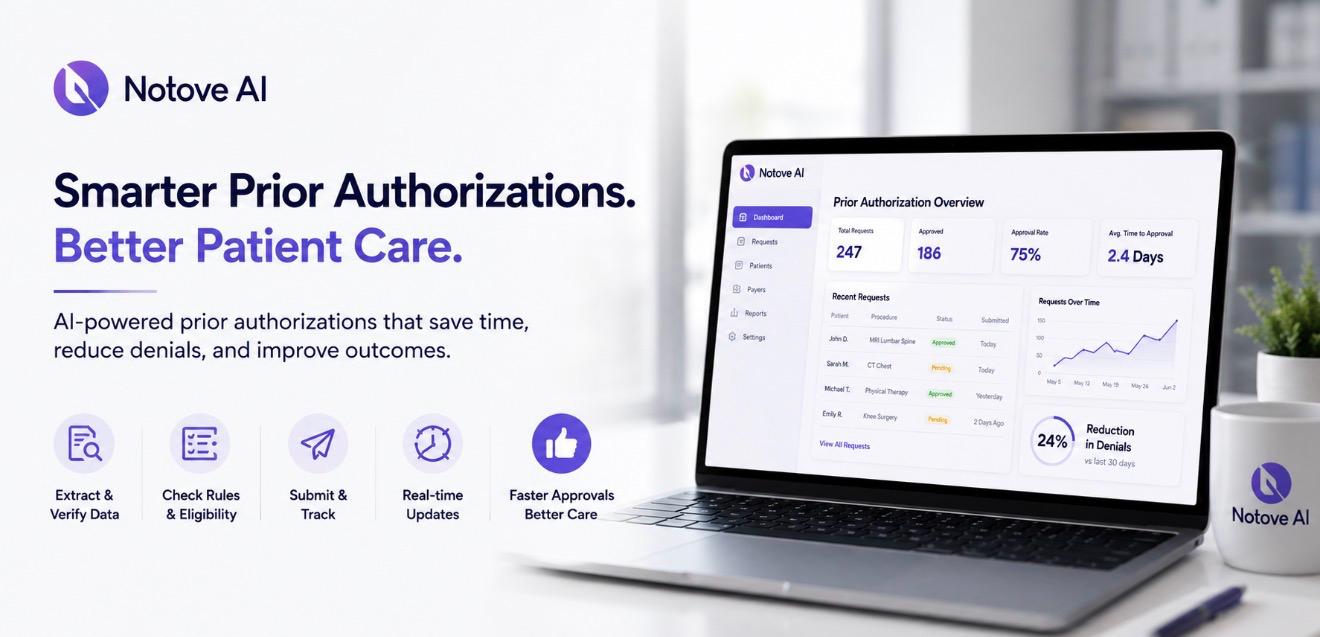
A few numbers tell you whether AI Prior Authorization Software is actually working.
Operational metrics include average staff time per request, touches per PA, and how large your backlog gets before it’s addressed. Financial metrics include denial rate, appeal overturn rate, and days to approval. Clinical metrics include appointment delays and rescheduled procedures tied directly to authorization holdups.
Review these weekly for operations and monthly for deeper payer and denial trends. Tie every metric back to whether your current tool is actually reducing friction.
Best-Fit Specialties for AI Prior Authorization Software
| Specialty | Common PA Triggers | Key Documentation Needed |
|---|---|---|
| Radiology | Advanced imaging, MRI, CT scans | Clinical notes, prior imaging, conservative therapy history |
| Orthopedics | Injections, surgeries, MRIs | Functional impairment evidence, therapy history |
| Cardiology | Advanced imaging, procedures | Comorbidity documentation, risk history |
| Oncology | Regimen approvals | Expedited supporting documentation, staging notes |
If your clinic sees several of these issues on a weekly basis, AI Prior Authorization Software will likely pay off quickly.
Frequently Asked Questions
What is AI Prior Authorization Software?
AI Prior Authorization Software is a tool that automates the repetitive parts of getting payer approval for procedures. It detects which orders need authorization, gathers supporting documentation, and prepares payer-specific requests. Staff still review and submit everything before it goes out.
Does AI Prior Authorization Software replace staff who currently handle prior authorizations?
No, it does not replace staff. It removes the repetitive, non-clinical work like documentation gathering and form preparation. Authorization specialists still review, approve, and submit every request before it reaches the payer.
How much time can AI Prior Authorization Software actually save a clinic?
Clinics using agent-based tools like Notove AI report workload reductions of up to 80 percent on prior authorization tasks. Actual savings depend on payer mix, procedure volume, and how well documentation inputs are standardized beforehand.
Is AI Prior Authorization Software HIPAA compliant?
Reputable platforms are built with HIPAA compliance as a core requirement, including encryption, access controls, and audit logging. Clinics should confirm a Business Associate Agreement is available before sharing any patient data with a vendor.
Does AI Prior Authorization Software work with my existing EHR system?
Most platforms are designed to work alongside any EHR rather than requiring a deep technical integration. This can mean secure document upload, copy-paste workflows, or smart extraction depending on the vendor. Ask specifically how a vendor handles your EHR before onboarding.
Can AI Prior Authorization Software actually reduce denial rates?
Yes, largely by improving documentation completeness and consistency across staff. AI applies payer-specific checklists and templated narratives mapped to medical necessity criteria. Results still depend on accurate inputs and active human review before submission.
Final Thoughts
Prior authorization is fundamentally a workflow problem, not just a paperwork problem. AI Prior Authorization Software helps most when it assembles complete, payer-specific packets and keeps every request tracked from start to finish. Start by identifying your top ten PA procedures, your top five payers, and your current denial reasons. That list becomes the foundation for a focused pilot.
If your clinic is ready to reclaim hours lost to prior authorization work, request early access or schedule a walkthrough with Notove AI to see how the workflow fits your practice.