
What Is Patient Access in Healthcare and Why It’s Breaking Down in Specialty Clinics

What Is Patient Access in Healthcare and Why It’s Breaking Down in Specialty Clinics Patient access is the first real test of whether a specialty clinic can turn a referral into a completed visit. Every scheduling call, insurance check, and intake form is part of that test. When any single step slips, patients wait longer, clinics lose revenue, and staff absorb the strain. Specialty practices feel this pressure more than most, because their scheduling rules are rarely simple. What Is Patient Access in Healthcare? Patient access covers every administrative step that connects a patient to care. It starts with the first phone call or online booking request a patient makes. Registration comes next, when staff collect basic information and confirm a patient’s identity. Insurance verification follows, checking that a patient’s coverage is active and applies to the visit. Referral coordination tracks whether an outside referral was received and scheduled correctly. Financial clearance closes the loop by confirming what a patient will owe before the appointment happens. All of this happens before a physician ever sees the patient. That is why patient access is often called the front door of healthcare. For specialty clinics, that front door carries extra weight, since one missed step can delay urgent treatment. Why Patient Access Looks Different in Specialty Clinics Primary care scheduling is fairly predictable, since most visits follow similar time slots and rules. Specialty care rarely works that way. An oncology follow-up might depend on lab results, a treatment cycle, and a payer’s authorization window. An orthopedic consult might depend on imaging results and detailed notes from a referring physician. Every one of those details has to line up before a patient even gets on the calendar. Patient access teams in specialty clinics juggle this clinical complexity on top of ordinary scheduling work. Many specialty groups also operate inside an Accountable Care Organization, which adds its own referral and reporting rules. That structure can shape how quickly a new patient actually gets seen. Provider shortages make this harder, since federal data shows many regions lack enough specialists to meet demand. The Warning Signs Patient Access Is Breaking Down Certain patterns show up again and again once patient access starts to fail. Clinic leaders across the country are reporting the same pressure points heading into 2026. A late 2025 poll of medical group leaders ranked these patient access pressure points by priority. Patient Access Pressure Point Share of Practices Naming It a Top 2026 Priority Extra Strain on Specialty Clinics No-show appointments 27% Complex specialty visits are harder to refill on short notice Online scheduling gaps 24% Sub-specialty booking rules rarely fit generic scheduling tools Phone access and abandoned calls 22% More than half of incoming calls reportedly go to voicemail Long new-patient wait times 21% Average new-patient waits now stretch past 30 days in several specialties These numbers describe operational strain, not just a minor inconvenience for patients. Each pressure point above also touches billing and revenue in ways many clinics underestimate. Simple Metrics That Reveal Patient Access Health A few simple metrics show whether patient access is actually working day to day. Call abandonment rate tracks how many callers hang up before reaching a staff member. Third next available appointment measures how many days out a new patient must wait. No-show rate tracks how many scheduled visits end without the patient arriving. Referral conversion rate tracks how many outside referrals turn into a completed visit. Watching even two or three of these numbers monthly makes patient access problems visible early. Where the Patient Access Breakdown Actually Starts Patient access rarely fails at one single point in the process. It usually fails in the gaps between systems that were never designed to talk to each other. Staff often work across a scheduling platform, a payer portal, and an EHR system that holds the clinical record. When information does not move cleanly between those systems, small errors turn into real delays. Insurance verification is a common failure point, especially when coverage details change without notice. Medical billing teams downstream often catch these errors only after a claim is denied. Accurate front-end data also depends on clean medical coding further along in the revenue cycle. Referral leakage is another quiet cause, happening when a specialist never receives a referral that was sent. Staffing shortages make every one of these problems harder to catch in time. The Real Cost of a Broken Patient Access Process The financial impact of poor patient access is larger than most clinics realize. Missed appointments alone cost providers close to 150 billion dollars every year nationwide. No-show rates at some practices range from 14 percent to 50 percent of scheduled visits. Every empty slot represents lost revenue that a specialty clinic rarely recovers later. Patient access failures also push patients toward other providers who can see them sooner. That lost volume compounds over time, since a frustrated patient rarely returns quietly. Staff burnout is the less visible cost, as front-desk teams absorb complaints they cannot fix alone. Federal shortage data suggests more than one hundred million people already live in areas with too few primary care providers. How Specialty Clinics Can Strengthen Patient Access Fixing patient access does not require replacing every system a clinic already uses. Many clinics start by automating the repetitive parts of scheduling and follow-up. Automated reminders and self-scheduling tools reduce no-shows without adding staff hours. Clear intake checklists also reduce the back-and-forth that slows down registration. Prior authorization sits close to patient access on that same calendar. A stalled authorization can delay a visit just as easily as a scheduling error. That overlap is why some tools focus specifically on the administrative work between an order and an approved visit. AI agents built for specialty clinics like Notove AI handle much of that load automatically. Reducing that workload frees front-desk and clinical staff to focus on patients instead of paperwork. Patient Access and Prior Authorization Are Closer Than They Look Patient access and prior authorization
What Is Medical Coding and Why Accuracy Directly Affects Clinic Revenue
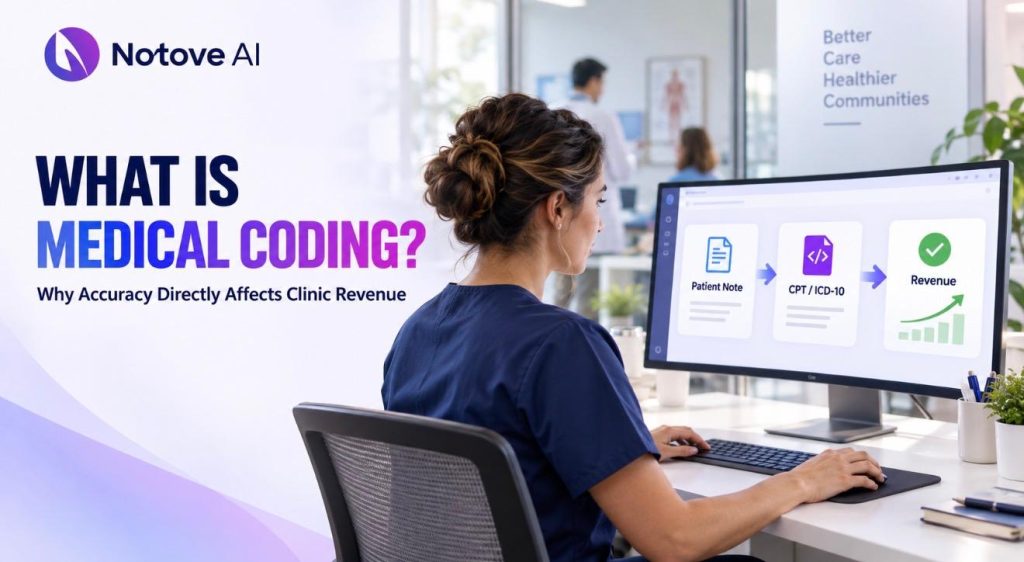
What Is Medical Coding and Why Accuracy Directly Affects Clinic Revenue Medical Coding is the process of turning a doctor’s notes into standardized codes that insurers use to decide payment. Every visit, procedure, and diagnosis gets translated into a language payers understand. Without this step, claims simply cannot move through the system. For clinic managers, this quiet back-office task quietly controls how fast money comes in the door. Medical coding in plain English: what it is (and what it isn’t) Medical Coding takes clinical documentation and converts it into standardized codes used for claims and reimbursement. Those codes feed directly into billing. Billing teams then submit claims to payers, who review and adjudicate them. Once approved, payment gets posted to the clinic’s account. Coding is often confused with clinical documentation improvement, or CDI. It also gets mixed up with charge capture and prior authorizations. These functions are connected, but they are not the same job. Coding translates documentation. CDI improves the documentation itself before coding happens. Some clinics keep coders in-house. Others outsource to specialized vendors. Many use a hybrid model that blends both approaches. Wherever it happens, coding sits at the center of the clinic workflow, right between documentation and revenue. Why coding exists: the language payers use to decide what gets paid Payers need a consistent way to evaluate medical necessity across thousands of clinics. Standardized codes make that possible. Without them, every claim would need manual interpretation, which would slow everything down. Here is how the process typically flows. A visit or procedure gets documented by the provider. That documentation is then coded. A claim gets created from those codes. The payer runs edits and checks. The claim is either approved or denied, and a patient balance may follow. Payer rules add another layer of complexity. Coverage policies, NCCI edits, and LCD or NCD guidelines all shape what gets paid. Medical Coding decisions have to account for these rules every single time. This is also where compliance enters the picture, since accurate coding supports audits and quality reporting. The core code sets clinics rely on Clinics work with a handful of code sets every day. Each one serves a different purpose in the claims process. Mistakes in any of them can trigger denials or delays. ICD-10-CM codes represent diagnoses and establish medical necessity. Common errors include unspecified codes, missing laterality, or weak linkage to the procedure. CPT and HCPCS codes represent services, procedures, and supplies. Errors here often involve wrong code selection or missing modifiers. Modifiers matter more than most staff realize. They signal distinct services, bilateral procedures, or separate professional and technical components. A missing or incorrect modifier is one of the fastest ways to trigger a denial. For a deeper breakdown of this code set, this plain English guide to CPT codes walks through real examples clinic staff can apply immediately. Place of service and units are small fields with outsized impact. A wrong POS code can shift reimbursement rates entirely. Inpatient facilities also use ICD-10-PCS, though most outpatient clinics never touch it. Here is a quick reference table showing how these code sets typically function inside a claim. Code Set Primary Purpose Example Typical Error Risk ICD-10-CM Diagnosis and medical necessity M17.11 (right knee osteoarthritis) Unspecified laterality CPT Procedures and services performed 29881 (knee arthroscopy) Missing modifier HCPCS Level II Supplies, drugs, and equipment J3301 (injectable steroid) Wrong unit count ICD-10-PCS Inpatient procedures 0SRC0J9 (knee replacement) Rarely used in outpatient clinics A quick walkthrough: how one patient visit turns into revenue Picture a patient coming in for a knee MRI order. The provider documents the exam, history, and reasoning for imaging. That documentation supports the codes chosen later. Next comes the ortho follow-up visit. Maybe an injection is administered during that appointment. Medical Coding translates each of these steps into billable codes tied to the visit. Before submission, the claim goes through a scrub process. This checks eligibility, coding edits, modifier logic, and diagnosis-to-procedure linkage. A clean claim moves through quickly. A flawed one gets kicked back, creating rework and delay. Timing matters more than most people expect. Faster clean claims mean faster cash into the practice. Every rework loop slows the entire revenue cycle down. Why accuracy directly affects clinic revenue Revenue leaks out of clinics in predictable ways. Denials, undercoding, overcoding, and delayed payments all chip away at the bottom line. Write-offs and patient dissatisfaction often follow close behind. Certain denial types trace directly back to coding. Medical necessity mismatches are common. Invalid diagnosis-to-procedure pairings cause rejections too. Missing modifiers and bundling edits also generate denials regularly. Duplicate claims round out the list. Small error rates compound faster than people assume. Higher accounts receivable days follow almost immediately. Staff spend more hours on rework instead of new claims. The cost to collect climbs, and timely filing limits get missed. These delays ripple outward beyond the billing office. Authorization delays affect provider schedules directly. Cash flow volatility then affects staffing decisions and growth plans. This is why understanding medical billing as a whole helps managers see the full financial picture, not just the coding piece. The most common coding mistakes in clinics Insufficient specificity is one of the biggest offenders. Laterality, acuity, and chronicity often get left vague. Template-driven notes and copy-paste documentation lead to upcoding or undercoding. Modifier misuse shows up constantly. Distinct procedural services and separate E/M visits with procedures are frequent trouble spots. Mismatches between the original order, the clinical note, and the billed service create charge capture gaps. Some services require specific documentation elements payers expect to see. Failed conservative therapy or symptom duration are common examples. Front-end mistakes also masquerade as coding issues. Wrong demographics, incorrect insurance plans, or POS errors often get blamed on coders unfairly. Coding accuracy vs compliance risk Getting paid is not the only goal in Medical Coding. Being paid correctly matters just as much. Overcoding, even unintentional, can trigger refunds and penalties later. Audit triggers often include high utilization patterns. Outlier billing,
What Is Medical Billing? A Beginner’s Guide for New Practice Managers

What Is Medical Billing? A Beginner’s Guide for New Practice Managers Medical billing is the process of turning a patient visit into an accurate claim so your practice actually gets paid. If you just stepped into a practice manager role, that one sentence is the whole job in miniature. Everything else is detail. What Is Medical Billing, In Plain English? Medical billing is not the same as medical coding, even though people use the terms interchangeably. Coding assigns standardized codes to what a provider diagnosed and did. Billing takes those codes and turns them into a claim. It sends that claim to a payer and follows up until paid. Then it bills the patient for whatever is left. In most practices, billing outcomes are a shared responsibility. Your front desk verifies coverage. Your coder assigns the right codes. Your biller submits and chases the claim. Providers document the visit well enough to support it. As a new practice manager, your job is not to memorize every code. Your job is to build a system where each of those handoffs actually works. Why Medical Billing Matters for New Practice Managers Medical billing is directly tied to whether your practice can make payroll. Cash flow, rent, supplies, and provider compensation all depend on claims getting paid on time. A single missed step, like an unverified eligibility check, can turn into a denied claim weeks later. Small errors compound quietly. They show up as slower accounts receivable, frustrated patients, and sometimes real compliance exposure. Medical billing sits inside a larger process called the revenue cycle. It is usually the part that touches money most directly. Modern tools can reduce some of this manual load. They also catch errors before those errors become denials, which matters more than it sounds. Medical Billing vs Revenue Cycle Management: What Is the Difference? Revenue cycle management, or RCM, is the entire journey from scheduling a patient to final payment. Reporting closes out that journey. Medical billing is the operational core sitting inside that larger cycle. It covers claim creation, submission, follow-up, payment posting, and patient billing. Scheduling and eligibility checks happen before billing starts. Reporting and forecasting happen after billing wraps up. As a practice manager, you will typically own the process itself and the KPIs that measure it. You also own the vendors or software involved, and who is accountable when something breaks. If your practice belongs to an accountable care organization, that structure can shape your billing rules too. How The Medical Billing Process Works, Step By Step The process starts before the patient even arrives. Registration and eligibility verification confirm the visit will actually be covered. During the visit, documentation needs to support medical necessity, since that documentation justifies the claim later. After the visit, a coder applies CPT codes and ICD-10 codes, along with any needed modifiers. Most of this information flows out of your EHR system, which is why clean documentation habits matter so much. A claim is then created, usually in CMS-1500 or 837P format, and submitted either directly or through a clearinghouse. The payer adjudicates the claim, deciding what is allowed, adjusted, or denied. Payments get posted, denials get worked, and finally the patient is billed for any remaining balance. The cycle closes with daily reconciliation and month end reporting. Key Medical Billing Terms New Practice Managers Should Know You do not need to memorize a glossary to manage medical billing well. You do need to recognize a handful of terms that show up every single day. The table below breaks down the ones that matter most for someone new to the role. It also explains why each one affects your daily decisions. Term What It Actually Means Why It Affects Your Day Clean claim rate Percentage of claims accepted on the first submission Low rates mean slower cash flow and more rework Days in A/R Average number of days claims remain unpaid Rising numbers signal a bottleneck somewhere upstream EOB vs ERA Paper explanation of benefits vs electronic remittance advice ERAs post faster and reduce manual entry errors Denial rate Share of claims rejected by a payer Tracked by reason and payer to find patterns Prior authorization Payer approval required before certain services Missing one is one of the most common denial causes Allowed amount The maximum a payer will pay for a service Sets the ceiling for what gets collected on that claim If you remember only three things from this table, remember clean claim rate, days in A/R, and denial rate. Those three numbers will tell you more about your practice’s financial health than almost anything else. In-House vs Outsourced vs Hybrid Medical Billing In-house medical billing gives you the most control and the fastest feedback loop when something goes wrong. It also means you carry the full staffing and training burden yourself. An outsourced billing service brings expertise and can scale with volume, but you trade away some visibility into daily performance. A hybrid model is common for a reason. Front-end tasks like eligibility checks and charge capture stay in-house, while claim follow-up and appeals go to a specialized partner. The right choice depends on your specialty, patient volume, payer mix, and whatever practice management software you already use. Smaller practices often start hybrid and adjust as volume grows. Common Medical Billing Mistakes And How To Prevent Them Most medical billing problems trace back to a handful of repeatable causes. Eligibility that never gets verified leads directly to avoidable denials. Missing or incorrect prior authorization requests are another major source, and building a tracking system by payer closes that gap fast. These gaps often show up as a recurring pain point in denial reports, so it is worth reviewing your process with your team. Under-coding and over-coding both carry real risk, and periodic documentation audits catch these before a payer does. Charge capture gaps, where a service is performed but never billed, quietly drain revenue every month. A same-day charge reconciliation habit fixes most of
What Is an EHR System and How It Shapes Daily Clinic Workflow
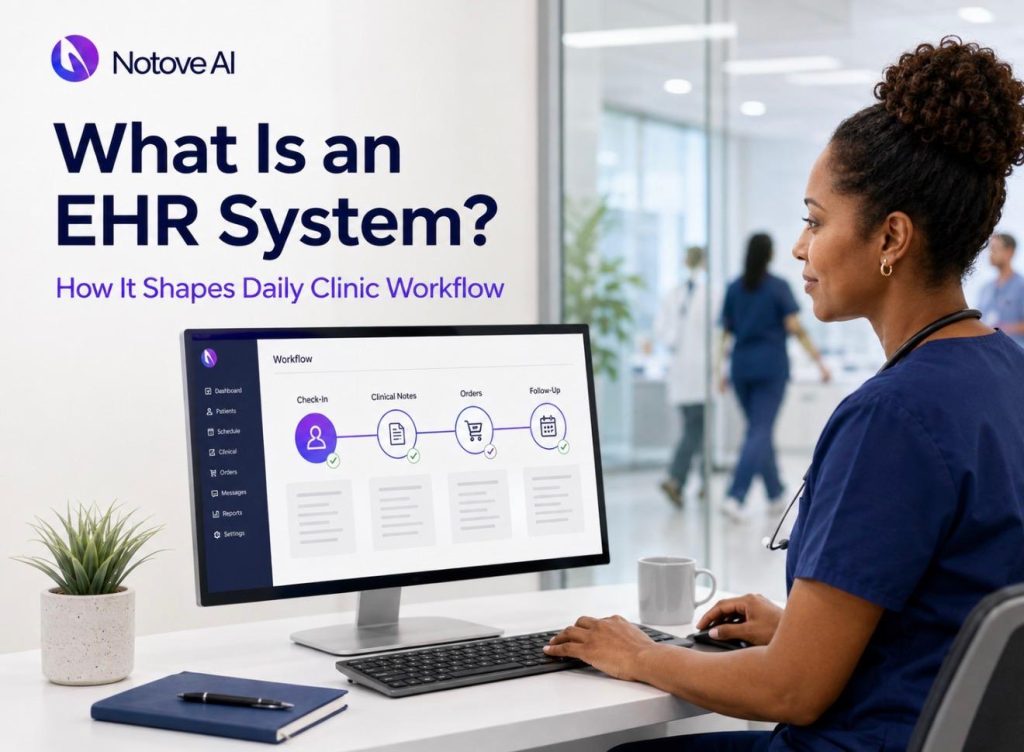
What Is an EHR System and How It Shapes Daily Clinic Workflow An EHR system quietly runs the background of almost every clinic day. Phones ring at the front desk. Charts need review before the first patient walks in. Labs come back, bills go out, and patients call with questions. All of it competes for the same limited hours. Most clinics assume an EHR is simply a digital filing cabinet. In reality, it decides how fast a patient moves through a visit. It also shapes how clean a claim looks and how much extra work staff carry home. This article breaks down what an EHR system actually is, and how it touches every step of a patient’s day. Maybe you are comparing systems, fixing a bottleneck, or planning a rollout. This article gives you a clear, practical picture either way. What an EHR System Is An EHR system is a digital platform that stores and manages patient health information over time. It is used by clinicians, nurses, and administrative staff across every visit. People often confuse an EHR with an EMR, but the two are different. An EMR usually stays within one practice, while an EHR is built to share data across providers and organizations. A practice management system, by contrast, handles scheduling and billing rather than clinical data. Most EHR systems include a patient chart, clinical notes, a problem list, medications, allergies, immunizations, orders, and results. An EHR system is not just a record. It is a workflow engine that routes tasks, prompts documentation, and generates billing output. Why EHRs Became the Operating System of a Clinic Clinics did not adopt an EHR system purely for convenience. Coordination, compliance, and billing accuracy pushed the shift forward. Payer requirements, quality reporting programs, and audit risk all demand structured data. Patients also expect faster access to their own records through portals. An EHR system does more than store information passively. It shapes staff behavior, dictates daily cadence, and influences how quickly a clinic can respond to problems. Clinic Workflow 101: The Steps an EHR Touches Clinic workflow is the full sequence of tasks from scheduling through follow-up. An EHR system touches nearly every one of those steps directly. The general flow runs from scheduling and intake to the clinician encounter. From there it moves through orders, documentation, billing, follow-up, and reporting. Each role experiences the EHR differently. Front desk staff see registration screens. Nurses see flowsheets. Providers see notes and orders. Billing staff see claims and denials. Clinic Role Primary EHR System Touchpoint Typical Daily Time Spent Front desk staff Registration, eligibility checks, scheduling 2 to 3 hours Medical assistant or RN Intake flowsheets, vitals, medication reconciliation 3 to 4 hours Provider Clinical notes, orders, decision support alerts 4 to 6 hours Billing staff Charge capture, coding review, claims submission 3 to 5 hours Practice manager Inbox oversight, reporting, template maintenance 1 to 2 hours How an EHR System Shapes the Pre-Visit Stage Before a patient arrives, an EHR system already has work to do. Scheduling covers appointment types, visit lengths, and provider calendars. Registration collects demographics, insurance details, and consent forms. Many systems support real-time eligibility checks to catch coverage problems early. Reminders and digital intake forms cut down on no-shows and paperwork at check-in. Common bottlenecks appear when insurance data is incomplete or visit types are not standardized. A well-configured EHR system reduces duplicate data entry before it starts. How an EHR System Shapes Intake During intake, an EHR system captures vitals, chief complaints, and screening results. Medication reconciliation and allergy documentation happen here too, and structured fields matter more than free text. Triage routing sends urgent concerns to the right provider quickly. Good intake design means standardized templates and minimal clicks. Poor design leads to template bloat, unnecessary required fields, and workarounds like sticky notes. How an EHR System Shapes the Clinician Encounter The clinician encounter is where an EHR system earns its reputation, good or bad. Documentation can happen through free text, templates, macros, or voice dictation. Each method trades speed against data quality differently. Order entry for labs, imaging, and referrals is standardized through order sets, which reduces variation. Clinical decision support flags drug interactions and care gaps, though too many alerts cause fatigue. After-visit summaries turn the encounter into clear next steps for the patient. Complaints that the EHR system makes visits longer often trace back to configuration and training, not the software itself. How an EHR System Shapes the Post-Visit Stage Once the visit ends, an EHR system manages results and follow-up tasks. Lab interfaces route results into an inbox for provider review. Abnormal results need clear escalation paths and patient notification steps. Tasking assigns refill requests, prior authorization work, and referral tracking to the right staff member. Every result and referral needs a named owner and a defined next step. Unmanaged inboxes and unclear ownership are the most common failure points here. How an EHR System Shapes Billing and the Revenue Cycle Billing depends on a clear chain: documentation, coding, claims, and payment. An EHR system links all four stages together directly. Charge capture accuracy depends on a clean problem list and complete procedure notes. Understanding coding basics matters here too. Staff wanting a clearer picture of how procedures translate into codes can review this plain English guide to CPT codes. Denial prevention relies on eligibility checks, prior authorization documentation, and correct modifiers. Revenue cycle delays usually start with incomplete front-desk data or thin clinical notes. Interoperability and Information Flow Beyond the Clinic Interoperability means an EHR system can receive outside records and share summaries with other providers. Practical channels include patient portal downloads, electronic referrals, and health information exchanges. This connectivity also supports broader care models. It shapes how an accountable care organization coordinates care across multiple providers. Fewer phone calls and faxes mean faster medication histories and less repeat testing. Interfaces cost money to build and maintain, and weak interoperability quickly creates staff workarounds. The Hidden Workflow Costs of a
What Is an Accountable Care Organization (ACO) and How It Affects Your Practice

What Is an Accountable Care Organization (ACO) and How It Affects Your Practice An Accountable Care Organization is a group of doctors, hospitals, and other providers who work together. They coordinate care for a defined group of patients. The goal is simple. Improve outcomes while lowering the total cost of care. For decades, healthcare ran on a fee-for-service model. Providers got paid for every visit, test, and procedure. An Accountable Care Organization flips that logic. It rewards value instead of volume. That means better outcomes, fewer duplicate tests, and closer coordination between specialists and primary care. It helps to be clear about what an Accountable Care Organization is not. It is not an HMO. Patients usually keep their freedom to choose providers, depending on the model. It is also not one hospital or clinic. It is a network. Participants often include primary care physicians, specialists, hospitals, and post-acute facilities. Behavioral health providers frequently join too. Most Accountable Care Organization models sit inside Medicare, especially the Medicare Shared Savings Program. Commercial payers run similar arrangements as well. For independent practices, this shift matters a lot. Reimbursement structures are changing quickly. Joining an Accountable Care Organization can change referrals, reporting duties, daily workflow, and revenue. Why Accountable Care Organizations Became a Big Deal Fragmented care creates real problems. Patients bounce between providers with no shared plan. That leads to avoidable ER visits and repeat testing. Policy played a big role here. The Affordable Care Act, along with several CMS programs, pushed the Accountable Care Organization model forward. Payers wanted predictable costs. Patients wanted care that felt coordinated. Data and incentives keep the system moving. Quality measures, patient attribution, and shared savings all work together. For smaller practices, this growth means more contracts require accurate quality reporting. How an Accountable Care Organization Actually Works Patients get assigned, or attributed, to an Accountable Care Organization. This usually depends on where they receive most primary care. Attribution directly affects provider panels and benchmarks. Every Accountable Care Organization defines its population carefully. Eligibility rules and out-of-network leakage both influence performance results. Primary care acts as the quarterback in this model. Transitions between care settings get closer attention. Medication management and post-acute planning become part of the routine. Governance matters too. Participant agreements outline leadership, compliance rules, and how savings get distributed. Data usually flows from claims, EHR systems, and health information exchanges. At the end of each performance period, actual spending gets compared to a benchmark. Adjustments account for risk and quality outcomes. Accountable Care Organization Payment Models Explained Fee-for-service billing still exists inside most Accountable Care Organization arrangements. What changes is the layer of incentives tied to cost and quality. Shared savings kick in when a group beats its benchmark. Quality thresholds must be met too. Downside risk works the opposite way. If spending exceeds the benchmark, the group may owe money back. Medicare Shared Savings Program tracks illustrate this well. Some tracks carry no downside risk at all. Others require groups to share in losses too. Many organizations move toward higher risk over time. Here is a simple breakdown of how common Accountable Care Organization risk tracks compare in practice. Track Type Downside Risk Typical Shared Savings Rate Best Fit For Upside-only None Up to 40 percent New or smaller practices testing readiness Two-sided, lower risk Limited Up to 60 percent Groups with stable data and moderate risk tolerance Two-sided, higher risk Full Up to 75 percent Established groups with strong care management infrastructure Before signing anything, ask about benchmark methodology and payment timing. Transparency at this stage prevents painful surprises later. Quality Measures and Reporting in an Accountable Care Organization Cost savings alone do not earn rewards. Quality gates exist to prevent cuts that harm patient outcomes. Common measure categories include preventive screening and chronic disease control. Hospital readmissions and patient experience scores matter too. Measures get captured through several sources. EHR data, insurance claims, and survey tools all feed into the process. Documentation quality has a direct financial impact. Accurate problem lists and proper risk adjustment coding affect performance on paper. Measure fatigue is real, so standing orders and structured outreach help reduce staff burden. How Joining an Accountable Care Organization Affects Your Practice Front desk operations change first. Eligibility checks and annual wellness visit scheduling need updating. Clinical workflows shift too. Pre-visit planning and medication reconciliation become part of routine visits rather than exceptions. Care management roles expand inside many Accountable Care Organization structures. Registered nurses, health coaches, and social workers often take on centralized duties. Referral patterns matter more here. Preferred specialists and imaging partners help reduce network leakage without limiting patient choice. Technology needs grow alongside all of this. Coding accuracy plays a role too. Many practices review this plain English guide to CPT codes before adjusting documentation habits. The Upside of Joining an Accountable Care Organization Clinical benefits come first for most physicians. Better coordination often means fewer preventable hospital admissions. Financial upside exists as well. Shared savings, and sometimes care management fees, can strengthen practice revenue. Operational support helps too. Many Accountable Care Organization structures provide analytics and dedicated care managers. There is also a strategic angle. Practices building these skills now stay resilient as fee-for-service margins shrink. The Trade-offs and Risks to Watch For Administrative load increases with participation. Reporting requirements and regular meetings take time away from other work. Financial uncertainty is real too. Savings are never guaranteed, and downside risk in two-sided models can be significant. Data challenges show up often. Delayed claims and attribution surprises can distort performance mid-year. Watch closely for contract red flags. Unclear savings distribution and vague benchmarks often signal a poorly structured deal. Is an Accountable Care Organization Right for Your Practice? Readiness depends on several factors working together. Panel size, current quality performance, and coding maturity all matter. Financial readiness matters just as much. Ask whether your practice can handle variability in reimbursement. Specialists experience this differently than primary care groups. Episodic cost control becomes the main
What Are CPT Codes? A Plain-English Guide for Clinic Staff In 2026

What Are CPT Codes? A Plain-English Guide for Clinic Staff CPT Codes are five-digit numbers that describe medical, surgical, and diagnostic services. Every clinic uses them, often without thinking twice. They show up on orders, charge tickets, claims, and patient statements. If you work in a clinic, CPT Codes are part of your daily language. This is true whether you code claims or just schedule visits. This guide breaks CPT Codes down in plain English, without the coder-textbook jargon. It is written for front desk staff, medical assistants, providers, and billing teams who need the basics fast. CPT Codes in Plain English CPT stands for Current Procedural Terminology. CPT Codes are maintained by the American Medical Association. They create a shared language between providers, payers, and patients. Without that shared language, every clinic would describe procedures differently. Insurance companies would have no consistent way to process claims. CPT Codes solve that problem by standardizing how services get documented and billed. CPT Codes vs ICD-10 vs HCPCS This is where a lot of new staff get confused. CPT Codes describe what was done during a visit. ICD-10 codes explain why it was done, meaning the diagnosis. HCPCS Level II codes cover supplies, drugs, and equipment, like ambulance rides or durable medical equipment. A single claim line usually needs all three working together. Picture a claim for a knee injection. The diagnosis code explains the condition. The CPT code describes the injection procedure. A HCPCS code might cover the medication itself. Mixing these up is one of the most common front desk errors. Who Creates CPT Codes and How Updates Work The AMA maintains CPT Codes and updates them every year. Codes change for a few reasons. New technology gets approved. Clinical guidelines shift. Some updates simply add clarity or reduce fraud and abuse risk. Every update comes with an effective date. That date matters for scheduling, EHR templates, and billing accuracy. Clinics need a yearly routine to stay current. Update your chargemaster and fee schedule mappings. Refresh EHR picklists and staff cheat sheets. Confirm payer rules tied to any changed CPT Codes. Using a deleted or outdated code is a fast way to trigger a denial. The Main CPT Code Categories Not all CPT Codes work the same way. They fall into three categories, and knowing the difference helps staff avoid confusion at charge entry. Category Code Pattern Main Purpose Reimbursement Expectation Category I Five numeric digits Standard billable procedures and services Typically reimbursed by payers Category II Ends in the letter F Optional performance and quality tracking Not separately reimbursed Category III Ends in the letter T Emerging technology and new procedures Often limited or inconsistent coverage Category I codes make up most of what your clinic bills every day. Category II codes support quality reporting programs. Category III codes track new procedures before they earn permanent Category I status. How CPT Codes Are Structured Every CPT code has an official descriptor. The descriptor is the exact language tied to that code. Broad sections cover areas like evaluation and management, surgery, radiology, and lab work. Code selection should always follow the documentation in the note or order. Staff typically encounter CPT Codes inside order sets, superbills, and procedure templates. A common red flag is picking a code because it usually works. That habit ignores what the documentation actually supports, and it invites denials later. CPT Codes in the Real Revenue Cycle CPT Codes travel through several steps before payment lands. The flow generally looks like this. A patient checks in and eligibility gets verified. The visit or procedure happens. Documentation gets completed. Charge capture follows, then coding review, then claim submission. The payer adjudicates the claim. Payment posting comes next, followed by any patient billing. Errors often creep in during charge capture or through missing modifiers. Mismatched diagnosis and procedure codes cause denials too. Some services also require prior approval before they can be billed. Clinics juggling procedure-heavy specialties know this pain well. Our step-by-step guide to prior authorization for primary care walks through the same friction points. What Clinic Staff Actually Need to Do CPT Codes touch nearly every role in a clinic. Front desk staff capture the reason for the visit and verify benefits. They should flag any prior authorization requirements early. Clinical staff and medical assistants confirm that documented procedures match what was actually performed. Providers document medical necessity, time spent, and procedure specifics. Billing and AR teams validate that codes, modifiers, and diagnoses line up correctly. Managers keep fee schedules current and run denial trend reports. Specialty clinics juggling high volumes of procedures often lean on newer tools. Guides on modern prior authorization tools transforming specialty clinics show how these roles are shifting toward automation. Modifiers: The Tiny Add-Ons That Matter Modifiers are two-digit add-ons attached to CPT Codes. They clarify how, where, or why a service was performed. Getting modifiers wrong is one of the fastest ways to trigger a denial. Modifier 25 signals a separate evaluation and management service on the same day as a procedure. Modifier 59 marks a distinct procedural service. Modifiers 26 and TC split professional and technical components. Modifier 50 covers bilateral procedures, while RT and LT indicate laterality. Overusing 25 or 59 without documentation support is a common compliance risk. Missing laterality is another frequent and avoidable mistake. Units, Times, and What Counts Some CPT Codes require unit counts. Injections, therapy sessions, and repeated lab tests often fall into this group. Time-based services need accurate start and stop times in the documentation. Billing two units when only one was performed is a common error. Rounding time incorrectly causes problems too. Duplicate billing for bundled components is another frequent mistake. A simple internal checklist helps standardize this. Track units, laterality, lesion counts, and number of views consistently across every chart. Bundling and NCCI Edits Some CPT Codes are considered part of another service, not separate from it. This is called bundling. Payer systems apply National Correct Coding Initiative edits
Prior Authorization for Primary Care: A Step-by-Step Guide to Fewer Denials and Faster Approvals
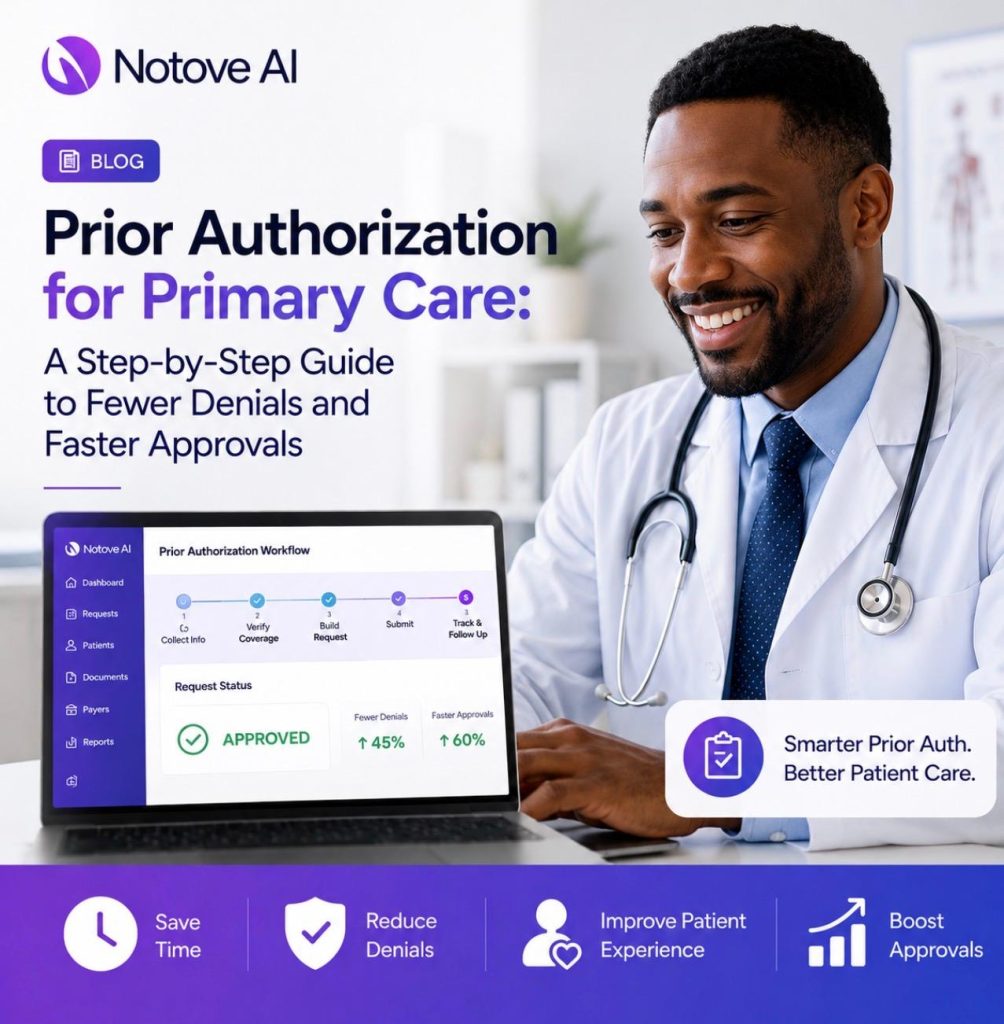
Prior Authorization for Primary Care: A Step-by-Step Guide to Fewer Denials and Faster Approvals Prior authorization for primary care has become one of the biggest time drains in modern medicine. A physician orders an MRI or a new medication, and suddenly the visit turns into a paperwork project. Front desk staff spend hours chasing payer portals. Patients wait, get frustrated, and sometimes give up on care altogether. This guide walks through exactly why that happens, what payers actually require, and how a repeatable workflow (with the right automation) can turn prior authorization from a daily headache into a manageable process. Why Prior Authorization for Primary Care Is Such a Bottleneck Primary care runs on volume. Visits are short, schedules are packed, and administrative time is limited. Meanwhile, payers keep adding more services to their prior authorization lists. That combination creates constant friction. It helps to separate the terms first. A referral sends a patient to another provider. Precertification confirms coverage before a service happens. Medical necessity review checks whether the service fits a payer’s clinical criteria. Prior authorization for primary care often overlaps with all three, which is exactly why it feels confusing. Most delays and denials trace back to a handful of causes. Missing clinical criteria is the most common one. Mismatched diagnosis and procedure codes come next. Outdated payer rules, incomplete chart notes, and thin documentation of conservative treatment also show up often. Step therapy proof and site-of-service restrictions round out the list. Specialty clinics deal with one payer type and a narrow set of procedures. Primary care deals with dozens of conditions, multiple payers, and constantly shifting requirements, usually without a dedicated authorization team. The goal of this guide is simple. Fewer denials, faster approvals, and a workflow your staff can actually follow every day. What Typically Requires Prior Authorization for Primary Care Certain categories trigger prior authorization more than others. Advanced imaging like MRI and CT scans almost always need it. Sleep studies, durable medical equipment, and high-cost medications or biologics are close behind. Some genetic tests, physical therapy beyond a set number of visits, injections, and outpatient procedures also make the list. Payers apply these rules for a few reasons. High cost drives scrutiny. So does high utilization, wide variability in how a service gets used, and safety monitoring for certain drug classes. Specialty medications get extra attention because of both price and risk. A few real examples make this clearer. An MRI ordered for chronic low back pain will almost certainly need prior authorization. GLP-1 medications for weight management usually require it too. Continuous glucose monitors and sleep apnea testing follow the same pattern. Requirements vary by payer and plan, so confirming benefits before submission always saves time later. Before You Submit: A 10-Minute Pre-Check That Prevents Most Denials A short pre-check before submission catches most of the problems that lead to denials down the line. Start with eligibility and benefits verification. Confirm active coverage, plan type, and that the member ID is correct. Next, confirm the actual authorization pathway. Some payers use a portal, others use fax, and many route through a vendor like AIM, EviCore, or TurningPoint. Decide whether the request is standard or expedited at this stage. Pull the specific clinical criteria for that payer and procedure before writing anything. Save the policy document or a link to it directly in the case file. Check the timing rules too, including retro-authorization policy, service date windows, and how long an approval stays valid once granted. It also helps to have a short script ready for patients. Explain what prior authorization for primary care actually means, roughly how long it takes, and what happens if the request gets denied. A standardized intake checklist for staff turns this whole pre-check into a five-minute habit instead of a guessing game. Step-by-Step: The Prior Authorization for Primary Care Workflow Once the order is placed, the real workflow begins. Here is how it should move from request to approval. The process starts with capturing exact details. Record the CPT or HCPCS code, the ICD-10 diagnosis, the site of service, and the requested dates. Small errors here cause big delays later. Next comes the clinical story. Write one clear paragraph covering symptoms, duration, red flags, functional impact, and relevant exam findings. Avoid vague language completely. Conservative treatment proof comes after that. List medications tried, physical therapy or home exercise attempts, activity modifications, and how the patient responded. Note any contraindications if they apply. Objective evidence should follow immediately. Include prior labs, imaging results, vital signs, and screening tools like PHQ-9 or STOP-BANG where relevant. Tie each piece directly to the payer’s stated criteria. From there, submit the payer-specific form and double-check that every field matches the chart. Track the status on a set cadence, such as a day one confirmation, a day three follow-up, and a day seven escalation if nothing has moved. If a peer-to-peer review gets requested, prepare a sixty-second clinical summary in advance. Once approval comes through, document the authorization number, valid dates, and approved units, then notify the patient and facility. If the request gets denied instead, move straight into the denial workflow covered later in this guide. What Payers Actually Look For in Documentation Every payer policy works like a checklist behind the scenes. Your documentation has to explicitly satisfy each item on that checklist, not just describe the patient’s condition in general terms. The elements that show up again and again include diagnosis specificity, symptom duration, and severity or functional impairment. Documented failed conservative therapy with actual dates matters just as much. Contraindications, exam findings, risk factors, and prior test results round out what payers expect to see. Different scenarios call for different details. Imaging requests for back pain or headache need red flag symptoms, neurological deficits, and prior conservative treatment clearly noted. Sleep study requests need STOP-BANG or Epworth scores along with comorbidities. GLP-1 and anti-obesity medication requests need BMI, comorbidities, and documented lifestyle program participation. CGM requests need diabetes
How Modern Prior Authorization Tools Are Transforming Specialty Clinics In 2026
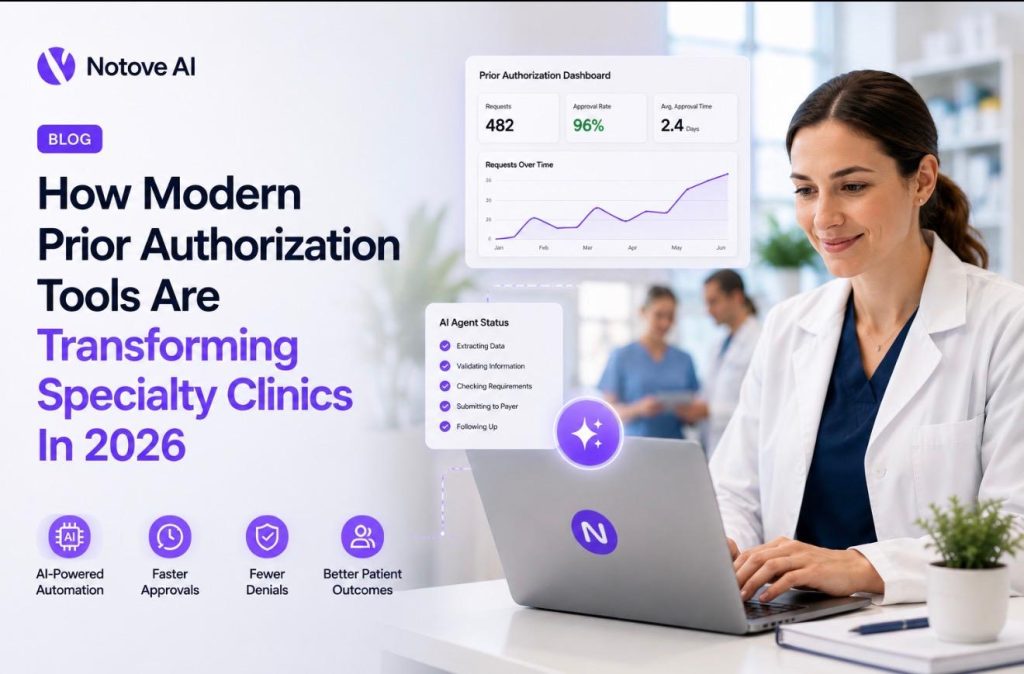
How Modern Prior Authorization Tools Are Transforming Specialty Clinics In 2026 Modern prior authorization tools are changing how specialty clinics operate in 2026. For years, prior authorization meant phone calls, fax loops, and hours lost to payer portals. Staff got buried in paperwork instead of patient care. Patients waited days, sometimes weeks, for approvals that determined whether they got treated on time. This year, that pattern is finally breaking. Digital payer workflows have matured. Documentation expectations have tightened. Specialty drugs and procedures face more scrutiny than ever. Patient volume keeps climbing. Clinics need more than a form filler to keep up. They need systems that detect requirements, gather evidence, and guide staff through submission from start to finish. That is what modern prior authorization tools actually do, and it is why 2026 looks different from every year before it. The Core Problem: Prior Authorization Is A Revenue And Care Delivery Bottleneck Prior authorization is not just paperwork. It is a bottleneck that touches revenue, scheduling, and patient outcomes all at once. Every delayed approval means a rescheduled procedure. Every denial means an appeal, and appeals eat clinician time nobody has to spare. The typical workflow looks simple on paper. An order gets placed, eligibility gets checked, documentation gets pulled, a request gets submitted, and staff wait for a decision. In practice, this chain breaks constantly. A missing note element or an outdated payer criterion can stall the entire process. Specialty clinics feel this harder than most. Think about an MRI order, a biologic infusion, or an interventional pain procedure. Each one carries its own documentation rules, and payer policies shift often. One missing conservative therapy note can delay a spine surgery for weeks. What Modern Prior Authorization Tools Actually Include Modern prior authorization tools combine a few distinct pieces working together. There are rules engines that flag payer requirements. There is documentation intelligence that pulls relevant chart data. There is AI drafting that prepares the actual request language. There is portal guidance and status tracking layered on top. This is different from legacy tools. Static templates and manual checklists cannot keep pace with payer rule changes. Single payer portals do not scale across a clinic seeing dozens of insurers. Basic automation that just fills a PDF form misses the real problem entirely. The distinction between AI agents and AI writing matters here too. AI writing drafts a sentence. AI agents orchestrate the entire process, from detecting a requirement to guiding submission and tracking the outcome. You can see this shift firsthand in how AI agents are replacing manual prior authorization staff at independent practices, where routine tasks that once consumed hours now run in the background. Human review still sits at the center of every workflow. Clinical accountability never leaves the clinic. The 5 Capabilities Transforming Specialty Clinics In 2026 These five capabilities have become the new baseline for high performing clinics. Together, they cut approval times and reduce denial rates in measurable ways. 1. Authorization Detection At The Moment The Order Is Created Detection happens the instant an order is placed. The system checks procedure triggers, payer plan rules, site of service requirements, and frequency edits immediately. This timing matters because it prevents clinics from scheduling patients before authorization is even confirmed. Picture an MRI order for a lumbar spine. A modern system flags it instantly and lists the required clinical indications. Staff know exactly what is missing before the patient ever leaves the building. 2. Automated Documentation Assembly From The EHR Gathering evidence used to mean hunting through charts by hand. Modern prior authorization tools pull relevant notes, imaging reports, lab results, and treatment history automatically. Different payers want different elements, so the packet adjusts based on who is receiving it. For an orthopedic case, this might mean pulling physical therapy notes, medication trial duration, and exam findings into one file. Missing medical necessity documentation remains the single biggest driver of denials. Automation closes that gap directly. 3. Payer Specific Request Preparation Every payer has its own language, its own forms, and its own criteria structure. Modern prior authorization tools draft letters and populate forms that match what each payer actually expects to see. This is where criteria alignment becomes critical, mapping clinical facts to the exact guidelines a payer follows. A cardiology stress test request looks different from an oncology regimen justification. Staff or clinicians still review every draft before it goes out. The AI prepares it, but a human approves it. 4. Submission Assistance That Works With Real World Payer Workflows Submission is messy in practice. Some payers want a portal upload, others want a fax, and some still require a phone call. Modern prior authorization tools generate step by step checklists so staff never miss a required field or attachment. This matters enormously for training new hires. Instead of learning ten different payer quirks from scratch, staff follow guided prompts. An audit trail records what was submitted, when, and by whom. 5. Status Tracking, Follow Ups, And Denial Prevention Analytics Once a request is out the door, tracking begins. Pending requests, approaching deadlines, and peer to peer triggers all get flagged automatically. Analytics surface denial reasons broken down by payer, procedure, and provider. This changes daily operations in a real way. Scheduling becomes predictable instead of reactive. Prevention beats appeals every time, and modern tools are built to catch problems before submission rather than after denial. Where Specialty Clinics See The Biggest Impact Prior authorization pain looks different depending on the specialty. Here is where modern prior authorization tools make the clearest difference. Radiology Radiology denials often trace back to indication mismatches or missing conservative therapy history. Detection before scheduling prevents last minute cancellations. Clinics using automated indication packets see fewer scanner slots go unused. This exact shift is detailed in how prior authorization for radiology clinics cuts approval times from days to hours, which shows how scheduling stability improves once detection happens earlier. Orthopedics And Spine Orthopedic denials frequently come down to insufficient
How AI Agents Are Replacing Manual Prior Authorization Staff at Independent Practices
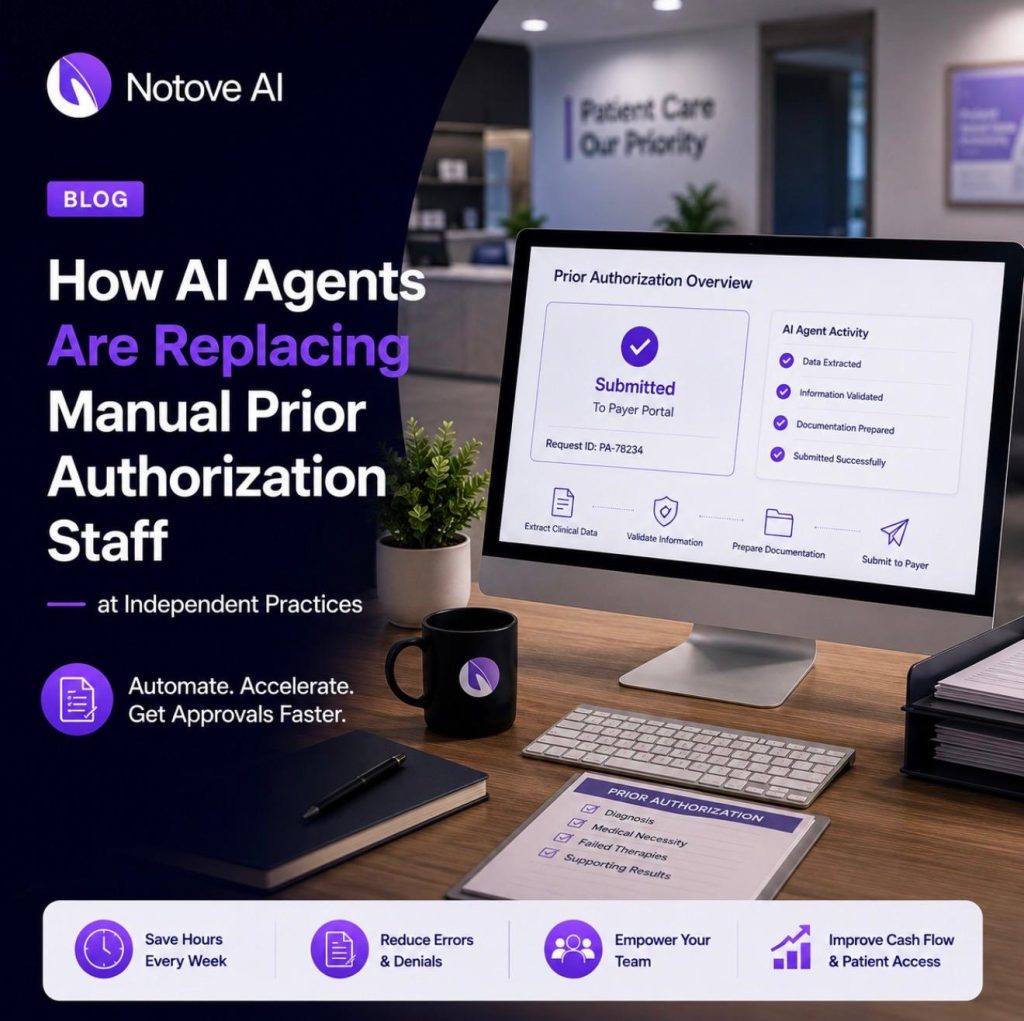
How AI Agents Are Replacing Manual Prior Authorization Staff at Independent Practices Prior Authorization Staff at independent practices are stretched thinner than ever. Every order can trigger a chain of portal logins, faxes, and phone holds. For a hospital system, this workload gets spread across dedicated revenue cycle teams. For a small clinic, it often lands on one or two people who already wear five other hats. That imbalance is starting to shift. AI agents are stepping into the repetitive parts of prior authorization work, freeing Prior Authorization Staff to focus on the requests that actually need a human judgment call. This article breaks down why manual prior authorization is breaking, where AI agents fit, and what to look for before you bring one into your clinic. Why Prior Authorization Staff at Independent Practices Are Overwhelmed Prior authorizations, referral letters, and documentation requests eat into clinical and administrative time every single day. That time comes directly out of patient care. Delayed authorizations mean delayed treatment, and delayed treatment means frustrated patients. Independent practices feel this pressure harder than large hospital systems. Lean teams mean fewer dedicated revenue cycle resources. One person might handle scheduling, billing, and prior authorizations in the same shift. Prior Authorization Staff typically handle intake, payer portal navigation, documentation checklists, follow-up calls, and faxing. It is detailed, repetitive, and unforgiving work. One missing field can delay a case for weeks. The shift happening now is not about replacing people. It is about replacing the repetitive steps that consume their day. AI agents handle the paperwork trail so Prior Authorization Staff can focus on exceptions, patient coordination, and appeals that actually need a trained eye. What an AI Agent Means in Prior Authorization (Not Just a Chatbot) An AI agent in this context is software that can detect when a prior authorization is needed, gather supporting evidence, prepare the forms, and track the request through to approval. That is very different from a chatbot that answers questions. It is also different from a basic RPA macro or a generic large language model. A true AI agent combines autonomy with workflow context. It keeps an audit trail. It knows when to pause and hand a decision back to a person. Human oversight stays built into the process. Prior Authorization Staff review the prepared request before it goes out. Clinicians sign off when clinical judgment is required. AI agents are strongest at repeatable administrative workflows. Complex clinical nuance still belongs with the clinician. That division of labor is what makes the technology trustworthy rather than risky. Where Manual Prior Authorization Breaks Down Six failure points repeatedly show up in independent practices, and each one adds cost in time, staff overtime, or lost patients. The first is detection. A procedure gets ordered, but nobody catches that it needs prior authorization until scheduling is already underway. The second is the documentation scavenger hunt, where staff dig through EHR notes, imaging, and prior treatment records to build a case. The third failure point is payer variance. Every payer has its own forms, portals, and medical policy language, and none of it lines up cleanly. The fourth is incomplete submissions, often caused by a mismatched ICD-10 or CPT code, or missing clinical evidence. The fifth is the status black hole, where nobody knows if a request was received, denied, or simply stuck. The sixth is the rework loop that follows a denial, which means new documentation, an appeal letter, and another wait. Each of these failure points has a direct cost. It shows up as hours per request, delayed scheduling, staff overtime, and patients who quietly leave for another practice. How AI Agents Replace the Manual Steps Without Replacing Accountability The manual prior authorization workflow can be mapped step by step to an agent-based version of the same process. The repetitive, non-clinical tasks get automated. Review and submission stay as the human control point. This matters most for small clinics because it removes handoffs. Fewer handoffs mean fewer chances for something to fall through the cracks. It also reduces dependence on one person’s tribal knowledge of how a specific payer likes its forms filled out. Step 1: Authorization Detection Right When the Order Is Created An AI agent flags procedures likely to require prior authorization based on payer and procedure type, right at the point of order. That early flag means fewer scheduling surprises later. Look for configurable detection rules and clear notes explaining why a case was flagged. That transparency builds trust with Prior Authorization Staff who still need to verify the call. Step 2: Documentation Assembly From the EHR Without Chasing Charts Instead of staff digging through notes, the agent pulls relevant history, prior treatments, imaging reports, and labs directly from the EHR. It checks that evidence against payer criteria for medical necessity. The outcome is fewer incomplete packets and fewer back-and-forth messages with payers. That alone can cut days off a typical request. Step 3: Payer Specific Request Preparation Every payer wants something slightly different, and the agent prepares the forms, letters, and attachment lists to match. Naming conventions and versioning stay consistent across every request. This consistency matters because it reduces clerical errors that Prior Authorization Staff would otherwise catch during a rushed review. For a deeper look at how this plays out in radiology, see how prior authorization for radiology clinics cuts approval times from days to hours. Step 4: Prior Authorization Staff Review and Submit in Seconds This is the safety checkpoint. Prior Authorization Staff validate the prepared request, make any edits, and submit it. The role shifts from data entry clerk to authorization supervisor. That shift in role is often the biggest morale change clinics report. Staff spend less time typing and more time making judgment calls. Step 5: Submission Tracking and Follow Ups Once submitted, the agent tracks approval status, denial notices, and deadlines automatically. It sends reminders before a follow-up window closes. The result is fewer missed follow-ups and better communication with patients waiting
Prior Authorization Automation for Oncology: Protecting Patient Access to Urgent Treatment
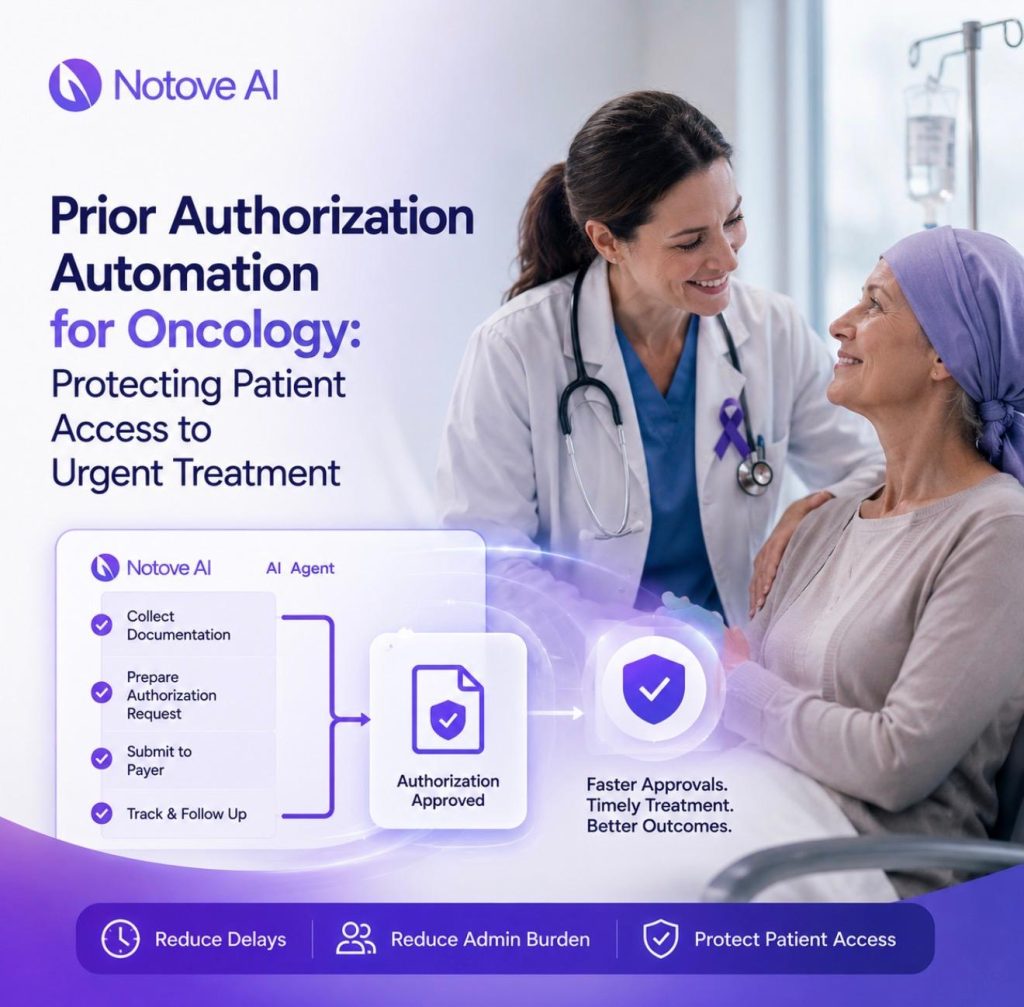
Prior Authorization Automation for Oncology: Protecting Patient Access to Urgent Treatment Oncology clinics know a truth that most other specialties never face in the same way. A delayed prior authorization does not just mean a paperwork backlog. It can mean a chemotherapy start pushed back a week. It can mean a PET scan rescheduled while a tumor keeps growing. Treatment windows in cancer care are narrow, and every day lost chips away at outcomes and patient trust. Prior authorization, often shortened to PA, is the approval process insurers require before covering certain drugs, imaging, or procedures. In oncology, this process touches nearly everything. High-cost infusion drugs, biomarker-driven regimens, PET and MRI scans, and supportive medications all tend to trigger a PA request. Get one detail wrong and the whole request stalls. This article walks through what automation actually looks like inside oncology clinics. We will cover what to automate first and what to measure. We will also cover how clinics can protect access while staying compliant. Notove AI approaches this with a simple agent-based workflow. It moves from detection to documentation assembly, then to request prep. Staff review and tracking follow, all built around how clinic teams already work. The hidden cost of prior auth in oncology clinics (it’s not just admin time) Ask any staff member at oncology clinics what eats their day, and prior auth usually tops the list. Portals require separate logins for every payer. Faxes still get lost. Phone hold times stretch past twenty minutes on a routine call. Peer-to-peer reviews need scheduling around a physician’s already packed calendar. The clinical impact is just as heavy. A delayed start date can mean a patient waits longer than their oncologist wants for treatment to begin. Infusion appointments get bumped. Imaging that was meant to confirm staging gets pushed a week or more. Patients feel the anxiety of that delay directly, and it often shows up as frustration with the clinic itself. There is a financial cost too. An empty infusion chair on a scheduled day is lost revenue that cannot be recovered. Denials pile up and require rework. Staff turnover climbs because burnout from repetitive, frustrating admin work is real. None of this is helped by shifting payer requirements. Rules vary by plan, by regimen, and by whether a drug has a newer biosimilar alternative. Where oncology prior authorizations break down most often Most denials in oncology clinics trace back to a handful of recurring failure points. Documentation is usually the biggest one. Missing staging details or an unclear biomarker result can sink a request early. An incomplete list of prior therapies tried does the same, often before a reviewer reaches the clinical argument. Coding errors cause a surprising number of denials too. A mismatched J-code, an incorrect unit count, or a wrong place-of-service entry can trigger an automatic rejection. Timing issues compound the problem. A request submitted before pathology is finalized often gets kicked back. The same happens when a note is still unsigned. Communication gaps make things worse. A payer response lands in the wrong inbox. Nobody tracks that a follow-up is due, and the request quietly stalls. The most common denial reason across oncology clinics is unclear medical necessity language. This hits off-label regimens especially hard, since they need guideline citations to back them up. What prior authorization automation actually means in an oncology workflow The phrase “automation” gets used loosely, so it helps to be specific. True automation for oncology clinics is not generic robotic process automation that just moves files around. It needs to be payer-aware, chart-aware, and fully auditable at every step. A real automated workflow follows a clear sequence. First, the system identifies that a PA is needed. Then it gathers supporting clinical evidence. Next, it builds a payer-ready packet, submits it, tracks the response, and manages any follow-up requests or appeals. Human review stays built into every stage, since clinical judgment cannot be replaced by software. This is where automation earns its value. It handles the repeatable, non-clinical steps that eat staff time without adding clinical insight. It cuts down on the swivel-chair work of copying data between systems. And it standardizes packets so quality does not depend on which staff member happened to build the request that day. The oncology-specific data a great PA packet should include A strong PA packet for oncology clinics needs more detail than most other specialties require. Core clinical elements include the diagnosis code, cancer stage, histology, and relevant biomarkers such as HER2, PD-L1, or EGFR status. ECOG performance status and relevant comorbidities matter too. Treatment context rounds this out. Reviewers want to see the line of therapy, prior regimens tried, and how the patient responded or tolerated them. Dose, schedule, and treatment intent, whether curative or palliative, all need to be spelled out clearly and consistently. Guidelines and evidence give the request its clinical backbone. NCCN category alignment, when applicable, strengthens the case. Off-label requests need peer-reviewed support and clear pathway alignment. Objective data rounds out a strong packet. Pathology excerpts, imaging summaries, and recent labs help a payer reviewer approve it without extra questions. How AI agents reduce delays: the 5-step automation model Notove AI structures its approach around five clear steps built for the realities inside oncology clinics. Each step targets a specific point where delays tend to creep in. Step one is authorization detection. The system flags orders likely to require PA. This covers a drug, a scan, or a procedure, all before the request reaches a scheduling bottleneck. Step two is documentation assembly. Supporting evidence gets pulled from chart notes, labs, pathology, and imaging into one structured bundle. Step three is request preparation, where payer-specific forms and a medical necessity narrative get drafted together. Step four brings staff back into the loop for review and submission, keeping clinician oversight central to the process. Step five is submission tracking. Teams get a centralized view of status, deadlines, and follow-up prompts, so nothing gets lost in an inbox. What