
How Prior Authorization Automation Cuts Approval Times by Up to 80% In Your Clinic
Prior authorization automation is no longer something only large hospital systems get to enjoy. It is quickly becoming the line between a clinic that runs on schedule and one that quietly loses hours, revenue, and staff bandwidth every single week.
If your team spends significant chunks of the day pulling chart notes, calling payer lines, and hunting down status updates on requests submitted three days ago, you already understand the problem. What you may not yet see clearly is how much of that work does not actually require a human being to do it.
Why Prior Authorizations Keep Slowing Clinics Down
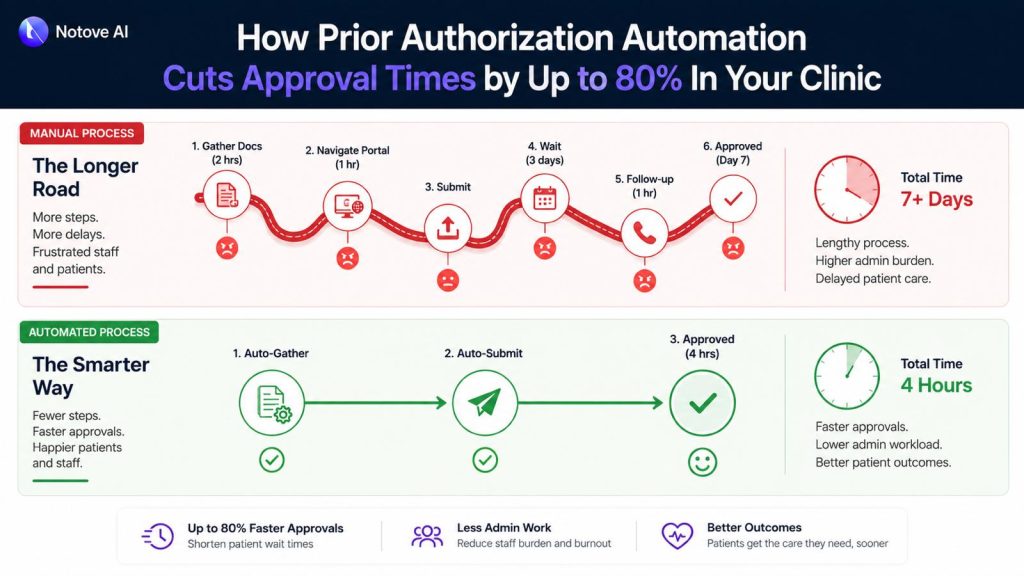
The average manual PA request moves through several predictable stages: confirming whether authorization is needed, gathering clinical documentation, completing payer-specific forms, submitting the request, and following up when no response arrives. In a busy specialty practice, that full cycle takes anywhere from 45 minutes to well over two hours per case.
The deeper problem is variance. Each payer carries its own clinical criteria, its own portal workflow, its own definition of what counts as sufficient medical necessity evidence. Staff handling five different payers on the same afternoon are constantly switching gears, and that constant shifting is exactly where errors get introduced. A missing attachment, a mismatched code, or a letter that does not address the payer’s specific criteria sends the request back, and the clock resets.
What is unfolding right now goes well beyond scheduling friction. The accumulation of these daily administrative loops is contributing to delayed care, staff overtime, and appointment cancellations that never show up on any dashboard but cost the clinic real revenue all the same.
What Prior Authorization Automation Actually Means
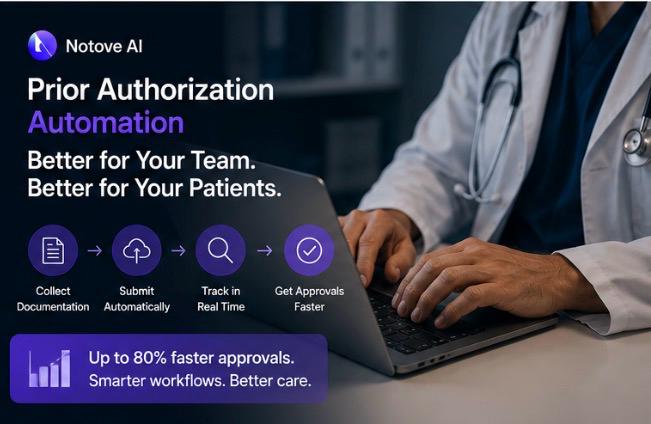
There is genuine confusion in the market about this term, so it is worth being precise. Prior authorization automation refers to software, typically AI-powered, that handles the repetitive non-clinical stages of the PA process: detecting when a procedure requires authorization, pulling the relevant clinical documentation, preparing the payer-specific request, and tracking submission status through to resolution.
What it does not do is replace clinical judgment. The physician still owns the medical decision. The care team still determines what treatment is appropriate. Automation removes the administrative scaffolding that surrounds that decision and consumes time disproportionate to its actual clinical value.
Basic automation relies on rules and static templates. A more capable AI agent goes further: it orchestrates the full workflow, extracts documentation intelligently from the EHR, drafts payer-specific letters, and surfaces any gaps before the request ever goes out. That distinction matters because the majority of denials are not rooted in the clinical decision itself. They trace back to gaps in how clinical documentation is prepared and presented, gaps that a well-designed system catches at the preparation stage rather than after a denial arrives.
The Mechanics Behind an 80% Reduction in Approval Time
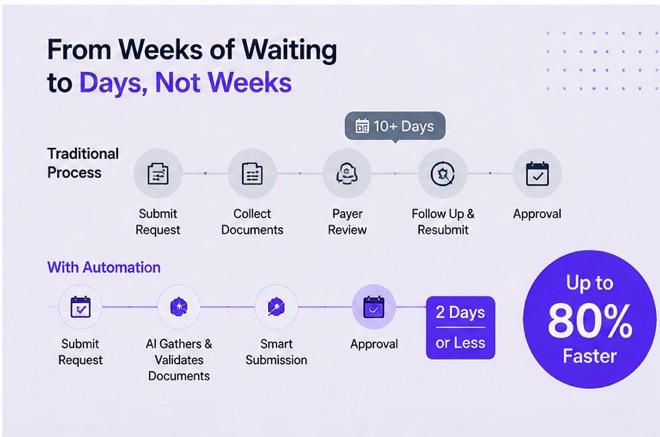
The 80% figure is not a promise about payer response time. Payer turnaround is outside anyone’s control. The reduction comes from compressing the stages that are entirely within the clinic’s control: preparation, error correction, and follow-up.
Here is a realistic look at where time actually goes in a manual PA workflow compared to an automated one:
| Stage | Manual Time | Automated Time | Time Saved |
|---|---|---|---|
| Authorization detection | 10 to 15 minutes | Under 1 minute | ~93% |
| Documentation assembly | 20 to 30 minutes | 3 to 5 minutes | ~85% |
| Form and letter preparation | 15 to 20 minutes | 2 to 4 minutes | ~82% |
| Staff review and submission | 10 to 15 minutes | 3 to 5 minutes | ~67% |
| Follow-up and status tracking | 15 to 30 minutes | 5 to 8 minutes | ~70% |
| Total per PA request | 70 to 110 minutes | 13 to 23 minutes | ~79% |
The savings concentrate in two stages: documentation assembly and form preparation. These require digging through charts, interpreting payer-specific criteria, and reformatting clinical evidence into submission-ready packets. An AI system that understands those requirements and can surface the right evidence from an EHR handles that work in seconds.
The 5-Step Workflow a Good System Should Handle
When evaluating any prior authorization automation tool, use these five steps as your checklist. Each one maps to a common failure point in manual processing.
Step 1 is authorization detection. The system should flag, at the point of order creation, that the procedure requires PA. This single step prevents the last-minute chaos of a procedure scheduled without authorization and the patient callbacks that follow.
Step 2 is documentation assembly. This is the single biggest time sink in any manual process. A capable system pulls recent clinical notes, diagnoses, prior treatment history, imaging results, and lab values, then maps those findings to the specific payer’s medical necessity criteria. The hidden costs that manual documentation assembly creates in high-volume practices illustrate exactly how much time and revenue disappears when this stage runs on human effort alone.
Step 3 is payer-specific request preparation. Every payer uses different forms, requires different fields, and favors different submission channels. Automation generates a payer-ready packet with correct formatting, proper attachments, and consistent structure, reducing the chance of a pend or return-to-provider before the request even gets reviewed.
Step 4 is staff review and submission. This is where the human stays in the loop. A well-designed workflow displays the full request, the assembled documentation, and any open flags on a single screen. The authorization specialist reviews, edits if needed, and submits. Getting this stage under five minutes is the target.
Step 5 is submission tracking and follow-up. This is where delays quietly accumulate in manual workflows with no one noticing until a scheduled procedure gets pulled. A good system maintains a live dashboard of every request status, captures payer notes, and sends automated reminders when follow-up windows open.
Where Clinics See the Biggest Return
The ROI from prior authorization automation shows up across several categories at once. The most visible is staff hours recovered each week. When each PA request takes 15 minutes instead of 90, a team managing 20 requests per week reclaims more than 25 hours of productive time. That is real capacity that currently goes to administration.
The less visible return is in denial rate reduction. Resubmissions are expensive: each one costs additional staff time, delays care for the patient, and in some cases results in a cancellation that never gets rebooked. When documentation is consistently complete and formatted to payer standards from the start, the number of pended and denied requests drops noticeably.
The ripple effects reach patient experience directly. Shorter approval cycles mean shorter waits between referral and procedure. Fewer denials mean fewer cancellations and more predictable scheduling. For specialty practices where high-cost imaging and procedures drive most of the revenue, that predictability is worth measuring carefully.
There is also a clinical dimension to this that tends to get underplayed. Authorization delays are directly affecting patient outcomes across specialties. Faster approvals are not purely an operational improvement. They are a care quality improvement.
Who Benefits Most
The clinics that gain the most from prior authorization automation share two characteristics: high PA volume and limited dedicated administrative staff. Radiology, orthopedics, cardiology, and oncology practices feel the most pressure because their procedures routinely require authorization and carry complex documentation requirements specific to each payer.
Primary care deals with a different version of the same problem. The volume per procedure type is lower, but authorizations touch referrals, imaging orders, and medications throughout the day in a way that creates constant interruptions. Automation in primary care is less about batch efficiency and more about reducing the context-switching that fragments the care team’s day and degrades focus.
Independent specialty groups face a compounding challenge. Limited administrative support, multiple providers with different documentation habits, and a varied payer mix create conditions where inconsistency in submissions is almost guaranteed. Standardizing through automation introduces a level of consistency that individual staff effort cannot maintain reliably at scale.
There is a broader context here too. The daily friction of manual PA work sits squarely within a pattern that researchers and clinicians have been documenting for years. The relationship between EHR burden and physician burnout is well established, and PA-related documentation is a significant contributor to that load.
Common Concerns Worth Addressing
Three questions come up consistently when clinics evaluate automation.
The first is whether automation will increase denials. The data points the other direction. Most denials originate from missing information or formatting mismatches, both of which automation directly addresses. Submission consistency tends to improve approval rates, not undermine them.
The second is whether the AI might pull incorrect documentation. This is a valid concern, and it is why staff review remains a required step. The authorization specialist sees exactly what was pulled, from which note, on which date, and can edit anything before submission. The audit trail is preserved. AI handles the assembly. Your team handles the judgment.
The third is cost. The framing that matters here is not monthly software cost versus nothing. It is software cost versus staff hours, overtime, missed appointments, and revenue tied up in resubmissions. When laid side by side, the math tends to shift quickly.
A Simple Before-and-After in Practice
A cardiology clinic orders a stress echocardiogram. Without automation, a staff member checks the patient’s payer plan, locates the PA requirements, pulls three months of clinical notes, drafts a medical necessity letter, attaches relevant documentation, navigates the payer portal, submits, and follows up two days later when no status update appears. If anything is missing, the process restarts.
With automation, the PA need is flagged the moment the order is created. The system assembles the clinical evidence, generates the letter with payer-specific formatting, bundles the attachments, and surfaces the complete packet for the authorization specialist to review. They check it, submit it, and receive status updates automatically. Total preparation time: under 10 minutes.
Getting Started Without Disrupting Your Workflow
The most practical implementation approach for a small clinic is to start narrow. Pick one or two high-volume procedure types and one or two payers. Run the automated workflow for two to three weeks alongside your existing process. Measure prep time per request, denial rate, and staff feedback. Then expand from there.
The goal in the first month is not perfection. It is establishing a baseline and confirming, with data from your own practice, that the tool saves time and reduces errors. Once staff see that it removes repetitive work rather than adding steps, adoption typically follows naturally.
Conclusion
The manual prior authorization process was built to meet payer requirements, not to protect clinic efficiency. The entire burden of navigating that complexity has landed on providers, and it has been sitting there long enough that most teams now accept it as fixed. It is not.
Prior authorization automation reduces the prep and back-and-forth that cause delays without removing clinical oversight or requiring an IT overhaul. If your clinic is ready to stop spending 90 minutes on a request that should take 10, Notove AI was built for exactly this. HIPAA compliant, no installation required, and operational within minutes. Join the early access program at notove.com and see what reclaiming that time actually looks like inside your workflow.
Frequently Asked Questions
Does prior authorization automation guarantee faster payer response times?
No. Payer response time is determined by the payer, not by how your clinic submits. What automation guarantees is that your side of the process moves faster, more completely, and with fewer errors. Faster and cleaner submissions reduce the risk of pends and requests for additional information, which are the most common sources of payer-side delay that clinics actually have some control over.
What if the AI assembles the wrong clinical documentation?
This is why a staff review step is non-negotiable in any responsible system. The authorization specialist sees what documentation was pulled, which clinical note it came from, and what criteria it was matched against. Edits are made directly before submission. The system maintains a clear audit trail throughout. The AI accelerates assembly. Your team ensures accuracy.
Will our denial rate go up if we switch to automation?
For most clinics, the opposite happens. Denials most frequently result from incomplete documentation, missing attachments, or fields that do not match the specific payer’s requirements. Automation addresses all three of those failure points by assembling more complete submissions with consistent payer-specific formatting. Clinics that move from manual to automated workflows typically see denial rates fall within the first month.
Is prior authorization automation worth it for a smaller practice with lower PA volume?
Volume is only one part of the calculation. If a small practice is spending 90 minutes per PA request and handling even eight to ten requests per week, that is more than 10 hours of staff time dedicated to administrative tasks that automation can compress significantly. Start with the procedures that require PA most frequently and measure the time difference. Most practices find the return is clearer than expected.
How difficult is the setup process for an automation tool?
It depends on the platform. A well-designed prior authorization automation solution should require no software installation and minimal configuration before it is usable. Notove, for example, runs in a browser with a setup time under five minutes. Getting it fully integrated into your daily workflow, with procedure rules, payer preferences, and staff roles configured, typically takes one to two weeks of hands-on use before it becomes fully routine.
Share Post:
Be First to Try Notove
Join the waitlist and get early access, updates, and exclusive onboarding support.