

Electronic Prior Authorization vs. Manual Submission: A Practical Comparison
Electronic prior authorization is no longer a nice-to-have upgrade for busy clinics — it is increasingly the line between a practice that schedules patients on time and one that hemorrhages revenue through rework, delays, and staff burnout. If you run prior auth for a specialty clinic, a radiology group, or a multi-provider practice, you already know the manual version of this process: a fax goes out, a phone call follows it, someone logs into a payer portal, and then you wait. This article walks through what separates electronic prior authorization (ePA) from manual submission across every dimension that actually matters to the people doing this work every day — speed, accuracy, visibility, cost, patient experience, and scale.
Prior Authorization in Plain English
Before comparing methods, it helps to be precise about what prior authorization actually is. It is a payer requirement that a provider obtain approval before a service, procedure, or drug will be covered. The payer wants to confirm medical necessity before committing to payment.
What triggers a PA varies, but the common categories are high-cost imaging (MRI, CT, PET), specialty medications, durable medical equipment, elective surgical procedures, and advanced diagnostics. Once a PA is triggered, several parties are involved: the ordering provider, the administrative or billing staff who gather documentation, the payer’s utilization management (UM) team that reviews the request, and ultimately the patient whose care is waiting on the outcome.
A successful prior authorization request means the right clinical documentation — ICD-10 and CPT codes, clinical notes, imaging results, prior treatment history — was submitted to the right payer in the right format, with approval in hand before the date of service. That last part is where most of the friction lives.
Manual vs. Electronic: What Each One Actually Means
Manual prior authorization means submitting through fax, phone calls, email attachments, or payer-specific web portals. It often involves copying and pasting patient and insurance data between systems, printing and scanning clinical documents, and tracking status through spreadsheets, sticky notes, or shared inboxes.
Electronic prior authorization means submitting through a standardized electronic transaction — typically integrated into the EHR or RCM platform — with structured data fields, automated routing, and real-time or near-real-time status updates returned from the payer.
A common misconception is worth addressing directly: logging into a payer portal and submitting a form is not ePA. True ePA involves structured data transactions, built-in validation, and system-to-system communication. The portal is just a more organized version of manual.
Many organizations run a hybrid. Some payers support ePA; others still require fax. Some service lines are high enough volume to justify automation; others are not. The goal is not to eliminate all manual work — it is to reduce how much of it your team carries.
A Side-by-Side Comparison That Actually Means Something
Rather than a general overview, here is a breakdown across six dimensions that prior auth teams feel every day.
Speed: Turnaround Time and Time-to-Schedule
Manual PA is slow by design. A request goes out by fax, sits in a queue, requires a follow-up call, and if anything is missing, the whole cycle restarts. Many payers have business-hour-only review windows, which adds calendar days to a process already measured in days rather than hours. Prior authorization automation can cut approval times by up to 80%, which translates directly into fewer rescheduled appointments and less downstream billing friction.
With ePA, the submission reaches the payer faster, with fewer touchpoints, and status updates come back through the same channel. It is still not always instant — complex cases still go to clinical review — but the administrative lag is dramatically shorter.
What to track: median time from order to submission, submission to payer response, and approval to scheduled appointment date.
Accuracy: Completeness, Coding, and Documentation Quality
Manual submission introduces multiple failure points. Wrong form version, missing attachments, ICD-10/CPT misalignment, outdated medical necessity criteria — any of these sends a request back to square one. The rework is labor-intensive and delays care.
ePA platforms have built-in validations. Required fields cannot be left blank. Code combinations are checked against payer rules before submission. That said, ePA cannot fix weak clinical documentation upstream. Clinical documentation quality is what makes or breaks insurance approvals — and that reality does not change regardless of which submission method you use.
A practical fix for both methods: build specialty-specific checklists and documentation templates so that whoever is pulling the chart knows exactly what needs to be in the request before it goes anywhere.
Visibility: Status Tracking, Accountability, and Audit Trail
This is where manual PA falls apart most visibly. Status lives in whoever last touched the case. One staff member called the payer on Tuesday; another faxed an addendum on Thursday; no one updated the tracker. When a patient calls asking about their authorization, no one has a clean answer.
ePA creates a timestamped, centralized record of every action — submission, payer acknowledgment, pending status, approval or denial. That audit trail matters for patient communication, for escalating pended cases, and for defending against payer disputes. It also matters internally for QA and for identifying which payers or service lines are causing recurring problems.
Labor and Cost: Staff Time, Rework, and Burnout
Manual PA is a staffing sink. The hidden cost of manual prior authorization in radiology practices — and across specialty medicine broadly — runs far deeper than the obvious salary line. Factor in overtime during volume spikes, the training burden of managing credentials across a dozen different payer portals, the opportunity cost of delayed scheduling, and the turnover that comes when staff spend their days chasing faxes and listening to hold music.
Here is a rough framework for estimating your current cost:
| Cost Component | What to Measure | Typical Range |
|---|---|---|
| Staff time per authorization | Minutes per PA, all touches | 20 to 45 minutes (manual) |
| Rework rate | % of PAs requiring resubmission | 15% to 30% in manual workflows |
| Denial rate linked to PA | Claim denials traceable to PA errors | 5% to 12% of submitted claims |
| Cost per authorization | Fully loaded labor + overhead | $10 to $40 per PA (manual) |
| Time-to-schedule delay | Days lost to PA process | 3 to 14 days (specialty dependent) |
ePA reduces the repetitive data entry and follow-up chasing, which frees staff to focus on exceptions — cases that actually require judgment, clinical knowledge, or escalation. That is a better use of skilled staff and a meaningful burnout reducer. EHR administrative burden is a documented driver of physician and staff burnout, and reducing the manual PA layer is one of the more direct ways to address it.
Patient Experience: Delays, Confusion, and Financial Risk
From the patient’s perspective, prior authorization is invisible until it becomes a problem. A delayed PA means a rescheduled MRI, a postponed surgery, or a medication that does not arrive on time. If PA is not obtained before the date of service and the claim is denied, the patient may face an unexpected bill.
Manual workflows extend all of these risks because turnaround is slower and status is harder to communicate. A patient who calls the front desk asking whether their authorization came through should not be put on hold while someone digs through a shared inbox.
The practical fix is a simple patient communication workflow: notify the patient when the PA is submitted, when it is under payer review, and when a determination is made with clear next steps. ePA makes this easier because the status data exists in a form the front desk can actually query.
Scalability: What Happens When Volume Spikes
Manual PA does not scale without headcount. When a practice adds a new service line, onboards a new payer, or simply has a busy quarter, the only way to absorb volume in a manual workflow is to add staff or let turnaround times slip. Neither is a good answer.
ePA scales better because standardization does the heavy lifting. Submissions follow the same structure regardless of who processes them. Analytics help identify which payers or service types are generating the most exceptions, so you can address root causes rather than just throw more staff at them.
High-acuity specialties — imaging, cardiology, orthopedics, oncology — face this problem acutely. As procedures become more complex and payer scrutiny increases, PA volume and complexity grow together. The prior authorization crisis in 2026 is not hypothetical; it is the operating reality for most specialty practices right now.
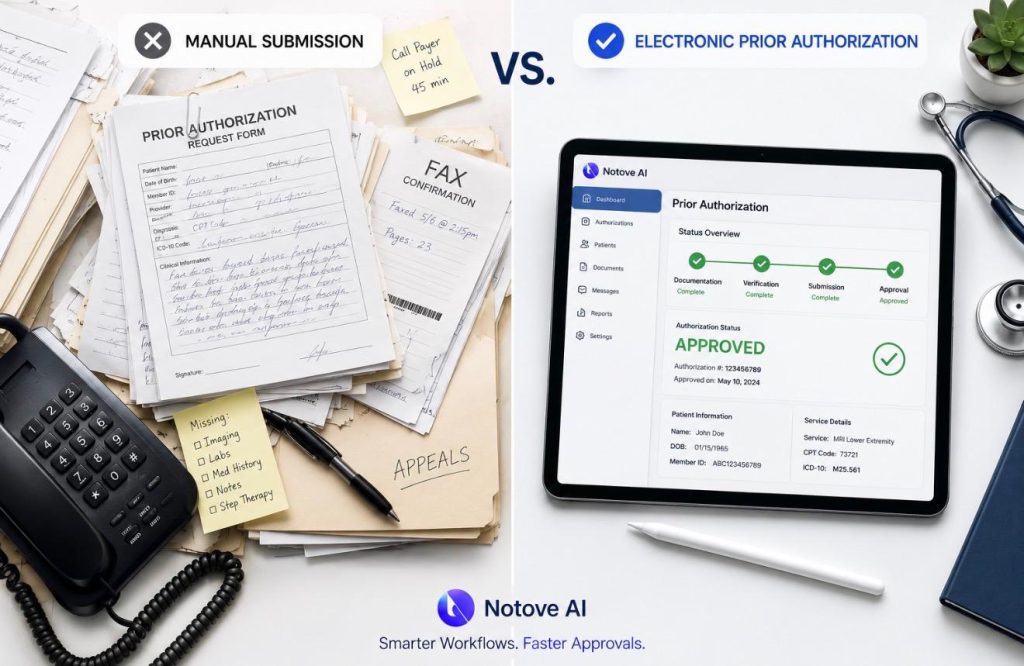
The Same PA Request, Two Ways
Take a concrete example: a lumbar spine MRI for a patient with six weeks of low back pain, conservative treatment documented, ordered by the attending physician.
Manual Submission
- Staff identifies that this payer requires PA for outpatient MRI.
- Staff pulls the correct fax form — if they have the right version.
- Clinical notes, ICD-10 codes (M54.5), CPT code (72148), and conservative treatment documentation are gathered from the chart — manually.
- The fax goes out. No confirmation that it was received.
- Staff follows up by phone 48 hours later. Hold time: 20 minutes.
- Payer requests additional documentation about prior physical therapy.
- Staff pulls PT notes, refaxes. Process restarts.
- Approval or denial arrives 5 to 10 business days after initial submission.
Failure points: wrong form, missing PT notes, no fax receipt, delayed follow-up, lost documentation in the handoff.
Electronic Prior Authorization Workflow
- Eligibility check and PA requirement identified automatically at order creation.
- Structured submission populated from EHR data: demographics, insurance, codes, clinical notes.
- System validates required fields and flags missing items before submission.
- PA submitted electronically with clinical attachments routed automatically.
- Real-time or same-day acknowledgment from payer.
- Status tracked in a centralized work queue.
- Determination received and captured in the patient record.
The same case still takes clinical review time on the payer side. What ePA removes is the administrative lag on the provider side — the gathering, faxing, calling, and re-gathering.
Denials, Appeals, and Peer-to-Peer Reviews
ePA reduces preventable denials — submissions returned for missing information, wrong codes, or incorrect forms. It does not eliminate clinical denials, which happen when the payer’s UM team disagrees with medical necessity regardless of how complete the submission was.
What changes with ePA is how you respond. Because status is tracked and documentation is centralized, the appeal process starts from a better position. The clinical notes are already attached. The timeline is clear. Escalation paths are faster.
Peer-to-peer reviews — where the ordering provider speaks directly with the payer’s medical director — are largely outside automation. Whether you use manual or electronic submission, a peer-to-peer requires the ordering provider to be available, prepared with clinical evidence, and clear on the payer’s specific criteria. Build a prep checklist regardless of your submission method: relevant literature, clinical rationale, prior treatment summary, and the specific denial reason.
Security, Compliance, and Operational Risk
Manual PA creates PHI exposure risks that are easy to underestimate. Faxes go to the wrong number. Shared inboxes accumulate unencrypted documents. Access to printed patient records is difficult to audit.
ePA centralizes document storage, logs access by role, and creates a cleaner compliance posture — though the specifics depend on the platform and how it is configured. Downtime and payer connectivity gaps are real risks with ePA and require documented fallback workflows.
Whatever your submission method, maintain written policies covering document retention, access control, incident response, and audit readiness.
KPIs Worth Tracking
Set baselines before making any changes, then measure again at 30, 60, and 90 days:
- Approval rate on first submission
- Denial rate attributable to missing or incorrect information
- Average turnaround time from order to payer determination
- Number of staff touches per authorization
- Cost per authorization (fully loaded)
- Time from approval to scheduled appointment
- Claim denial rate tied to PA errors
Segment these by payer, specialty, site, and service line. Aggregate numbers hide the specific problems that actually need fixing.
When Manual Is Still the Right Call
Manual PA is not always the wrong choice. Low-volume practices with a simple payer mix may find that the setup cost of ePA outweighs the benefit. Some payers and services are not yet supported electronically, and some complex cases — those requiring heavy clinical narrative or frequent peer-to-peer negotiation — still need a human driving the process from start to finish.
When manual is necessary, make it as systematic as possible: standard operating procedures for every common payer, a centralized tracking tool, a payer rules library that is actually kept current, and designated windows for follow-up calls so staff are not context-switching all day.
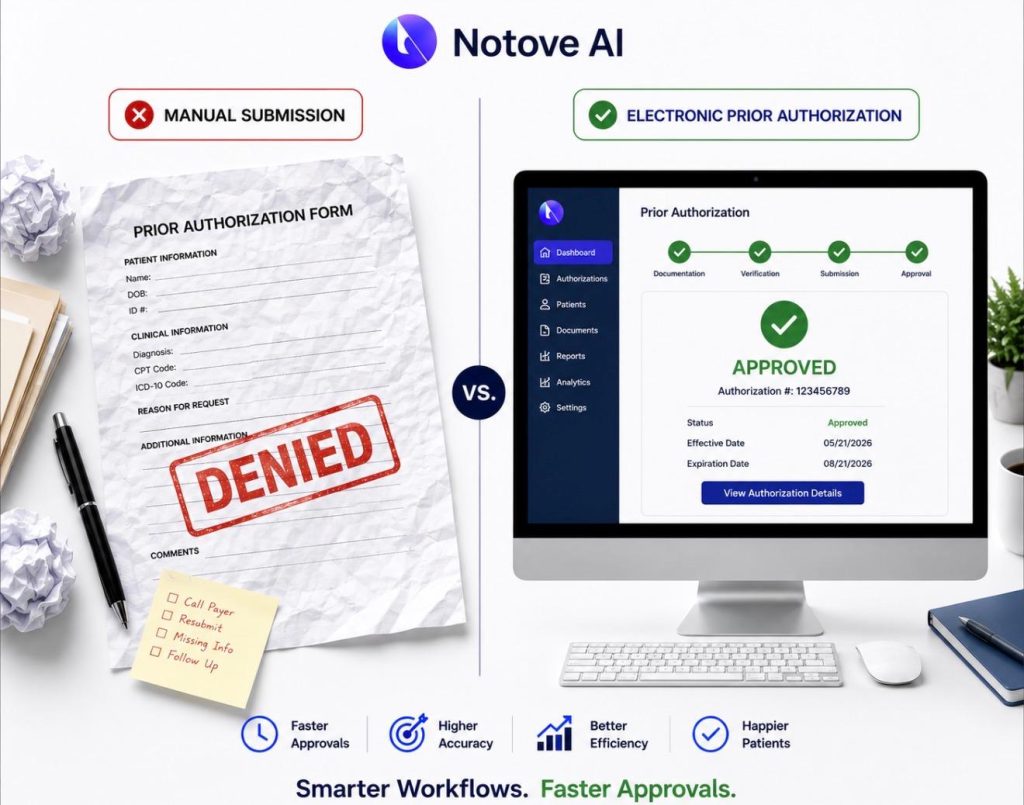
When Electronic Prior Authorization Makes Obvious Sense
If you see any of these in your practice, ePA is worth serious evaluation: high PA volume across multiple payers or locations, growing rework and denial rates tied to incomplete submissions, scheduling delays that are directly traceable to PA turnaround, staff turnover or burnout linked to administrative load, and no reliable way to answer the question “where does that PA stand right now?”
Implementation Without Breaking Your Workflow
Start with a pilot. Pick one or two high-volume service lines and two or three top payers. Map your current workflow — intake, documentation, submission, follow-up — and identify where things break before adding new tools.
Define ownership clearly: who submits, who follows up, who handles pended requests, who updates patients. Standardize your inputs: coding rules, documentation templates, attachment naming conventions. These steps reduce friction whether you are going electronic or just trying to make manual more consistent.
For ePA specifically, confirm which payers and service types are supported and what your fallback process is for gaps. Decide where PA work lives — in the EHR, in the RCM work queue, or in a dedicated platform. Make sure eligibility and PA requirement checks happen at or before order creation, not the day before the appointment.
Build the exception handling lane from day one: what counts as an exception, what the escalation timeline is, who owns appeal letters, and how peer-to-peer prep is managed. Review exceptions weekly and use them to update templates so the same problem does not recur.
The Bottom Line
Manual prior authorization is flexible but labor-heavy, opaque, and difficult to scale. Electronic prior authorization is faster and more visible, but only as good as the payer connectivity and documentation quality it depends on. For most specialty practices and growing clinics, the right answer is a pragmatic hybrid: ePA for standard, high-volume requests and manual workflows for edge cases and unsupported payers.
Where to start: baseline your current KPIs, pick one service line and your highest-volume payer, standardize your documentation templates, and measure what changes. Small, focused pilots produce cleaner data than organization-wide rollouts.
If you want to see what a purpose-built prior authorization workflow looks like for specialty clinics, visit Notove to learn how AI-assisted PA can reduce your team’s administrative load without disrupting how your practice already works.
Share Post:
Be First to Try Notove
Join the waitlist and get early access, updates, and exclusive onboarding support.