
Prior Authorization For Radiology Clinics: How AI Cuts Approval Times From Days To Hours
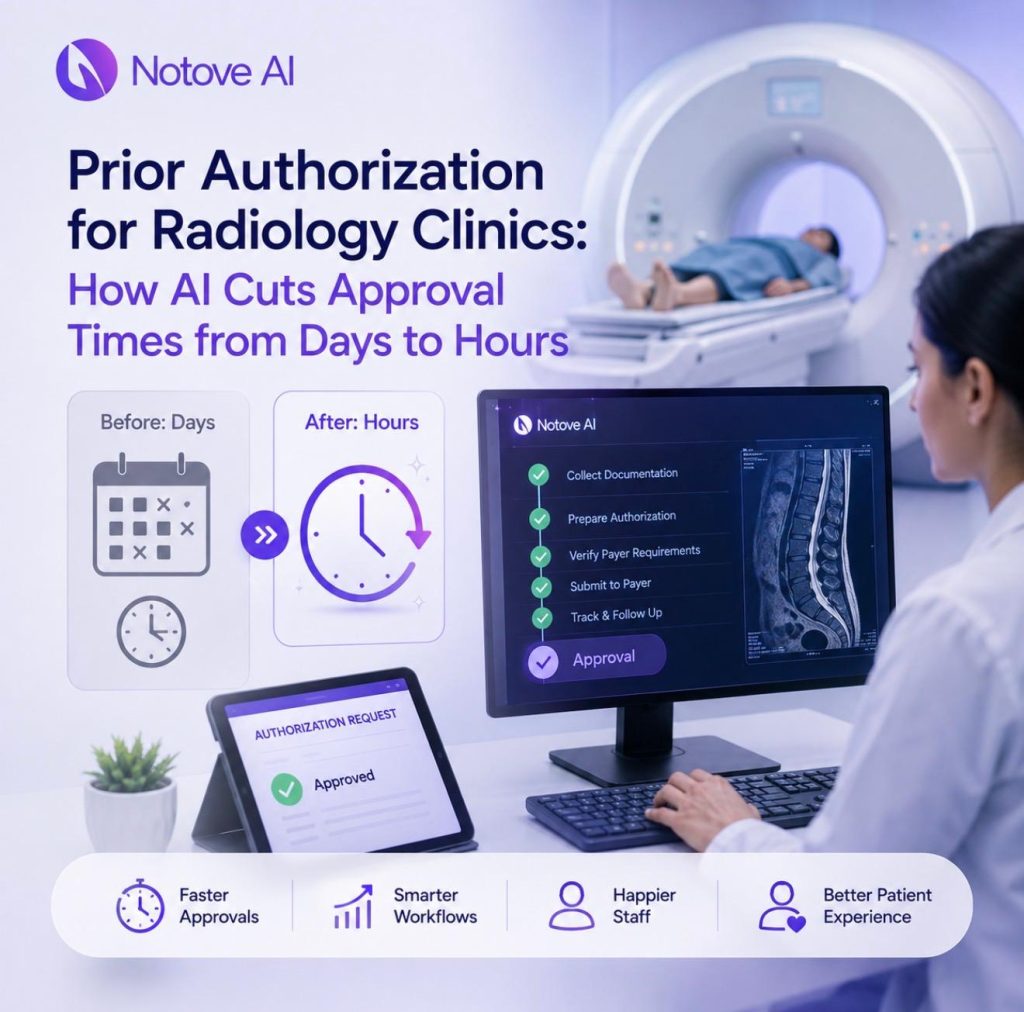
Prior Authorization for Radiology Clinics: How AI Cuts Approval Times from Days to Hours Radiology clinics know this moment well. An MRI or CT is ordered, the patient is ready, and the schedule stalls on a pending authorization. That single delay ripples outward fast. It forces reschedules, wastes scanner time, and leaves patients frustrated before they even arrive. Prior authorization has become one of the biggest operational drags radiology clinics face today, and the pressure is only building. Why This Bottleneck Keeps Getting Worse for Radiology Clinics Prior authorization for radiology typically covers advanced imaging, repeated studies, contrast use, and site-of-service rules. Each of these adds another layer of payer scrutiny. Every delayed approval compounds into reschedules, idle scanner time, and growing patient dissatisfaction. For radiology clinics, this is not a minor inconvenience. The business impact runs deep too. Slower throughput means fewer studies completed per day. Revenue cycle delays follow close behind, along with staff burnout from constant follow-up calls. Patients frustrated with wait times may simply choose a competitor with faster access. How the Prior Authorization Process Actually Works The full sequence looks straightforward on paper. Order, benefits verification, PA requirement check, medical necessity documentation, payer form submission, status checks, and approval or denial. Peer-to-peer review sometimes follows if the first request falls short. Time gets lost at nearly every step along the way. Staff hunt through clinical notes, match payer-specific rules, and re-enter the same data across portals. Phone and fax follow-ups add even more delay to an already slow process. Every payer and plan brings its own forms and criteria. What works for one insurer often fails for another. Radiology adds extra complexity because volume is high and cases are often time-sensitive. Referring-provider dependencies and modality-specific criteria for MRI, CT, and ultrasound all vary too. The Most Common Reasons Radiology PAs Get Delayed or Denied Missing or incomplete documentation is the top reason for denial. History and physical notes, conservative therapy trials, and prior imaging are frequently absent. A mismatch between diagnosis and procedure codes causes trouble too. Incorrect site-of-service details or NPI and taxonomy errors slow things down further. Duplicate requests, expired authorization windows, and mismatched dates of service all add friction. Unclear clinical rationale from the ordering provider is another common gap. These denials have real consequences beyond paperwork. Patients face delayed diagnoses and higher no-show rates. Staff get pulled into rework loops that eat into their week. What “Days to Hours” Really Means for Radiology Clinics Slow approvals carry a measurable operational cost. Staff spend hours per request, often repeating the same follow-up calls. Every hour a scanner sits idle is lost revenue for radiology clinics. Patients feel this cost directly too. Longer wait times increase anxiety and raise cancellation rates. Referring physicians may stop sending patients to clinics with a reputation for delays. The revenue cycle takes a hit as well. Delayed billing, resubmissions, and write-offs all increase accounts receivable days. A manual PA process might take three to five days per case. A streamlined process can bring that down to hours instead. Traditional Fixes Radiology Clinics Try (And Why They Only Help a Little) Hiring more authorization staff helps with volume, but it raises overhead and training time for radiology clinics. Checklists and templates reduce some missed steps, but payer variability still trips teams up. Outsourcing prior authorization work can improve throughput on paper. It often adds coordination delays and reduces visibility into the process. EHR macros and manual copy-paste routines remain repetitive and error-prone. None of these fixes address the root problem. The bottleneck is repetitive administrative work layered with payer-specific rules, which is exactly what automation solves best. Where AI Fits Into Prior Authorization for Radiology Clinics AI belongs in operational automation, not clinical decision-making. That distinction matters for how radiology clinics should think about adoption. The right tasks to automate include PA detection, documentation gathering, form filling, and status tracking. Some tasks should always stay human. Final review, nuanced clinical judgment, peer-to-peer calls, and escalation decisions belong with staff. Radiology is a particularly strong fit for this kind of automation. Volume is high, criteria are standardized, and data requirements are predictable. Human-in-the-loop review and full auditability keep the process compliant throughout. How Notove AI Cuts Approval Times from Days to Hours Notove AI is built for clinics that need prior authorization handled faster, including radiology clinics of every size. The workflow follows the same sequence your staff already knows. Authorization Detection identifies procedures likely to need PA, including MRI, CT, contrast studies, and repeat scans. Documentation Assembly pulls supporting evidence such as symptoms, prior treatments, and imaging history. Request Preparation generates payer-specific forms with medical necessity language already aligned. Staff Review and Submit puts your team in control of the final decision. Review happens in seconds instead of minutes per request. Submission Tracking then follows every request through to a decision. Deadlines, follow-ups, and outcomes are tracked automatically so nothing slips through. Fewer back-and-forth loops and fewer missing pieces at first submission are what actually produce the hours-not-days result. Radiology-Specific Playbook: What to Standardize for MRI and CT Authorizations Different modalities call for different documentation bundles. Payers expect specific evidence depending on the study type. Building modality-based templates in advance saves significant time later. A minimum viable evidence set includes symptom duration, neurological red flags, and a conservative care trial. Prior imaging dates and results should always be included as well. Consistent ICD-10 selection matched to the clinical story prevents mismatch denials. CPT codes need to match laterality and contrast use exactly. Modality Core Documentation Needed Common Denial Trigger MRI Spine Symptom duration, conservative care trial, neuro deficits Missing conservative therapy history MRI Brain Neurological symptoms, prior imaging, red flag findings Vague or missing clinical rationale CT Abdomen/Pelvis Symptom history, lab findings, prior imaging results ICD-10 to CPT mismatch CTA Vascular risk factors, symptom acuity, prior studies Incorrect contrast or laterality coding Notove AI supports this by auto-assembling documentation and tailoring requests per payer. That removes the
The ROI of Automating Prior Authorizations: How Clinics Reclaim 10+ Hours Per Week
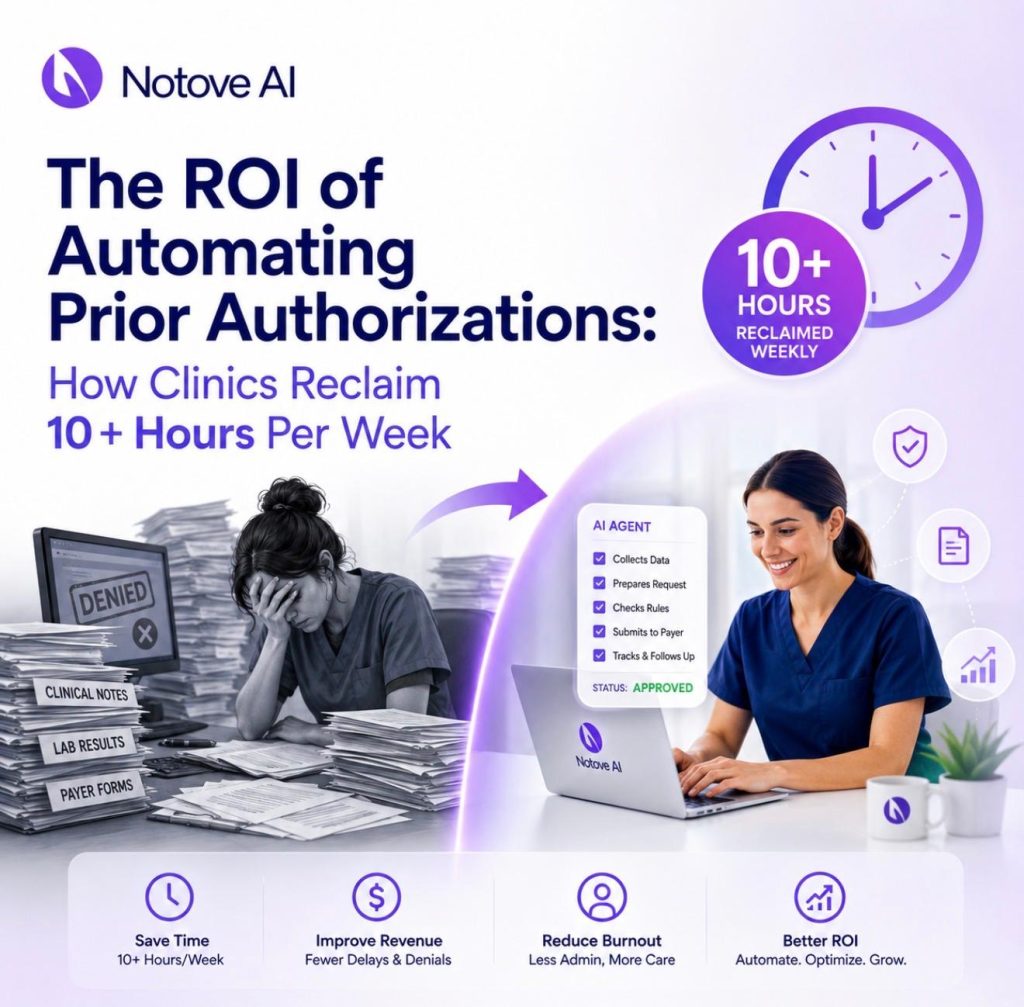
The ROI of Automating Prior Authorizations: How Clinics Reclaim 10+ Hours Per Week Automating Prior Authorizations is quickly becoming the line between a clinic that runs smoothly and one that drowns in paperwork. Anyone who has managed a PA queue knows the feeling. The queue never empties. Staff bounce between phone calls, payer portals, and fax machines just to move one request forward. Rework piles up when a form comes back incomplete or a payer changes a rule overnight. PA work covers more than most people realize. It includes verifying requirements, gathering supporting documentation, drafting letters, filling out payer specific forms, submitting requests, and tracking their status through approval or denial. Every one of those steps can stall for reasons outside a clinic’s control. Interruptions and context switching quietly multiply the time each task actually takes. Staff often chase providers for missing notes because payer rules are inconsistent from one insurer to the next. The operational pain has a direct financial cost. Delayed care means delayed revenue. Denials mean rework and resubmission. Burned out staff eventually leave, and replacing them is expensive. This article walks through how to quantify that cost, and how clinics that pursue Automating Prior Authorizations are reclaiming more than 10 hours per week. What Automating Prior Authorizations Actually Means Automating Prior Authorizations in practical terms means using AI to detect which procedures need authorization, assemble documentation, prepare the request, and guide submission. It is not the same as full autopilot. Human review still matters at every stage. A clinician or authorization specialist should always confirm accuracy before anything is submitted to a payer. This is different from basic templates or simple robotic process automation. Payer specific requirements shift constantly, and mapping clinical evidence to those requirements is the hard part. Automation fits in three places. It helps before submission by preparing documentation. It helps during submission by guiding staff through payer specific steps. It helps after submission by tracking status and flagging follow ups. A quick myth to address directly. Automation will not fix a poorly written clinical note. What it will do is flag exactly what is missing before a request goes out the door. The ROI Framework Clinics Should Actually Use Before buying another tool that “feels helpful,” clinics need a real framework. ROI from Automating Prior Authorizations comes from five places. Time saved on repetitive tasks. Denials avoided through more complete submissions. Faster approvals that keep schedules full. Lower overhead from reduced hiring pressure. A better experience for patients waiting on care. Hours saved alone is an incomplete measure. Denials and approval speed directly affect revenue and patient outcomes. The right approach is to measure a baseline first, for two to four weeks, before assuming any number. Track average minutes per PA, total PAs per week, denial rate, and resubmission rate. Once you have that baseline, convert it into dollars. Use loaded hourly rates, opportunity cost of clinician time, avoided overtime, and reclaimed appointment slots. This is bottom funnel thinking. A tool should be chosen based on measurable outcomes, not general claims about artificial intelligence. Where the 10+ Hours Per Week Actually Comes From A time audit makes the hidden cost visible. Break the PA workflow into stages. Each one drains a specific amount of time, and the ranges below reflect typical clinic experience rather than fixed numbers. PA Workflow Stage Typical Minutes per Request Common Cause of Delay Requirement check 5 to 15 Payer rules change without notice Chart digging for evidence 10 to 25 Documentation scattered across the EHR Letter drafting 10 to 20 No standard template per payer Form filling 8 to 15 Payer specific fields vary widely Submission and confirmation 5 to 10 Portal friction or fax delays Follow up and tracking 10 to 30 No centralized status view A small specialty clinic handling 40 PAs a week can easily reach 30 to 40 minutes per request once every stage is counted. That adds up past 10 hours weekly, without including the extra time clinicians spend when pulled in for last minute documentation requests. Hard Dollar ROI Without Sacrificing Compliance Cost buckets in a PA workflow include admin labor, clinician time spent fixing documentation, overtime, temporary staffing, and outsourcing fees. Automating Prior Authorizations reduces the handling time per request, which frees up capacity before a clinic needs to hire another full time employee. Compliance benefits come along with the savings. Consistent packets, standardized letters, and a clear audit trail showing what was submitted and when all support audit readiness. Fewer missed fields and fewer inconsistent narratives mean fewer last minute edits under pressure. A simple calculation clinics can run themselves: multiply hours saved per week by loaded hourly rate, multiply that by 52 weeks, then subtract the software cost. What remains is the net ROI for the year. Revenue ROI From Faster Approvals Every day a PA sits in limbo is a day that pushes back a procedure. Delays lead to postponed treatments, patient drop off, scheduling gaps, and slower claims. Shorter cycle time supports predictable scheduling and better throughput across the clinic. This matters most in specialties like imaging, orthopedics, cardiology, and oncology, where timing directly affects patient outcomes. Two metrics worth tracking closely are approval turnaround time and the rate of scheduled procedures that actually get completed. Automating Prior Authorizations helps prevent cases from getting stuck through better tracking and automatic reminders. Denials ROI and the Easiest Win Available Missing documentation is the most common and most preventable driver of denials. Incorrect form fields, unaddressed payer criteria, and outdated documentation round out the usual list. Every denial compounds into resubmission time, appeals, delayed care, and frustration for both staff and patients. Automation improves first pass completeness through checklists and evidence extraction pulled directly from the chart. Track first pass approval rate alongside denial rate and resubmission rate, broken down by payer and procedure type. This is exactly where Notove AI adds value, through payer specific preparation, documentation assembly, and a staff review loop that keeps a
How To Implement Prior Authorization AI At Your Clinic With No IT Team Required

How To Implement Prior Authorization AI At Your Clinic With No IT Team Required Prior Authorization AI is quickly becoming the fastest way for small clinics to cut administrative hours without hiring anyone new. Prior authorizations steal hours from clinical and front-desk teams every single week. Delays push care out, frustrate patients, and drive up denial rates. The good news is that Prior Authorization AI does not require a hospital-sized IT department to get running. This article lays out a practical, no-IT implementation plan you can start this week. What “Prior Authorization AI” Actually Means (So You Don’t Buy the Wrong Thing) Prior Authorization AI refers to AI agents that detect PA requirements, assemble documentation, draft payer-specific requests, and track submission status. It is not a single feature. There are several product types on the market, and they are not the same thing. Templates and rules engines just automate paperwork, not decisions. RPA macros click through payer portals but do not understand clinical context. AI scribes summarize visits but never touch the submission itself. True PA agents are built specifically for payer workflows from start to finish. Human-in-the-loop design matters here too. Staff should always review and approve before anything gets submitted. Auditability and change tracking protect your clinic during payer disputes. Most tools fail because they produce generic output with no payer specificity. Weak evidence matching and no tracking loop are common failure points as well. Quick Self-Audit: Is Your Clinic Ready for Prior Authorization AI? Before adopting Prior Authorization AI, run a five-minute readiness check. Look for consistent intake, a clear procedure ordering flow, and basic document availability. Someone on staff needs to own the PA queue already. If no one owns it today, automation will not fix that gap by itself. Common friction points will not block you, but they are worth naming. Messy faxes, inconsistent note formats, and multiple payer portals are all normal. Watch for red flags that should be fixed first. Unclear ownership is the biggest one. Missing coding discipline and no denial tracking lead directly to more denials. Readiness Signal Green Yellow Red PA queue ownership One named person owns it Shared informally between two staff No one is accountable Documentation habits Notes are consistent and complete Notes vary by provider Notes are frequently missing Denial tracking Denials are logged and reviewed Denials are noted but not reviewed Denials are not tracked at all Coding discipline Diagnosis and procedure codes are checked Codes are checked occasionally Codes are rarely verified before submission Portal access Staff have consistent payer portal access Access is shared or inconsistent Access is limited to one person The No-IT Implementation Plan: What You’ll Set Up in Week One Start narrow with Prior Authorization AI. Pick one specialty workflow or one procedure type first. Prove the return on investment before expanding further. You do not need a technical team to define roles for this rollout. You need a PA lead, a clinical reviewer, one power-user champion, and a compliance point person. Week one deliverables are simple. Map the current workflow, list required documents, and pick payer targets. Define success metrics and choose a small pilot cohort. Prior Authorization AI tools like Notove are web-based, so there is no installation required. Step 1: Pick a High-Impact Pilot That Shows ROI Fast Choose one or two high-volume, high-denial services to start. MRI orders, advanced imaging, and orthopedic injections are strong candidates. Select based on monthly volume, staff minutes per request, and denial rate. Define what success looks like within thirty days. Faster turnaround, fewer touchpoints, and higher first-pass approvals all count. An MRI PA queue pilot might target cutting processing time in half. Step 2: Map Your Current PA Workflow in 30 Minutes Use a lightweight mapping method. Intake, detect PA need, gather evidence, fill forms, submit, follow up, close. Time gets lost hunting for notes and missing imaging reports. Portal re-entry and status checks eat up hours too. Handoff points between staff create most delays and denials. Standardize those handoffs before your Prior Authorization AI pilot begins. Your deliverable is a one-page workflow with clear owners. Step 3: Standardize the Documentation Packet (The Real Denial Killer) Most payer denials come from missing or weak evidence, not clinical appropriateness. This is where Prior Authorization AI earns its keep fastest. Build a pilot evidence checklist covering the essentials. Include recent notes, diagnosis codes, failed conservative therapy, imaging results, and labs. Payer requirements vary significantly, and packets need to reflect that. A cardiology PA packet looks nothing like an oncology one. The goal is an always-ready PA packet that reduces payer back-and-forth. Documentation requirements shift by payer more than most clinics expect. This guide on AI prior authorization software for small and specialty clinics covers the details. Step 4: Connect Notove AI to Your Workflow Without an EHR Integration Project Notove AI works alongside any EHR system, which matters for clinics without IT support. Start with browser-based workflows and controlled document inputs. You can expand integration later if your clinic needs it. Setup takes about five minutes and requires no downloads. Create an account, define your clinic details, and choose pilot services. Set user roles with least-privilege access between staff and reviewers. A shared inbox and queue model keeps everyone aligned. Before onboarding, gather sample PA requests, payer rules, and denial examples. If your team has questions before starting, you can always reach out to the Notove team directly. How Notove AI Handles the PA Workflow End to End Notove’s Prior Authorization AI follows a five-step loop that staff can learn quickly. Authorization Detection identifies procedures that need prior approval automatically. Documentation Collection gathers clinical evidence from your existing records. Request Preparation drafts payer-specific forms based on that evidence. Staff Review and Submit puts a human in charge of the final decision. Submission Tracking then monitors approvals, denials, and follow-ups automatically. The AI gathers and drafts, while your staff verifies and submits. Fewer tabs, fewer copy-paste steps, and more consistent packets are the
HIPAA-Compliant Prior Authorization Automation: What to Look For in a Vendor
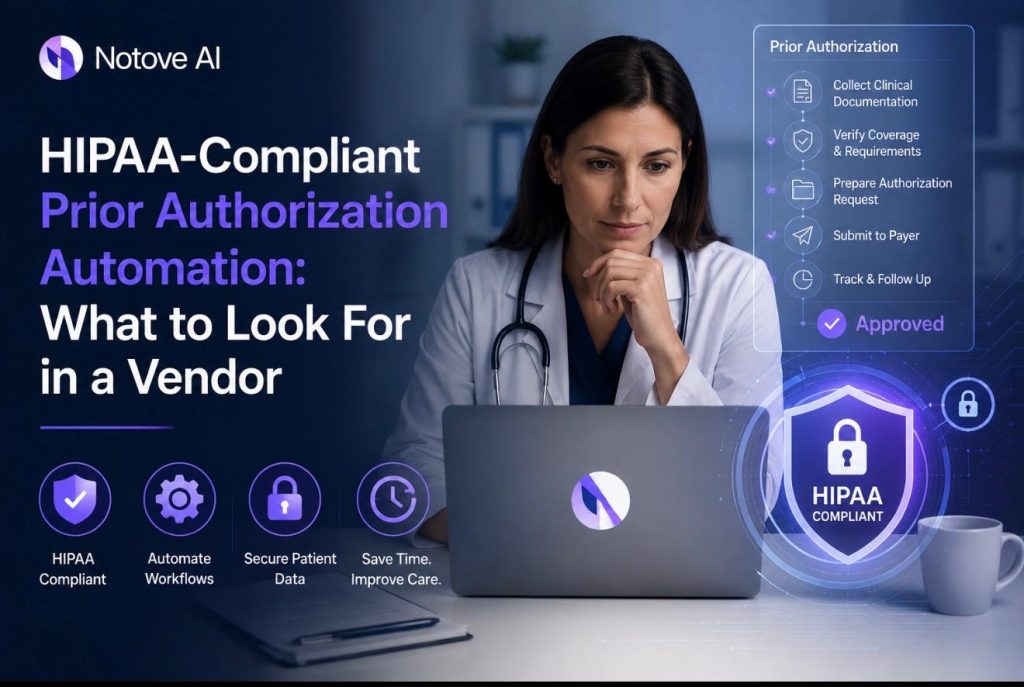
HIPAA-Compliant Prior Authorization Automation: What to Look For in a Vendor HIPAA-Compliant Prior Authorization is no longer a nice-to-have for clinics that automate their workflows. It is the baseline requirement before any vendor conversation should even start. Prior authorization already eats up hours every week. Add a tool that mishandles patient data, and you have traded one problem for a bigger one. Patients wait longer for care when authorization gets stuck. Revenue cycle teams fall behind on claims. Staff burn out from chasing payer portals. And every one of these issues gets worse if the automation tool itself creates audit exposure. Most tools on the market fall short in one of a few ways. Some are generic automation scripts wearing an AI label. Some have a weak security posture that would not survive a real audit. Others ignore payer-specific logic entirely. Many skip human review altogether, which is a risk nobody in healthcare should accept. This guide breaks down what a real HIPAA-Compliant Prior Authorization vendor should offer, and how to evaluate one without getting lost in sales language. Prior Authorization Automation, Explained in Plain English Prior authorization is the approval a payer requires before it will cover a procedure, medication, or imaging order. Automation touches this process at three points: before submission, during submission, and after submission. There is a real difference between a macro, a workflow tool, and an AI agent. A macro just fills in a template. A workflow tool moves a task from one queue to another. An AI agent reads context, pulls clinical evidence, and drafts a payer-specific request. A typical prior authorization workflow looks like this. Staff identify that a procedure needs authorization. They gather supporting evidence from the chart. They complete the payer’s form or portal. They submit it, track it, and respond to any follow-up requests or appeals. Good automation shortens every one of these steps. It reduces the number of times a human has to touch the same request. It prevents missing information before it becomes a denial. It shortens turnaround time and keeps the process consistent across staff members. HIPAA Basics Vendors Must Meet, Without the Legalese Any vendor that creates, receives, stores, or transmits patient data on a clinic’s behalf is a HIPAA Business Associate. That means a signed Business Associate Agreement is not optional. If a vendor hesitates on this point, that alone should end the conversation. The HIPAA Privacy Rule governs how patient data can be used and shared. The Security Rule governs how that data is protected technically and physically. A HIPAA-Compliant Prior Authorization tool needs to satisfy both, not just one. The Minimum Necessary standard matters here too. Automation should only pull the data required for that specific request. Role-based access and scoped data retrieval keep exposure limited if something goes wrong. Think through the full data lifecycle. Collection, processing, storage, transmission, retention, and deletion all carry separate risks. A vendor should have a clear answer for each stage, not a vague one-line policy. The Vendor Evaluation Checklist: What to Look For This is the core of any buying decision. Build an internal scorecard before you take a single sales call. Score each vendor across compliance, security, workflow fit, outcomes, implementation, and support. Ask for documentation at every step. Policies, audit reports, and security overviews should be available in writing. Confirm every verbal answer actually appears in the contract or the BAA itself. The table below is a simple scorecard you can use during vendor calls. Score each category from one to five and total it at the end. Evaluation Category What to Verify Weight BAA and HIPAA readiness Signed BAA, breach notification terms, subcontractor coverage High Security controls Encryption, MFA, RBAC, audit logs, SOC 2 status High AI safety Human review, source-grounded extraction, no PHI used for training High Workflow fit Specialty support, exception handling, task routing Medium Documentation assembly Payer-specific packets, validation checks, version control Medium Submission tracking Status visibility, follow-up reminders, denial capture Medium EHR compatibility Integration depth, data mapping, duplicate work prevention Medium Reporting Turnaround time, denial rate, compliance logs Low Implementation and support Onboarding timeline, training, SLA response times Low Pricing and contract terms Ownership, exit plan, hidden costs Low 1. HIPAA Readiness: BAA, Policies, and Accountability Confirm the vendor will sign a BAA before anything else. Ask them to define permitted uses and disclosures in plain terms. Find out who acts as their Security and Privacy Officer equivalent. Ask how they handle incidents when something goes wrong. Ask about workforce training, access reviews, and sanction policies on their end. The contract needs to cover subcontractors and set clear breach notification timelines. 2. Security Controls That Actually Protect PHI Encryption in transit and at rest is table stakes. Ask how they manage encryption keys, not just whether encryption exists. Access controls should include SSO, MFA, role-based permissions, and session timeouts. Audit logs need to capture user actions, document access, and exports. Ask how long logs are retained and whether you can export them yourself. Look for third-party assurance such as SOC 2 Type II or a recent penetration test summary. 3. AI Safety and Compliance: How the Model Touches Patient Data Ask exactly where AI touches the workflow. Is it extracting clinical evidence, drafting letters, or filling payer-specific forms? Each of these carries different risk levels. Human-in-the-loop review before submission is not optional in a clinical setting. Confirm patient data is never used to train public models. Ask about hallucination controls, like requiring citations from the actual chart entry. Explainability matters for audits. A HIPAA-Compliant Prior Authorization tool should show exactly which note, date, and section supported each claim. That transparency protects the clinic if a payer or auditor pushes back later. 4. Workflow Fit: Does It Match How Clinics Actually Work? Specialty clinics have different documentation needs than primary care. Radiology, orthopedics, cardiology, and oncology all face different payer rules. A good vendor should already understand these differences. Ask how the tool handles missing data or unclear documentation.
Prior Authorization Software Comparison: What Independent Clinics Need to Know in 2026
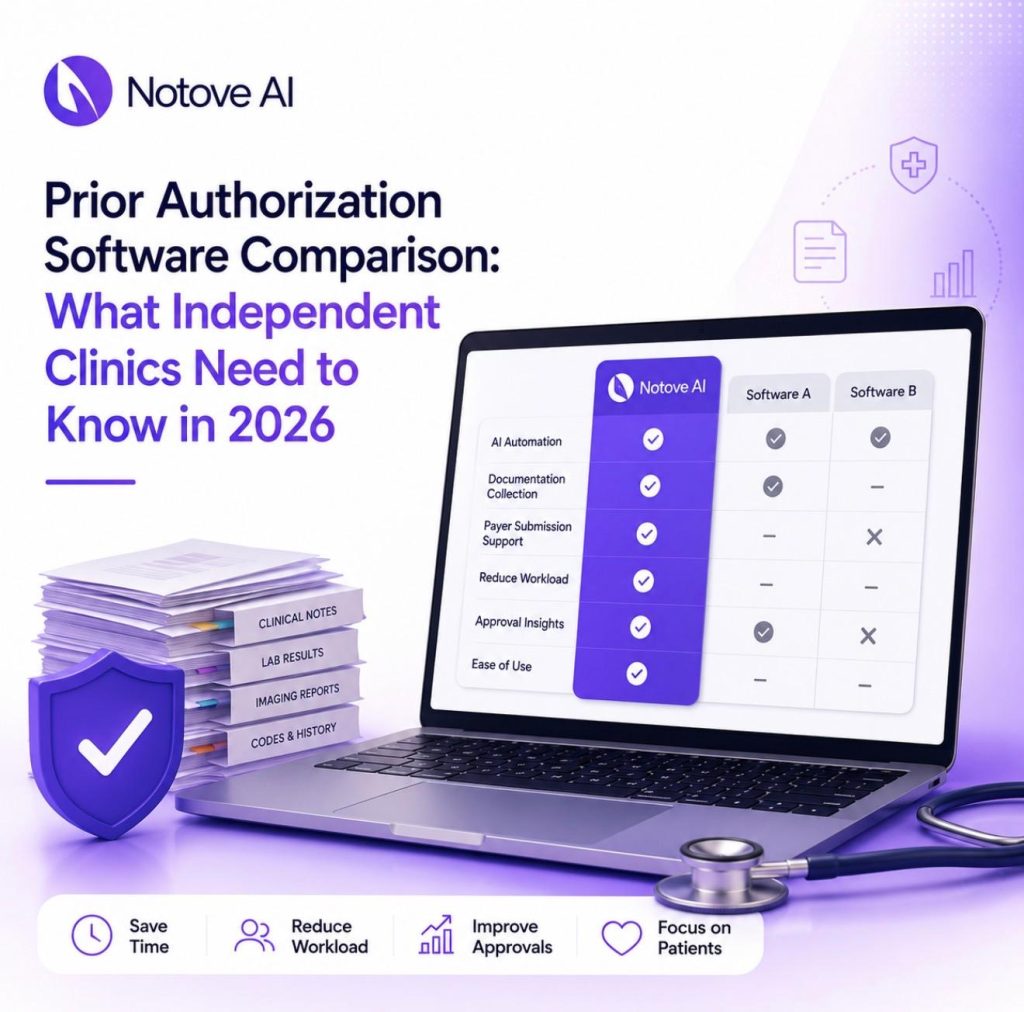
Prior Authorization Software Comparison: What Independent Clinics Need to Know in 2026 Prior authorization software is no longer optional for independent clinics trying to survive 2026’s payer rules. Volume keeps rising. Complexity keeps rising with it. Payers now ask for more specialty-specific documentation and expect faster turnaround than ever before. Large hospital systems absorb this with dedicated revenue cycle teams. Independent clinics do not have that luxury. A single missed requirement can delay a scan by weeks. A single denial can mean a write off your practice cannot afford. This article breaks down the real categories of prior authorization software on the market today. It also gives you a practical framework for choosing the right fit, especially if you run a lean, independent practice. Why Independent Clinics Still Struggle With Prior Authorization Software in 2026 The problem is not a lack of tools. It is a lack of tools built for how small teams actually work. Payer rules vary by plan, by procedure, and often by region. Staff already juggle scheduling, billing, and patient calls. Adding hours of documentation chasing on top of that pushes people toward burnout fast. Delayed care, rescheduled procedures, and frustrated patients all trace back to the same root cause. Most clinics feel this pain long before they ever open a vendor comparison page. That is exactly why choosing the right prior authorization software matters so much right now. What Prior Authorization Software Actually Means Now Vendors use the term loosely, so it helps to break the market into three honest categories. The first category checks eligibility and flags whether a procedure needs authorization at all. The second category focuses on workflow and tracking, meaning tasks, statuses, and follow up reminders. The third category is AI assisted or agentic automation, where the software helps assemble documentation and prepare submissions. Most independent clinics need a blend of all three. You want detection, document assembly, and tracking, with a human reviewing everything before it goes out. That blend is where modern prior authorization software earns its keep. The Non-Negotiable Checklist Before You Compare Vendors Before comparing any prior authorization software, independent clinics should score every option against a short list of requirements. Speed to value matters first. Ask how long setup and staff training actually take. Workflow fit matters next, since you need to know exactly who touches each request, whether that is a medical assistant, a nurse, or a biller. Payer specific intelligence is where many tools fall short. The software should understand different forms and rules across payers and procedures. It should also help gather clinical evidence like notes, imaging, and labs into a payer ready packet. Tracking, integrations, security, and reporting round out the list. Total cost should include the subscription plus any hidden labor costs your staff absorbs manually. How We Compared These Tools (Use This Process Yourself) You do not have to trust marketing claims alone. Pick three to five high volume procedures in your clinic, such as MRIs or specialty injections. Map your current process from order to approval, including every handoff. Define success metrics like turnaround time, denial rate, and staff minutes spent per request. Then run a two week pilot and measure honestly. Watch for red flags during this process. Some tools only track status without reducing any actual documentation work. Others claim automation but still require heavy manual copy and paste from your staff. Notove AI: Prior Authorization Software Built for Independent Clinics Notove AI is an AI prior authorization agent built specifically for independent and specialty clinics. It automatically gathers documentation, prepares authorization requests, and assists staff with payer submissions. That workflow can reduce prior authorization workload by up to 80 percent. The platform detects which procedures require authorization, then pulls documentation directly from your EHR. It prepares a payer specific request that staff can review and submit within seconds. This is different from generic AI tools or basic status trackers. Notove combines payer specific preparation with documentation assembly and guided submission in one place. You can read the full breakdown in this complete guide to AI prior authorization software for small and specialty clinics. Clinics using this kind of automation report gaining back more than ten hours of patient time each week. Many also report a 60 percent reduction in burnout tied to repetitive paperwork. Notove works alongside any EHR system, with no installation and a five minute setup. Every request still goes through human review before submission. That human in the loop model keeps your clinic in control while removing the busywork. If you want to see how this fits your specific EHR setup, this article on how EHR integration speeds up the prior authorization process walks through the mechanics in detail. Traditional Workflow and Tracking Platforms This category gives clinics centralized work queues, statuses, and reminders. Strengths include better visibility and fewer dropped follow ups across your team. The common gap is documentation. Staff still spend most of their time collecting evidence and translating it into payer specific submissions manually. These platforms work best for clinics that already have a dedicated prior authorization team in place. Before choosing one, verify it can attach clinical documents cleanly. Confirm it integrates with your scheduling system and supports multiple locations if you need that. Clearinghouse and Payer Portal Tools These tools focus on connectivity rather than documentation. They standardize electronic submissions and reduce login headaches across payer portals. Coverage varies significantly by payer, and documentation preparation is still largely on your staff. Edge cases often fall back to manual work regardless of the tool. This category fits clinics with a predictable payer mix and simpler documentation needs. Generic AI Scribes Are Not Prior Authorization Software Many clinics try using generic AI tools to draft prior authorization letters. This can help with faster drafting and summarizing chart notes in a pinch. It does not detect which procedures need authorization in the first place. It also does not reliably assemble the right evidence or track submission status over time.
AI Prior Authorization Software: A Complete Guide for Small and Specialty Clinics

AI Prior Authorization Software: A Complete Guide for Small and Specialty Clinics AI Prior Authorization Software: A Complete Guide for Small and Specialty Clinics AI Prior Authorization Software is quickly becoming the difference between clinics that lose hours to paperwork and clinics that don’t. Every week, staff at small and specialty practices spend hours chasing documentation, filling payer forms, and following up on requests that vanish into a portal somewhere. Care gets delayed. Revenue gets delayed. Staff get burned out. This guide walks through what AI Prior Authorization Software actually does, how it fits into a real clinic workflow, and how to evaluate and roll one out without disrupting your practice. Why Prior Authorization Is Especially Painful for Small and Specialty Clinics A single prior authorization request can eat up an hour or more of staff time. Multiply that across dozens of weekly requests and the cost becomes obvious. Specialty clinics feel this harder than most. Radiology, orthopedics, cardiology, and oncology practices deal with higher PA volume and more complex documentation requirements than general primary care. Every payer has its own rules, portals, forms, and language for medical necessity. What satisfies one insurer will get flagged by another. This variability is where most of the real pain lives. It shows up as denials, resubmissions, rescheduled procedures, and patient no-shows tied directly to authorization delays. This guide covers what AI Prior Authorization Software is, what it automates, how to evaluate tools, and how to roll one out safely. Prior Authorization 101: A Quick, Practical Overview Prior authorization is the approval a payer requires before covering certain procedures. In specialty care, this shows up constantly around advanced imaging, injections, surgeries, specialty medications, and oncology regimens. The typical lifecycle looks like this: an order is placed, staff check the benefit and PA requirement, documentation is gathered, the request is submitted, someone follows up, and the payer approves or denies it. Denials often lead to appeals, which restart parts of this cycle. Most PA failures trace back to a handful of causes. Missing clinical notes, wrong codes, no proof of conservative therapy, mismatched diagnosis and procedure codes, and missed deadlines are the usual suspects. Doing prior authorization well is mostly about process discipline and matching documentation to what each payer actually wants. What AI Prior Authorization Software Actually Means Not every tool marketed this way does the same thing. Basic macros, form fillers, and clearinghouse-only tools automate small pieces of the process. True AI Prior Authorization Software goes further. It should detect which orders likely need authorization, assemble supporting documentation automatically, prepare payer-specific packets, guide staff through submission, and track status until resolution. The best systems use a human-in-the-loop model. The AI drafts and assembles the request. Staff reviews it and submits it. Be wary of vendors promising fully autonomous submissions everywhere or zero denials. Realistic AI Prior Authorization Software reduces workload and errors. It does not eliminate the need for human judgment. The 5 Tasks AI Can Reliably Automate in Prior Authorization Good AI Prior Authorization Software tends to focus on five specific tasks rather than trying to replace the entire process. Authorization detection flags orders likely to require PA based on payer and procedure patterns, which cuts down on last-minute surprises. Documentation collection pulls imaging reports, prior therapy notes, and labs into one organized packet. Request preparation generates payer-specific forms and medical necessity narratives with the correct codes attached. Submission assistance walks staff through portal or fax workflows so nothing gets left out. Tracking and follow-up keeps a live queue of pending requests and deadlines so nothing falls through the cracks. A radiology clinic might use this for MRI approvals. An orthopedic practice might use it for joint injections. Cardiology groups often lean on it for echo and CT authorizations, while oncology practices use it to manage regimen-heavy submissions. How AI Reduces Prior Authorization Denials Most denials come down to a small set of causes. Missing information, mismatched criteria, weak evidence of conservative therapy, and coding errors account for the majority of them. AI Prior Authorization Software helps by applying payer-specific checklists before submission. It scores completeness, flags gaps, and builds narratives mapped directly to medical necessity criteria. This creates a consistent packet structure regardless of which staff member handles the request. Consistency matters more than people expect. A lot of denial variance comes from different staff handling requests differently. Results still depend on accurate inputs, active review, and staying current with payer rule changes, which shift often. What to Look for in AI Prior Authorization Software Choosing the right platform matters as much as choosing to adopt one at all. A few things are worth checking closely before signing anything. Workflow fit comes first. Does the software match your existing order-to-submission process, or will your team need to rebuild how they work? Specialty support matters too, since imaging, procedures, and specialty medications each need different documentation logic. Payer coverage should include your top insurers and their preferred submission methods. Documentation intelligence should mean the tool understands which note sections actually matter, not just that it can attach a PDF. Security and compliance are non-negotiable. Look for HIPAA alignment, encryption, and audit logging. For a full breakdown of criteria clinics should weigh, this guide on choosing a healthcare AI automation platform for your clinic covers the details worth asking vendors about directly. Integration approach is another common sticking point. Some tools require deep EHR integration while others work alongside any system through upload or extraction. This resource on how EHR integration speeds up the prior authorization process explains what to expect either way. Build vs Buy vs Outsource Small and specialty clinics generally have three paths available, and each comes with real tradeoffs. Approach Best Fit Main Tradeoff Buy AI Prior Authorization Software Clinics with steady, recurring PA volume Requires vendor evaluation and setup time Outsource to a PA service Clinics needing overflow support occasionally Adds communication delays and depends on vendor quality Build custom automation Rarely worth it for small
How EHR Integration Speeds Up The Prior Authorization Process
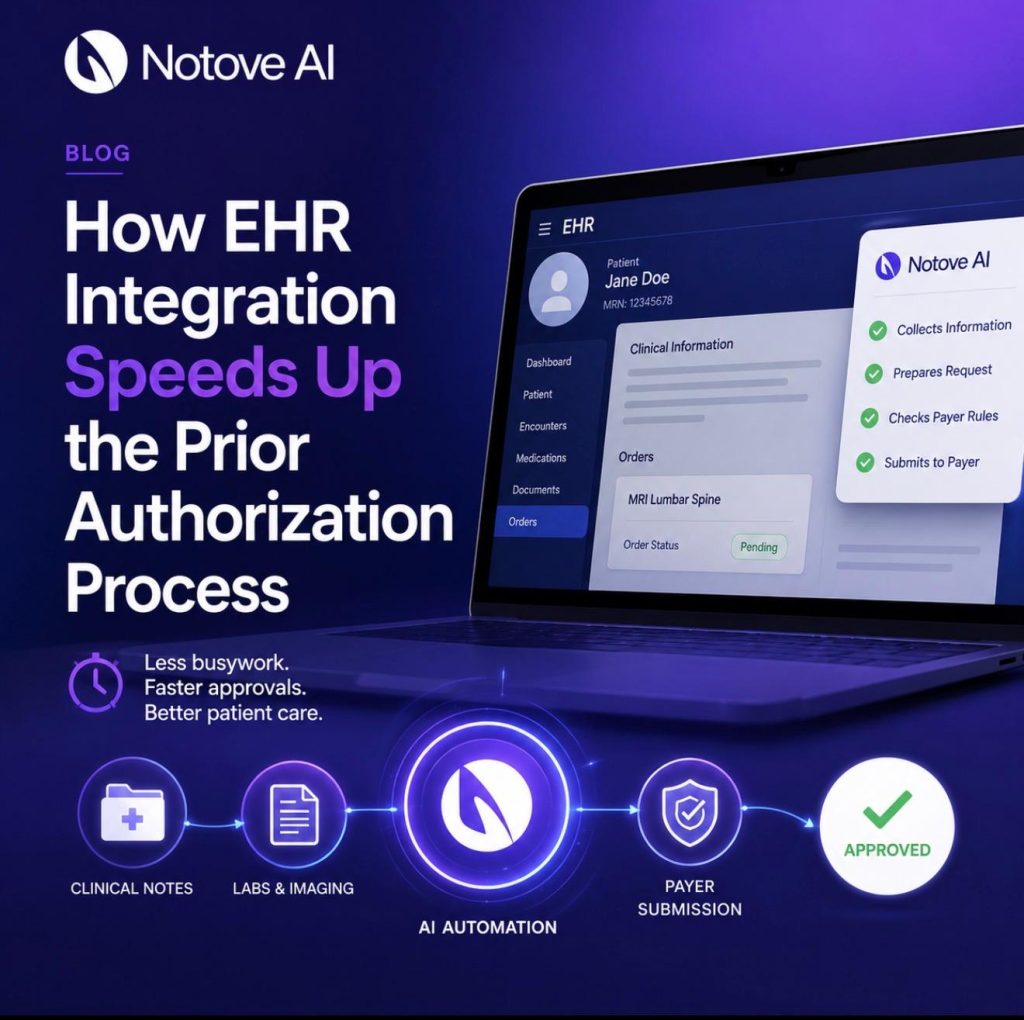
How EHR Integration Speeds Up the Prior Authorization Process EHR Integration is quietly becoming the biggest lever specialty clinics have for cutting prior authorization delays. If you have ever watched a prior auth request sit in limbo for days while a patient waits for an MRI or a specialty medication, you already know the cost. The paperwork itself is not the real problem. The real problem is how many hands, systems, and re-typed fields a single request has to pass through before a payer even looks at it. This article breaks down why prior authorization feels so slow, what EHR Integration actually means in this context, and how it speeds up the process at almost every step. Why prior authorization feels slow (and where the time actually goes) Prior authorization, often shortened to PA, is a payer requirement before certain care can proceed. It typically applies to medications, imaging, procedures, and durable medical equipment. The typical PA timeline looks simple on paper. Clinical documentation gets gathered, payer rules get checked, forms get completed, requests get submitted, and then the back and forth begins. In reality, most of the delay hides inside that back and forth. Missing or incorrect data forces staff to dig through charts again. Fax machines and payer portals fragment the process even further. Every payer has different requirements, which means duplicate entry becomes the norm rather than the exception. Staff end up typing the same clinical details into three or four different systems. These delays are not just inconvenient. They push back patient care, drive clinician burnout, and quietly leak revenue through denials and rework. Anyone who has read about how AI can reduce physician burnout caused by administrative paperwork knows this cycle is well documented across specialties. This is exactly where EHR Integration earns its place. It reduces what many revenue cycle leaders call administrative latency, which is the lag between a clinical decision and the payer actually receiving what it needs. What EHR Integration means in a prior authorization workflow EHR Integration is often misunderstood as simply having two systems that can technically talk to each other. That is not enough on its own. Real EHR Integration means three things happening together. Data moves in both directions. The workflow itself is embedded inside the clinician and staff experience. Status visibility is available without logging into a separate portal. There are different levels of EHR Integration worth knowing. Basic integration allows attachments or exports between systems. Intermediate integration offers single sign on access to a payer or vendor portal. Advanced EHR Integration goes further. It embeds rules and automatically captures data directly inside the clinical workflow. Optimized integration closes the loop entirely and adds analytics on top. You may also hear terms like ePA, short for electronic prior authorization, or interoperability, which is a broader term than workflow integration. RPA, or robotic process automation, is not the same thing as true EHR Integration either. The goal behind all of this is simple. Reduce clicks, remove re-keying, ensure nothing is missing, and get payers a faster, cleaner response. How EHR Integration speeds up prior authorization Here are seven concrete ways EHR Integration shortens the prior authorization timeline. First, it auto-populates PA requests using existing patient data. Demographics, coverage details, NPI numbers, diagnosis codes, medication history, labs, and imaging results all pull in automatically. Second, it runs real-time eligibility and benefit checks. Staff can confirm coverage and whether a PA is even necessary before anyone submits anything. Third, payer rules surface directly inside the EHR. Medical policies, step therapy requirements, and quantity limits become visible before submission, not after a denial. Fourth, smart documentation prompts appear during the actual visit. Clinicians get reminded to capture failed therapies or contraindications while the information is fresh. Fifth, supporting documents attach in one click. Chart notes, labs, and imaging reports get labeled and formatted correctly the first time. Sixth, submission happens electronically from inside the EHR instead of through fax or phone. Immediate validation catches missing fields before they cause a delay. Seventh, closed-loop status updates land directly in the EHR task queue. Payer questions, approvals, and denials show up without a single portal login. The before and after workflow for staff, clinicians, and patients Before EHR Integration, a typical PA request means a staff member manually pulling the chart. They re-enter data into a payer portal, fax notes, and follow up by phone repeatedly. Clinicians get interrupted mid-day when criteria are missing. That interruption alone is a major driver of burnout across specialty practices. After EHR Integration, the request starts inside the EHR itself. Data captures automatically, a criteria checklist appears, and submission happens electronically without leaving the chart. Clinicians experience fewer interruptions. PA specialists spend less time on rework. Billing and revenue cycle teams see fewer denials, and patients start treatment sooner. Consider a specialty medication request as an example. Instead of a specialist calling the pharmacy and faxing lab values separately, the labs attach automatically and the request submits the same day. Clinics that have documented how specialty clinics can standardize prior authorization workflows across staff tend to see this exact shift once EHR Integration is in place. Key integration capabilities to look for Not every EHR Integration is built the same way. Some capabilities matter far more than others when speed is the goal. Look for in-workflow ePA initiation rather than a separate portal experience. Standards support matters too, specifically HL7 and FHIR for data exchange and NCPDP SCRIPT for medication-related ePA. Bi-directional, closed-loop communication with payer responses is essential. Without it, staff still have to check a portal manually for updates. A rules engine or clinical decision support at the point of ordering helps catch requirements early. Attachment automation and proper document mapping prevent formatting rejections. Tasking and queue management with an audit trail keeps everything organized across a team. Analytics on turnaround time, denial reasons, and payer performance help leadership spot patterns. Finally, ask about fallback paths. Not every payer supports ePA, so a
Electronic Prior Authorization vs. Manual Submission: A Practical Comparison

Electronic Prior Authorization vs. Manual Submission: A Practical Comparison Electronic prior authorization is no longer a nice-to-have upgrade for busy clinics — it is increasingly the line between a practice that schedules patients on time and one that hemorrhages revenue through rework, delays, and staff burnout. If you run prior auth for a specialty clinic, a radiology group, or a multi-provider practice, you already know the manual version of this process: a fax goes out, a phone call follows it, someone logs into a payer portal, and then you wait. This article walks through what separates electronic prior authorization (ePA) from manual submission across every dimension that actually matters to the people doing this work every day — speed, accuracy, visibility, cost, patient experience, and scale. Prior Authorization in Plain English Before comparing methods, it helps to be precise about what prior authorization actually is. It is a payer requirement that a provider obtain approval before a service, procedure, or drug will be covered. The payer wants to confirm medical necessity before committing to payment. What triggers a PA varies, but the common categories are high-cost imaging (MRI, CT, PET), specialty medications, durable medical equipment, elective surgical procedures, and advanced diagnostics. Once a PA is triggered, several parties are involved: the ordering provider, the administrative or billing staff who gather documentation, the payer’s utilization management (UM) team that reviews the request, and ultimately the patient whose care is waiting on the outcome. A successful prior authorization request means the right clinical documentation — ICD-10 and CPT codes, clinical notes, imaging results, prior treatment history — was submitted to the right payer in the right format, with approval in hand before the date of service. That last part is where most of the friction lives. Manual vs. Electronic: What Each One Actually Means Manual prior authorization means submitting through fax, phone calls, email attachments, or payer-specific web portals. It often involves copying and pasting patient and insurance data between systems, printing and scanning clinical documents, and tracking status through spreadsheets, sticky notes, or shared inboxes. Electronic prior authorization means submitting through a standardized electronic transaction — typically integrated into the EHR or RCM platform — with structured data fields, automated routing, and real-time or near-real-time status updates returned from the payer. A common misconception is worth addressing directly: logging into a payer portal and submitting a form is not ePA. True ePA involves structured data transactions, built-in validation, and system-to-system communication. The portal is just a more organized version of manual. Many organizations run a hybrid. Some payers support ePA; others still require fax. Some service lines are high enough volume to justify automation; others are not. The goal is not to eliminate all manual work — it is to reduce how much of it your team carries. A Side-by-Side Comparison That Actually Means Something Rather than a general overview, here is a breakdown across six dimensions that prior auth teams feel every day. Speed: Turnaround Time and Time-to-Schedule Manual PA is slow by design. A request goes out by fax, sits in a queue, requires a follow-up call, and if anything is missing, the whole cycle restarts. Many payers have business-hour-only review windows, which adds calendar days to a process already measured in days rather than hours. Prior authorization automation can cut approval times by up to 80%, which translates directly into fewer rescheduled appointments and less downstream billing friction. With ePA, the submission reaches the payer faster, with fewer touchpoints, and status updates come back through the same channel. It is still not always instant — complex cases still go to clinical review — but the administrative lag is dramatically shorter. What to track: median time from order to submission, submission to payer response, and approval to scheduled appointment date. Accuracy: Completeness, Coding, and Documentation Quality Manual submission introduces multiple failure points. Wrong form version, missing attachments, ICD-10/CPT misalignment, outdated medical necessity criteria — any of these sends a request back to square one. The rework is labor-intensive and delays care. ePA platforms have built-in validations. Required fields cannot be left blank. Code combinations are checked against payer rules before submission. That said, ePA cannot fix weak clinical documentation upstream. Clinical documentation quality is what makes or breaks insurance approvals — and that reality does not change regardless of which submission method you use. A practical fix for both methods: build specialty-specific checklists and documentation templates so that whoever is pulling the chart knows exactly what needs to be in the request before it goes anywhere. Visibility: Status Tracking, Accountability, and Audit Trail This is where manual PA falls apart most visibly. Status lives in whoever last touched the case. One staff member called the payer on Tuesday; another faxed an addendum on Thursday; no one updated the tracker. When a patient calls asking about their authorization, no one has a clean answer. ePA creates a timestamped, centralized record of every action — submission, payer acknowledgment, pending status, approval or denial. That audit trail matters for patient communication, for escalating pended cases, and for defending against payer disputes. It also matters internally for QA and for identifying which payers or service lines are causing recurring problems. Labor and Cost: Staff Time, Rework, and Burnout Manual PA is a staffing sink. The hidden cost of manual prior authorization in radiology practices — and across specialty medicine broadly — runs far deeper than the obvious salary line. Factor in overtime during volume spikes, the training burden of managing credentials across a dozen different payer portals, the opportunity cost of delayed scheduling, and the turnover that comes when staff spend their days chasing faxes and listening to hold music. Here is a rough framework for estimating your current cost: Cost Component What to Measure Typical Range Staff time per authorization Minutes per PA, all touches 20 to 45 minutes (manual) Rework rate % of PAs requiring resubmission 15% to 30% in manual workflows Denial rate linked to PA Claim denials traceable
Clinical Documentation 101: Why It Makes or Breaks Your Insurance Approvals
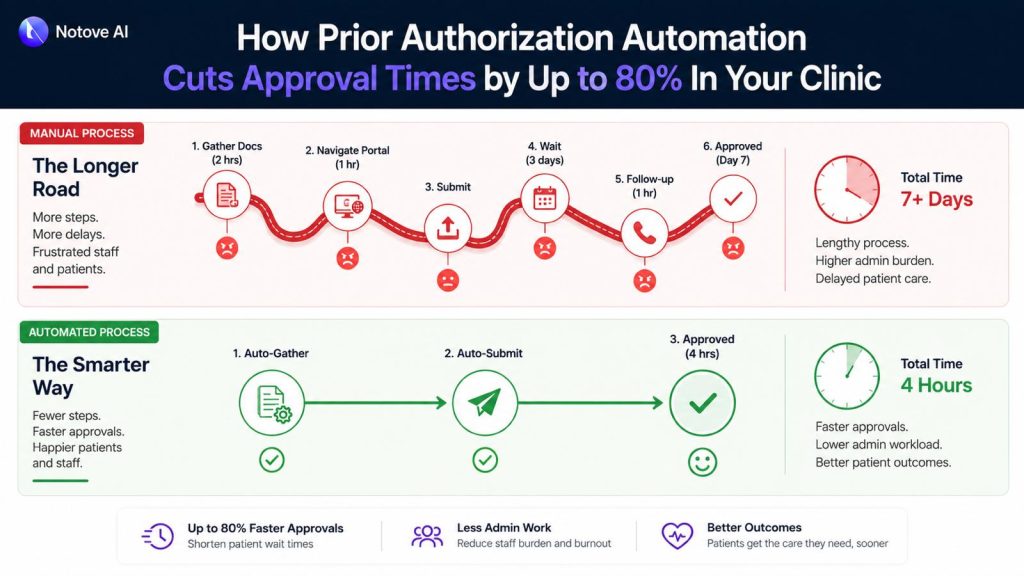
How Prior Authorization Automation Cuts Approval Times by Up to 80% In Your Clinic Prior authorization automation is no longer something only large hospital systems get to enjoy. It is quickly becoming the line between a clinic that runs on schedule and one that quietly loses hours, revenue, and staff bandwidth every single week. If your team spends significant chunks of the day pulling chart notes, calling payer lines, and hunting down status updates on requests submitted three days ago, you already understand the problem. What you may not yet see clearly is how much of that work does not actually require a human being to do it. Why Prior Authorizations Keep Slowing Clinics Down The average manual PA request moves through several predictable stages: confirming whether authorization is needed, gathering clinical documentation, completing payer-specific forms, submitting the request, and following up when no response arrives. In a busy specialty practice, that full cycle takes anywhere from 45 minutes to well over two hours per case. The deeper problem is variance. Each payer carries its own clinical criteria, its own portal workflow, its own definition of what counts as sufficient medical necessity evidence. Staff handling five different payers on the same afternoon are constantly switching gears, and that constant shifting is exactly where errors get introduced. A missing attachment, a mismatched code, or a letter that does not address the payer’s specific criteria sends the request back, and the clock resets. What is unfolding right now goes well beyond scheduling friction. The accumulation of these daily administrative loops is contributing to delayed care, staff overtime, and appointment cancellations that never show up on any dashboard but cost the clinic real revenue all the same. What Prior Authorization Automation Actually Means There is genuine confusion in the market about this term, so it is worth being precise. Prior authorization automation refers to software, typically AI-powered, that handles the repetitive non-clinical stages of the PA process: detecting when a procedure requires authorization, pulling the relevant clinical documentation, preparing the payer-specific request, and tracking submission status through to resolution. What it does not do is replace clinical judgment. The physician still owns the medical decision. The care team still determines what treatment is appropriate. Automation removes the administrative scaffolding that surrounds that decision and consumes time disproportionate to its actual clinical value. Basic automation relies on rules and static templates. A more capable AI agent goes further: it orchestrates the full workflow, extracts documentation intelligently from the EHR, drafts payer-specific letters, and surfaces any gaps before the request ever goes out. That distinction matters because the majority of denials are not rooted in the clinical decision itself. They trace back to gaps in how clinical documentation is prepared and presented, gaps that a well-designed system catches at the preparation stage rather than after a denial arrives. The Mechanics Behind an 80% Reduction in Approval Time The 80% figure is not a promise about payer response time. Payer turnaround is outside anyone’s control. The reduction comes from compressing the stages that are entirely within the clinic’s control: preparation, error correction, and follow-up. Here is a realistic look at where time actually goes in a manual PA workflow compared to an automated one: Stage Manual Time Automated Time Time Saved Authorization detection 10 to 15 minutes Under 1 minute ~93% Documentation assembly 20 to 30 minutes 3 to 5 minutes ~85% Form and letter preparation 15 to 20 minutes 2 to 4 minutes ~82% Staff review and submission 10 to 15 minutes 3 to 5 minutes ~67% Follow-up and status tracking 15 to 30 minutes 5 to 8 minutes ~70% Total per PA request 70 to 110 minutes 13 to 23 minutes ~79% The savings concentrate in two stages: documentation assembly and form preparation. These require digging through charts, interpreting payer-specific criteria, and reformatting clinical evidence into submission-ready packets. An AI system that understands those requirements and can surface the right evidence from an EHR handles that work in seconds. The 5-Step Workflow a Good System Should Handle When evaluating any prior authorization automation tool, use these five steps as your checklist. Each one maps to a common failure point in manual processing. Step 1 is authorization detection. The system should flag, at the point of order creation, that the procedure requires PA. This single step prevents the last-minute chaos of a procedure scheduled without authorization and the patient callbacks that follow. Step 2 is documentation assembly. This is the single biggest time sink in any manual process. A capable system pulls recent clinical notes, diagnoses, prior treatment history, imaging results, and lab values, then maps those findings to the specific payer’s medical necessity criteria. The hidden costs that manual documentation assembly creates in high-volume practices illustrate exactly how much time and revenue disappears when this stage runs on human effort alone. Step 3 is payer-specific request preparation. Every payer uses different forms, requires different fields, and favors different submission channels. Automation generates a payer-ready packet with correct formatting, proper attachments, and consistent structure, reducing the chance of a pend or return-to-provider before the request even gets reviewed. Step 4 is staff review and submission. This is where the human stays in the loop. A well-designed workflow displays the full request, the assembled documentation, and any open flags on a single screen. The authorization specialist reviews, edits if needed, and submits. Getting this stage under five minutes is the target. Step 5 is submission tracking and follow-up. This is where delays quietly accumulate in manual workflows with no one noticing until a scheduled procedure gets pulled. A good system maintains a live dashboard of every request status, captures payer notes, and sends automated reminders when follow-up windows open. Where Clinics See the Biggest Return The ROI from prior authorization automation shows up across several categories at once. The most visible is staff hours recovered each week. When each PA request takes 15 minutes instead of 90, a team managing 20 requests per week reclaims
Clinical Documentation 101: Why It Makes or Breaks Your Insurance Approvals

The Prior Authorization Crisis In 2026: 93% of Physicians Say It Delays Patient Care The Prior Authorization Crisis has quietly become one of the most damaging forces inside American healthcare, and by 2026, it is no longer just a billing complaint. It is a patient safety issue. Picture this: a cardiologist orders a stress test for a patient with chest pain. The patient is anxious, already canceling work to make the appointment. Three days pass. Then five. The insurer wants more documentation. Someone on the care team spends forty minutes on hold. The test slot disappears. A new one is scheduled two weeks out. The patient ends up in the emergency room first. That sequence, or something close to it, plays out in clinics across the country every single day. According to the American Medical Association, 93% of physicians report that prior authorization delays necessary patient care. That figure is not a talking point. It is a description of how the system actually moves, and what it costs people while it moves. What Prior Authorization Actually Is Prior authorization (PA) is a requirement from a health insurer that a provider get approval before a covered service, medication, or procedure will be reimbursed. The stated rationale is reasonable: manage costs, reduce unnecessary care, and ensure treatments meet evidence-based standards. Utilization management in theory is not a bad idea. In practice, the system has drifted far from that original purpose. Approval criteria are inconsistent across payers and plans. Documentation requirements are opaque and frequently change. Denials arrive without clear clinical justification. Providers submit, get asked for more information, request a peer-to-peer review, wait for a callback that may never come, get denied, appeal, and start over. Each step adds days. Sometimes weeks. And at every stage, the patient is waiting. What the Statistic Looks Like at the Bedside When 93% of physicians say prior authorization delays care, the translation into clinic life looks like this: a patient with a lump waits two weeks longer for imaging. A teenager in a mental health crisis waits days for a medication to get approved before it can be prescribed. A post-surgical patient in pain cannot start physical therapy because the authorization window closed while the paperwork was in transit. The delays hit hardest in cancer workups, cardiology evaluations, chronic pain management, behavioral health, and infusion therapies including biologics. These are not elective situations. Prolonged waits in these categories lead to condition progression, unplanned emergency visits, and in some cases, worse long-term outcomes that are entirely preventable. There is also a psychological cost that does not appear in claim data. Patients grow frustrated, lose confidence in their care team, and sometimes give up on treatment entirely. Clinicians experience a specific kind of moral injury when they know what a patient needs, the evidence supports it, and the insurer is the only barrier. Why It Got Worse by 2026 Five distinct pressures have converged to make the Prior Authorization Crisis worse in 2026 than it was even three years ago. More services and drugs are being routed through PA requirements. Payer lists have expanded, and step therapy protocols, which require patients to try and fail cheaper treatments before accessing what their physician actually prescribed, have become more common across specialties. Payer rule fragmentation has made the administrative load nearly unmanageable. Each insurer has different portals, different forms, different documentation requirements, and different turnaround timeframes. A practice dealing with fifteen payers is maintaining fifteen different sets of rules. Staffing shortages and burnout mean there are fewer people to chase approvals. High turnover increases the chance of errors, rework, and dropped follow-ups. EHR documentation and payer-required fields rarely match. Missing specific clinical language, sometimes called the “magic words” that trigger approval, causes automatic denials even when the clinical case is solid. Finally, “digital PA” tools that insurers have rolled out often do not save time. They still require manual attachments, ask the same questions in different formats, and ultimately route to a human review queue with no faster resolution. The Real Cost: Time, Money, and Clinical Distortion The cost of prior authorization goes beyond frustration. Cost Category What It Looks Like in Practice Clinician time Physicians and staff spend an average of 12+ hours per week on PA tasks across a small practice Delayed revenue Approved services billed weeks late; denied services rebilled at significant labor cost Appeal labor Each denial that goes to appeal adds 2 to 4 hours of staff time with uncertain outcomes Treatment abandonment 1 in 4 patients abandon treatment when PA delays exceed 2 weeks, per AMA data Clinical distortion Providers increasingly choose what is easiest to approve over what is clinically optimal That last row is the most corrosive. When the path of least resistance in clinical decision-making becomes “what will the insurer approve without a fight,” the system is no longer serving patients. It is serving paperwork. The equity dimension is also significant. Patients with less flexible work schedules, those with limited English proficiency, those without consistent coverage, and those unfamiliar with how to navigate insurance processes are far less likely to successfully advocate for themselves through a denial or delay. They are disproportionately the ones who fall out of care entirely. Where the Patient Journey Breaks Starting from a patient’s symptom and tracing the path forward, the failure points are predictable: the provider submits a PA request with incomplete documentation, or the clinical notes use language that does not match payer criteria. The insurer requests more information. The provider is in clinic and cannot respond immediately. The payer closes the window. A peer-to-peer review gets scheduled. This is a call between the ordering physician and a payer-employed medical reviewer to discuss the case. The problem is that payer-appointed reviewers often call during clinic hours and give narrow windows to respond. Physicians in back-to-back appointments miss the window. The denial stands. Meanwhile, the imaging slot the patient was supposed to fill gets taken. A new appointment requires a new authorization, and